What Are DisplayPort Adapters and Converters?
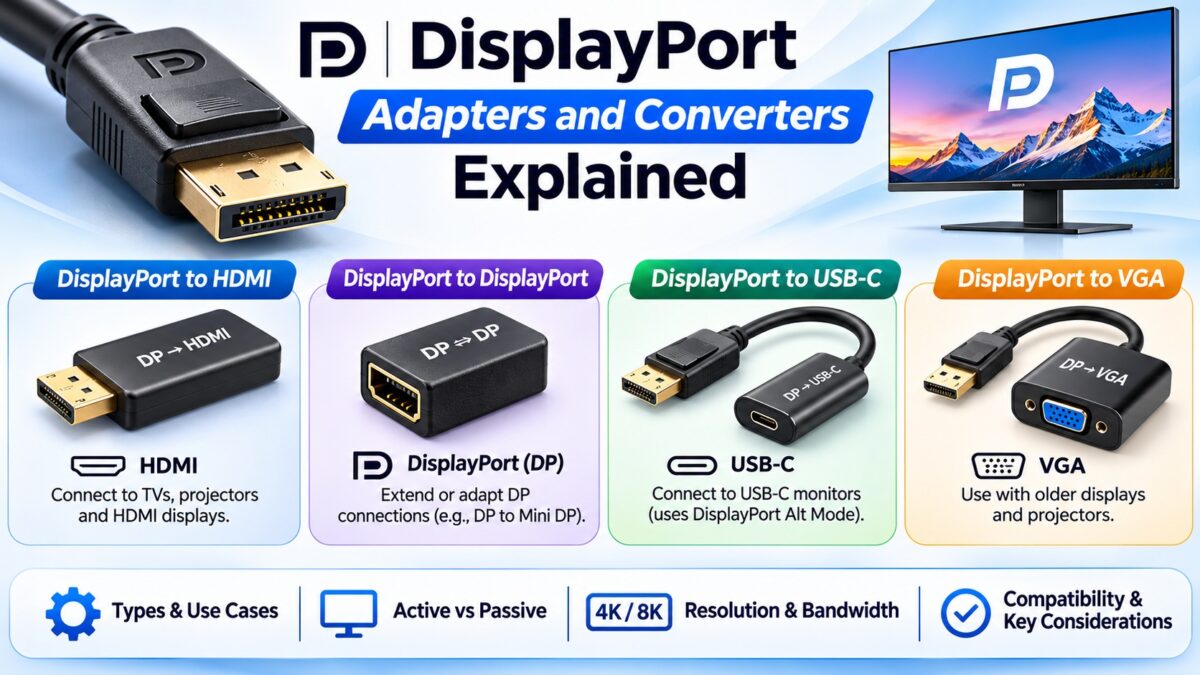
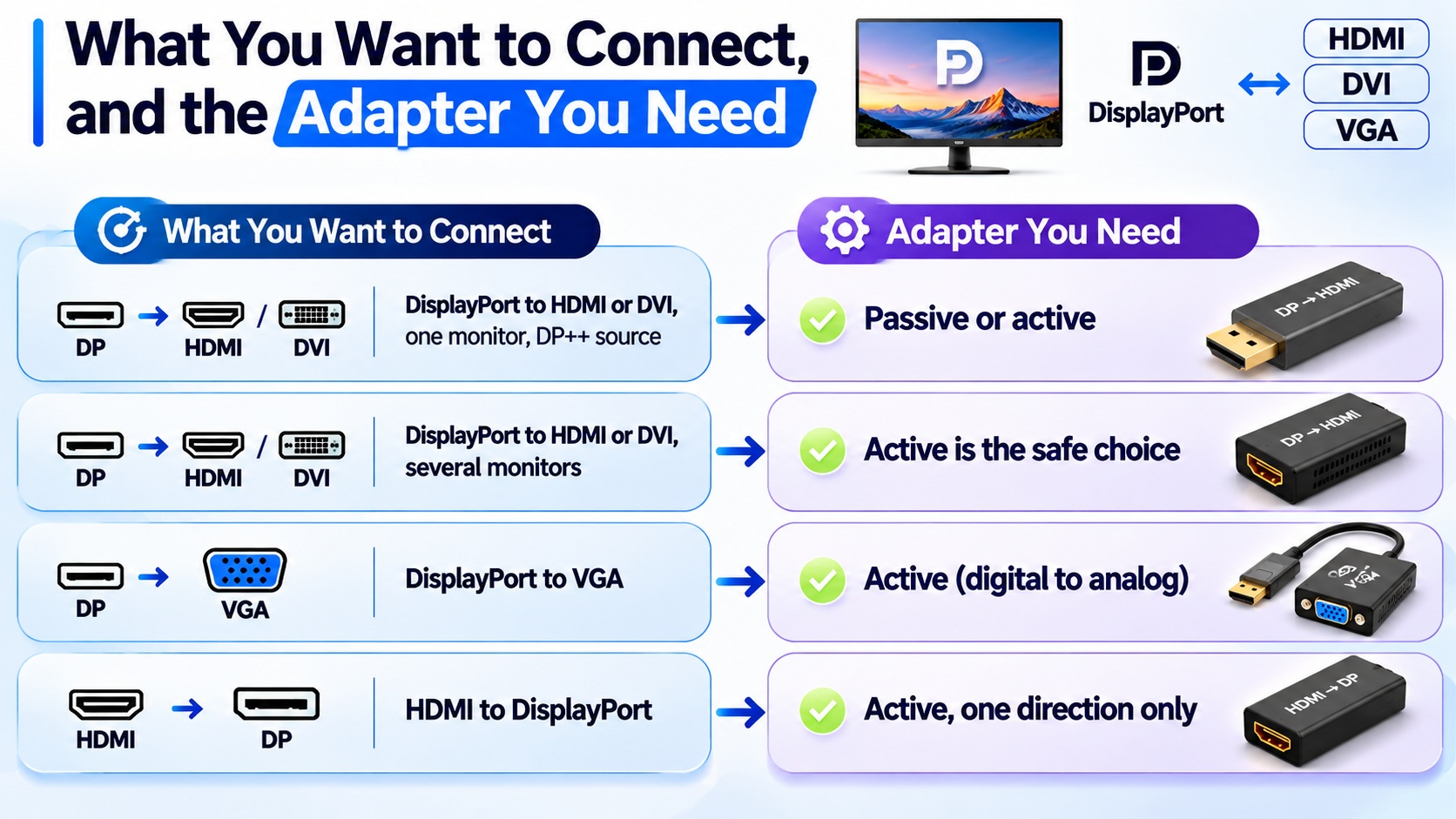
A DisplayPort adapter connects a DisplayPort source to a display with a different input, such as HDMI, DVI or VGA, and it is either passive, which relies on the source to do the conversion, or active, which has a chip that does the conversion itself. DisplayPort to HDMI and DisplayPort to DVI adapters can be either type, while DisplayPort to VGA is always active, and HDMI to DisplayPort always needs an active converter. A passive adapter works only if the source supports dual-mode DisplayPort, marked DP++. Most modern graphics cards do, but if you connect several monitors, an active adapter is often safer.
DisplayPort adapter types at a glance
| Direction | Passive possible? | Notes |
| DisplayPort to HDMI | Yes, if the source has DP++ | Most common adapter; active needed for several monitors or a source without DP++ |
| DisplayPort to DVI | Yes, if the source has DP++ (single link) | Active needed for other cases |
| DisplayPort to VGA | No, always active | It must convert digital video to analog |
| HDMI to DisplayPort | No, always active | A passive adapter will never work in this direction |
| Mini DisplayPort to HDMI, DVI or VGA | Same rules as full-size DisplayPort | Thunderbolt ports support DP++ |
| USB-C to DisplayPort | Not an adapter in the same sense | A cable using DisplayPort Alt Mode; see our Alt Mode guide |
Most adapters carry the signal in one direction only, so an adapter built for DisplayPort to HDMI can’t be used in reverse.
What is DP++ (dual-mode DisplayPort)?
DisplayPort comes in two flavors. A “single mode” or pure DisplayPort port sends only DisplayPort signals. A dual-mode (DP++) port can also switch its electrical signaling to send an HDMI or DVI signal. The source then does the conversion, and a passive adapter only maps the pins and tells the source what is connected. Source ports that support it are usually marked with the DP++ symbol: a D with a P inside and two plus signs to the left. Newer devices often leave the symbol off, because the feature is now standard, and Thunderbolt ports support DP++ natively.
What is a passive DisplayPort adapter?
A passive adapter has no chip inside. It relies entirely on the DP++ port to produce the correct output. That makes it cheap, but it works only with DP++ sources and only when converting from DisplayPort to HDMI or single-link DVI. It also has limits on resolution and refresh rate. One guide says passive adapters only support resolutions up to 4K at 60 Hz, depending on the adapter, so for anything more demanding you need an active one. Some graphics cards can’t provide DP++ output on all their ports at once, so if you connect several monitors, you may need an active adapter.
What is an active DisplayPort adapter?
An active adapter has a chip that does the signal conversion itself. It works whether or not the source supports DP++, which makes it the safer option, and it is the only option for some conversions. Active adapters cost more and may need power, sometimes through a USB connection. Typical cases where you need one:
- converting HDMI to DisplayPort,
- converting DisplayPort to VGA,
- connecting several monitors to a card that can’t provide DP++ on all its outputs,
- using a source that doesn’t support DP++, such as some multi-monitor graphics cards, and
- running a high resolution or refresh rate that passive adapters can’t carry.
How to choose a DisplayPort adapter
which DisplayPort adapter type to choose
When in doubt, an active adapter works in more cases than a passive one.
Do DisplayPort adapters affect picture quality?
Not directly. A DisplayPort to HDMI adapter doesn’t degrade the image, but the adapter limits what you get. One example in a guide: a PC with DisplayPort 1.4 connected through an older DisplayPort 1.2 to HDMI 1.4 adapter to a monitor that supports 4K at 144 Hz over HDMI 2.1 may only reach 4K at 30 Hz or 1080p at a higher refresh rate. The picture looks the same, but the mode is lower, so match the adapter’s specifications to your devices.
Why isn’t my DisplayPort adapter working?
- Check the direction. An adapter for DisplayPort to HDMI doesn’t work from HDMI to DisplayPort.
- Check for DP++. If the adapter is passive, the source must support dual-mode. If it doesn’t, use an active adapter.
- Check for power. An active adapter may need its USB power connected.
- Check how many monitors you are connecting. Some graphics cards can’t provide DP++ on every output at once, and need active adapters for the extra monitors.
- Check the limits. The adapter must support the resolution and refresh rate you want.
- Check the cable between the adapter and the display.
Common questions
What does DP++ mean?
Dual-mode DisplayPort, which lets a DisplayPort output also drive HDMI or DVI displays through a simple passive adapter.
Can I use a DisplayPort to HDMI adapter in reverse?
No. Converting HDMI to DisplayPort always needs an active converter built for that direction.
Is a DisplayPort to VGA adapter active?
Yes. All DisplayPort to VGA adapters are active, because they must convert a digital signal to analog.
Do passive DisplayPort adapters work for 4K?
Up to about 4K at 60 Hz, according to one guide, and only if the source supports DP++. Check the adapter’s specifications.
Do I need an active adapter for multiple monitors?
Often yes. If you connect several monitors, an active adapter is generally the safe choice, whether the source supports DP++ or not.
Does a DisplayPort adapter carry audio?
DisplayPort to HDMI adapters generally carry audio together with the video, but check the product specifications, especially for DVI and VGA, which don’t carry audio.
Keep learning
- DisplayPort Connector Types: Full-Size, Mini DisplayPort and USB-C (CON-DisplayPort-002)
- HDMI vs. DisplayPort: Which Should You Use? (CON-HDMI-005)
- DisplayPort Over USB-C: How Alt Mode Works (CON-DisplayPort-008)
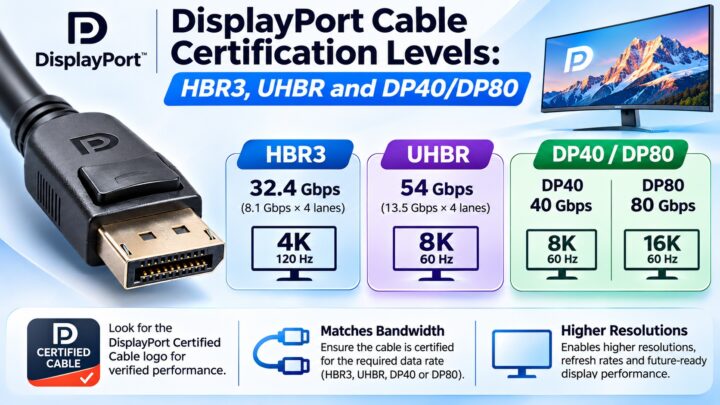
- DisplayPort Cable Certification Levels: HBR3, UHBR and DP40/DP80 (CON-DisplayPort-010)
- HDMI vs. DVI: What’s the Difference? (CON-HDMI-004)