What Is DSC in DisplayPort?
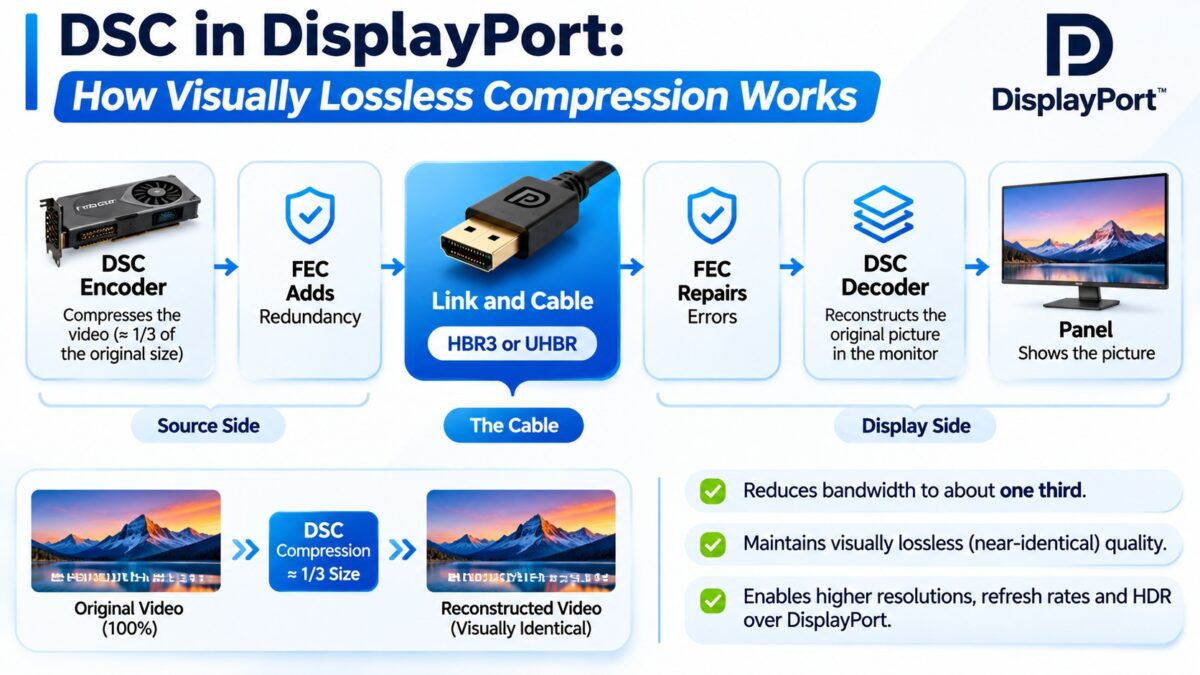
DSC (Display Stream Compression) in DisplayPort is a VESA compression scheme, introduced with DisplayPort 1.4, that shrinks the video by up to 3:1 before it is sent, so modes that would not fit in the link, such as 4K at 144 Hz with 10-bit color or 8K at 60 Hz, can be carried. It is described as visually lossless: VESA’s member testing found the compressed picture to be indistinguishable from the original at up to 3:1. DisplayPort adds a second feature to keep the compressed stream reliable, forward error correction (FEC), which lets the receiver repair some transmission errors. DSC is negotiated between the graphics card and the monitor, and both must support it. The same DSC standard is also used by HDMI 2.1, which our HDMI guide covers.
When did DisplayPort get DSC?
- DisplayPort 1.4 (March 2016) added DSC 1.2 transport and forward error correction. VESA called it the first major update since DisplayPort 1.3, which was approved in September 2014.
- DisplayPort 1.4a (April 2018) moved to DSC 1.2a.
- DisplayPort 2.0 and 2.1 kept DSC as an option, so that even the very high resolutions of the newest versions can use compression.
At the HBR3 link rate of 8.1 Gbps per lane, VESA says DisplayPort 1.4 with DSC can carry 8K at 60 Hz with 10-bit color and HDR, or 4K at 120 Hz with 10-bit color and HDR. Wikipedia’s summary of the standard also lists 4K at 240 Hz with 10-bit RGB and HDR.
How DSC fits on the DisplayPort link
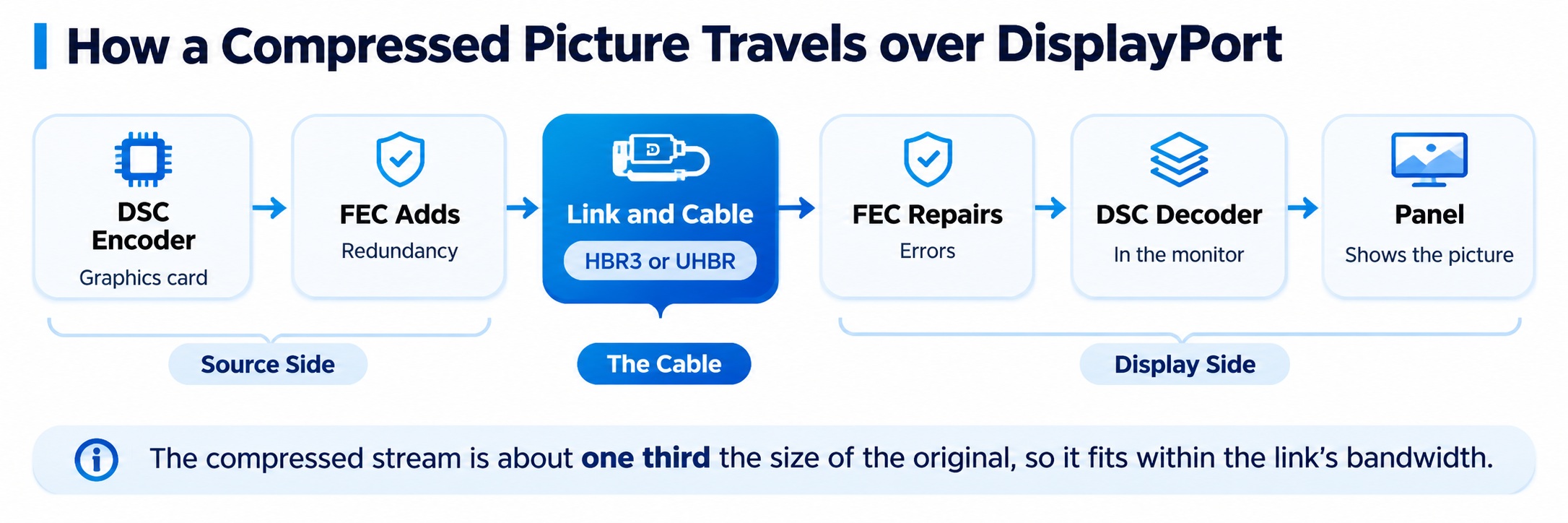
DSC and FEC on the DisplayPort link
Both ends must support DSC, and the cable must carry the link rate.
What does DSC add to DisplayPort?
Three things matter in practice.
- Compression. The standard supports up to a 3:1 ratio, which reduces the stream to 8 bits per pixel from 24. The minimum allowed is 6 bits per pixel, and 8 is the typical figure VESA gives. It works with RGB, YCbCr 4:4:4, 4:2:2 and 4:2:0 and with 6, 8, 10 or 12 bits per color component.
- Native 4:2:0 and 4:2:2 coding (DSC 1.2). Earlier DSC had to convert pixels to RGB first. DSC 1.2 can compress subsampled video directly, which is more efficient, about 2:1 for 4:2:0 against 3:1 for RGB. It also added 14 and 16 bits per color.
- Forward error correction. FEC overlays the DSC transport. VESA considers it necessary for DSC on external monitors.
Why does DisplayPort need forward error correction with DSC?
A single bit error in compressed video can damage more of the picture than an error in raw video, so DSC over a cable needs extra protection. FEC adds redundant data so that errors can be corrected, which increases the bandwidth requirement slightly but makes the compressed link reliable. One vendor describes the FEC in DisplayPort 1.4 as Reed-Solomon coding, specifically RS(254,250).
Which modes need DSC on DisplayPort 1.4?
DisplayPort 1.4 has 32.4 Gbps of raw bandwidth, or about 25.92 Gbps for video data. That is the limit that decides when DSC is needed.
| Mode | Needs DSC on DisplayPort 1.4? |
| 4K at 60 Hz, 8-bit or 10-bit | No |
| 4K at 120 Hz, 8-bit | No (fits within the video data rate) |
| 4K at 96 Hz, 10-bit RGB with HDR | No (the highest 10-bit RGB mode without DSC, per Wikipedia) |
| 4K at 120 Hz, 10-bit | Yes (about 32 Gbps needed, according to one vendor) |
| 4K at 144 Hz, 10-bit | Yes (about 35 Gbps needed) |
| 8K at 60 Hz | Yes |
| 4K at 240 Hz | Yes |
DSC also lets monitors avoid chroma subsampling: a monitor that supports DSC can show 4K at 144 Hz in 10-bit color without dropping to 4:2:2.
Does DSC work with MST?
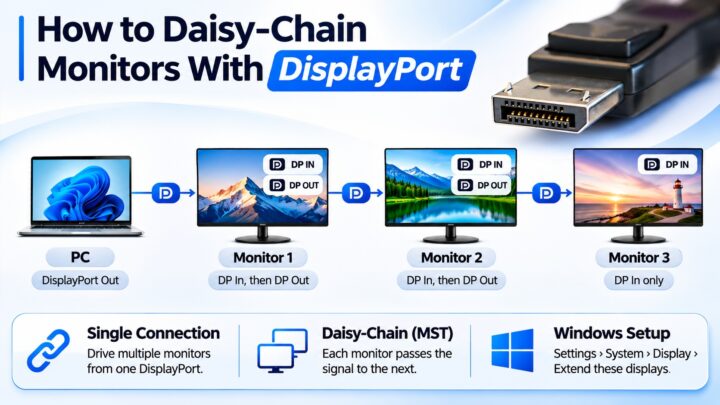
Yes. VESA says that DSC 1.2a with DisplayPort 1.4 can support multiple parallel streams in interleaved packets. That is what allows two 4K displays at 120 Hz over a single DisplayPort or Thunderbolt 4 link, which uncompressed would not fit. Our MST guide explains the multi-monitor side.
How do you check that DSC is working?
Several things have to line up:
- The graphics card and driver support DSC. Check the driver notes and the card’s specifications.
- The monitor supports it, and it is turned on. Some monitors ship with DSC disabled and need it enabled in the on-screen menu. CalDigit warns that many high-refresh monitors ship with compression off.
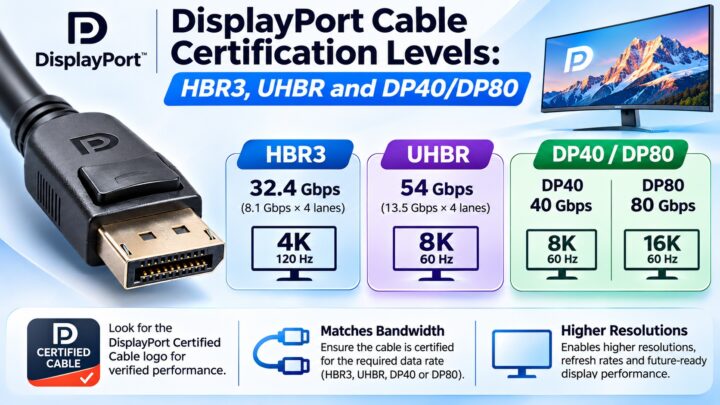
- The cable is a certified DisplayPort 1.4 (HBR3) cable. Avoid passive adapters, which may not pass DSC negotiation. Our certification guide explains the DP8K label.
- The link trains at the full rate. If link training settles on a lower rate, DSC may not be enough.
When DSC is not active, a typical sign is that the resolution is capped below the monitor’s rating, the refresh rate drops (for example from 144 Hz to 60 Hz), the color depth falls from 10-bit to 8-bit, or HDR is disabled although the card and monitor both support it.
Does DSC reduce picture quality?
It is lossy in a mathematical sense, but designed to be visually lossless. VESA says its member testing found the picture visually lossless up to the 3:1 ratio. Compression is also applied line by line with little delay, so it does not add noticeable input lag.
Common questions
What does DSC stand for?
Display Stream Compression.
Which DisplayPort version added DSC?
DisplayPort 1.4, published in March 2016.
Do I need DSC for 4K 144 Hz?
On DisplayPort 1.4, yes, if you want 10-bit color without chroma subsampling. 8-bit 4K at 120 Hz fits without it.
Why is my monitor stuck at a lower refresh rate?
DSC may be off in the monitor menu, the cable may not be certified for HBR3, or the link may have trained at a lower rate. Check each in turn.
What is FEC in DisplayPort?
Forward error correction, which adds redundant data so errors in the compressed stream can be repaired.
Is DSC in DisplayPort the same as in HDMI?
It is the same VESA standard, DSC 1.2a. HDMI 2.1 includes it as well.
Does DisplayPort 2.1 still need DSC?
Only for the very highest modes. UHBR links have far more bandwidth, but DSC remains available for modes beyond them.
Keep learning
- DisplayPort Versions Compared: 1.2 vs. 1.4 vs. 2.1 (CON-DisplayPort-005)
- DisplayPort Link Training Explained (CON-DisplayPort-015)
- DisplayPort Cable Certification Levels: HBR3, UHBR and DP40/DP80 (CON-DisplayPort-010)
- What Is DisplayPort Multi-Stream Transport (MST)? (CON-DisplayPort-007)
- Display Stream Compression (DSC) in HDMI Explained (CON-HDMI-021)