What Do DisplayPort Cable Certifications Mean?
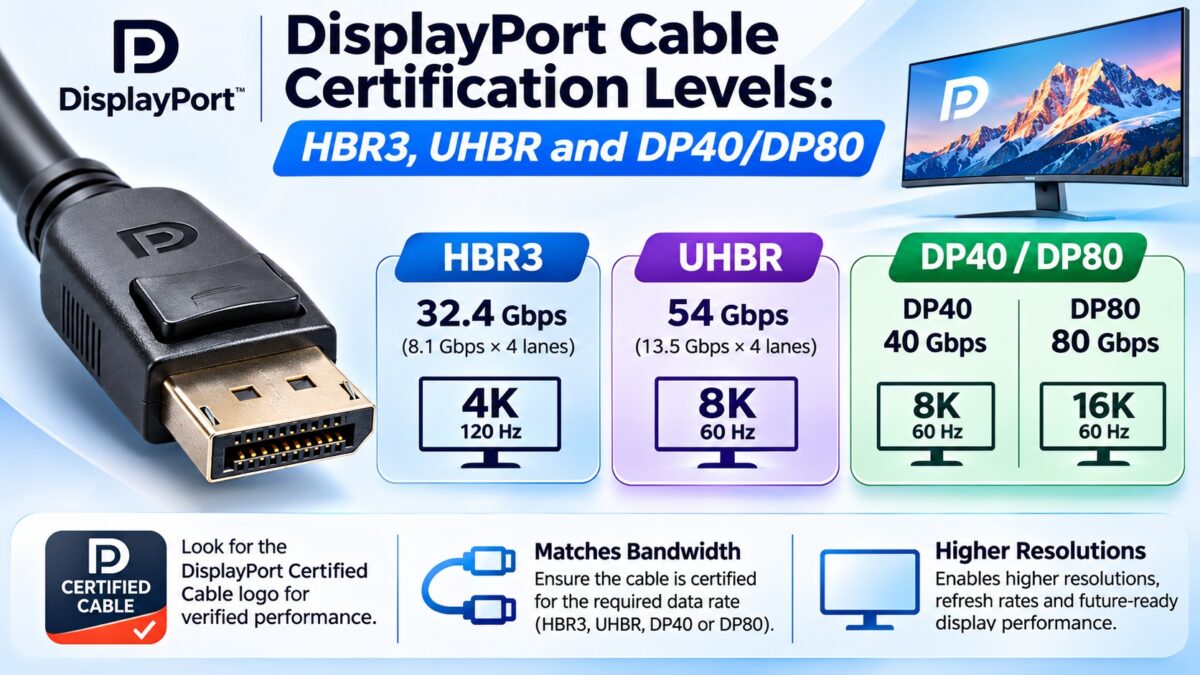
VESA’s DisplayPort cable logos tell you the highest link rate a cable is certified to carry: DP8K for HBR3 (32.4 Gbps), DP54 for UHBR13.5 (54 Gbps), and DP80 or DP80LL for UHBR20 (80 Gbps). The labels apply both to DisplayPort-to-DisplayPort cables and to USB-C-to-DisplayPort cables that use DisplayPort Alt Mode. DP54 replaced the earlier DP40 label (UHBR10, 40 Gbps), and DP80LL is a newer “low loss” active cable that lets UHBR20 reach about 3 meters. A cable can carry any link rate up to the one on its label, so a DP80 cable also works for slower modes. Many cables claim to be DisplayPort 2.1 compatible without any certification, so look for the logo.
DisplayPort cable certification levels at a glance
| Logo | Highest link rate | Raw bandwidth | Typical maximum length | Notes |
| DP8K | HBR3 (8.1 Gbps per lane) | 32.4 Gbps | Not limited by the certification | For DisplayPort 1.3 and 1.4; no cable identification mechanism |
| DP40 (replaced) | UHBR10 | 40 Gbps | About 2.5 to 3 m for certified examples | Replaced by DP54 in DisplayPort 2.1a; existing DP40 cables were confirmed to meet DP54 |
| DP54 | UHBR13.5 | 54 Gbps | About 2 m, passive | Also supports UHBR10; has a cable identification mechanism |
| DP80 | UHBR20 | 80 Gbps | About 1 m, passive (some sources say 1.2 m) | Has a cable identification mechanism |
| DP80LL | UHBR20 | 80 Gbps | About 3 m, active | Added in DisplayPort 2.1b (early 2025); lower loss than DP80 |
HBR3 vs. UHBR cables: what changed?
Cables for DisplayPort 1.3 and 1.4 are certified for HBR3, which is 8.1 Gbps per lane and 32.4 Gbps over four lanes. They carry the DP8K label. DisplayPort 2.0 and 2.1 added the UHBR (Ultra High Bit Rate) modes, UHBR10, UHBR13.5 and UHBR20, which run at 10, 13.5 and 20 Gbps per lane. They are faster than HBR3 and need cables that lose less signal, plus a cable identification mechanism so that the source and display can tell what the cable supports.
The practical rule is that a cable limits the link to its own certification. A DisplayPort 1.4 cable won’t carry UHBR speeds even if both the graphics card and the monitor support DisplayPort 2.1.
Which cable matches which link rate?
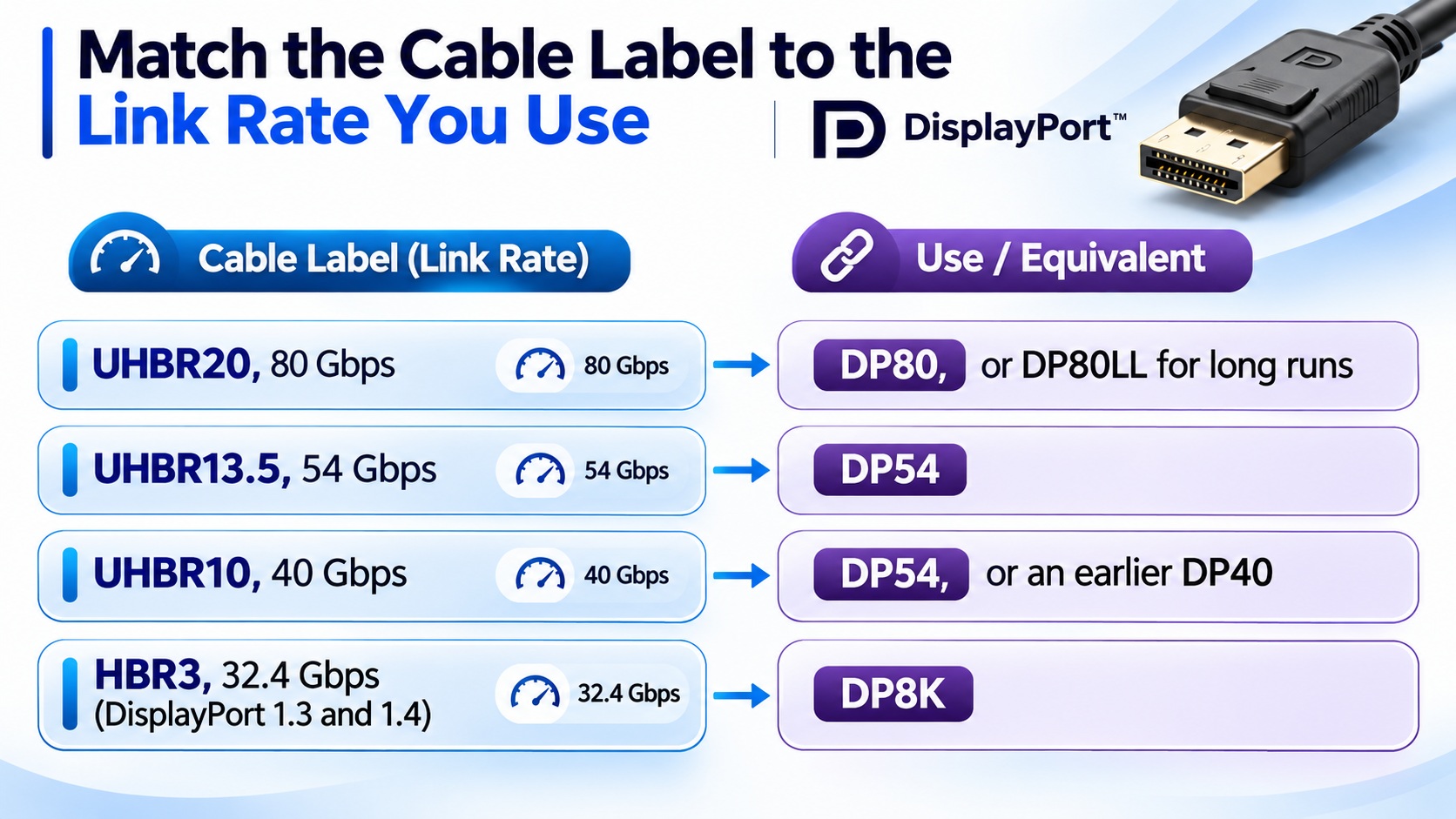
DisplayPort cable labels by link rate
A cable with a higher label also works at the lower rates.
What is the DP80LL cable?
DP80LL (Low Loss) is a certification added to DisplayPort 2.1b, released in early 2025. A passive DP80 cable is limited to about one meter because the UHBR20 signal loses so much strength. VESA’s DP80LL specification uses an active cable with a link redriver (LRD), which boosts the signal inside the cable. VESA’s loss budget for DP80 is 8.5 dB at 10 GHz, against 6.5 dB for DP80LL, and it says DP80LL can reach about 3 meters, up to three times the length. The design builds on the USB4 active cable specification and its test methods. DP80 cables are not deprecated, but only an active (LRD) cable can meet the DP80LL loss budget.
What happened to DP40?
VESA’s DisplayPort 2.1a update in January 2024 replaced the DP40 cable specification with DP54, which supports up to UHBR13.5 (54 Gbps) over a passive cable of up to two meters. DP54 also supports UHBR10, so it works with UHBR10 and UHBR13.5 devices. VESA says that existing DP40 cables were confirmed through testing to meet the DP54 specification and support UHBR13.5.
How can you spot an uncertified cable?
- Look for the logo on the connector, not only on the packaging. The cable should carry a physical DP8K, DP54, DP80 or DP80LL mark.
- Check the model in the VESA Certified Product Database. One guide calls cross-referencing the exact part number the only authoritative confirmation.
- Be wary of vague claims such as “DisplayPort 2.1 compatible”, “8K” or “UHBR” without a certification logo. The DisplayPort 2.1 name covers several different cable tiers, and some cables claiming compatibility are not certified for DP40, DP54 or DP80.
- Check the length. If a cable is much longer than the typical length for its label, treat the claim with caution.
Which DisplayPort cable do you need?
- A DisplayPort 1.2 or 1.4 monitor at up to HBR3: a DP8K cable. For 4K at 144 Hz with DSC, this is the one to look for.
- A UHBR10 or UHBR13.5 monitor: a DP54 cable (a DP40 cable that was certified earlier also works).
- A UHBR20 monitor on a short run: a passive DP80 cable, up to about one meter.
- A UHBR20 monitor with a longer run: an active DP80LL cable, up to about three meters.
The cable only needs to match the fastest link rate your devices actually use, not the highest version number on the box. Check the link rate in the specifications of the monitor and the graphics card.
Common questions
What is a DP80 cable?
A VESA-certified cable that supports UHBR20, which is 80 Gbps over four lanes.
What is the difference between DP54 and DP80?
DP54 is certified up to UHBR13.5 (54 Gbps) and works over passive cables of about 2 meters. DP80 is certified to UHBR20 (80 Gbps), and its passive length is limited to about 1 meter.
Is a DP40 cable still good?
Yes. VESA replaced the DP40 label with DP54, and it confirmed that DP40 cables that were already shipping meet the DP54 specification.
Do I need a DP80 cable for DisplayPort 2.1?
Only if your devices run UHBR20. For UHBR10 and UHBR13.5, DP54 is enough, and for DisplayPort 1.4 modes a DP8K cable is.
What is the difference between DP80 and DP80LL?
DP80LL is an active low-loss cable that can carry UHBR20 over about three meters, while a passive DP80 cable is limited to about one meter.
Does a USB-C to DisplayPort cable have these labels too?
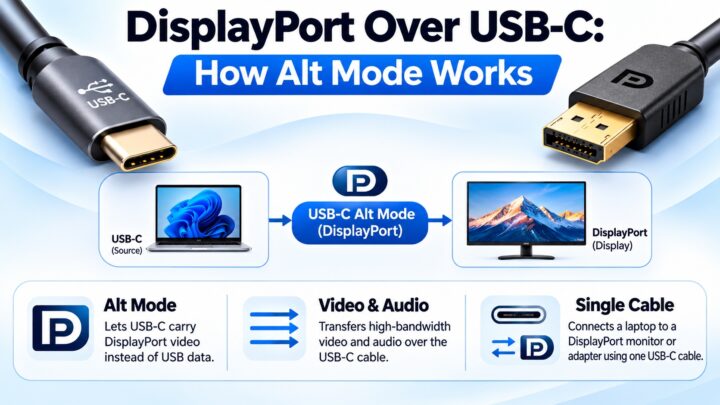
Yes. The VESA logos cover USB-C-to-DisplayPort cables that use DisplayPort Alt Mode as well as DisplayPort cables.
Can any DisplayPort cable carry 4K at 144 Hz?
Often, with DSC, a good DP8K cable. Check that it is certified, and check the monitor’s requirements.
Keep learning
- DisplayPort Versions Compared: 1.2 vs. 1.4 vs. 2.1 (CON-DisplayPort-005)
- DisplayPort Over USB-C: How Alt Mode Works (CON-DisplayPort-008)
- DisplayPort Cable Length Limits (CON-DisplayPort-013)
- DisplayPort Adapters and Converters Explained (CON-DisplayPort-011)
- HDMI Cable Types (CON-HDMI-003)
3 comments