What Is HDMI Signal Integrity?
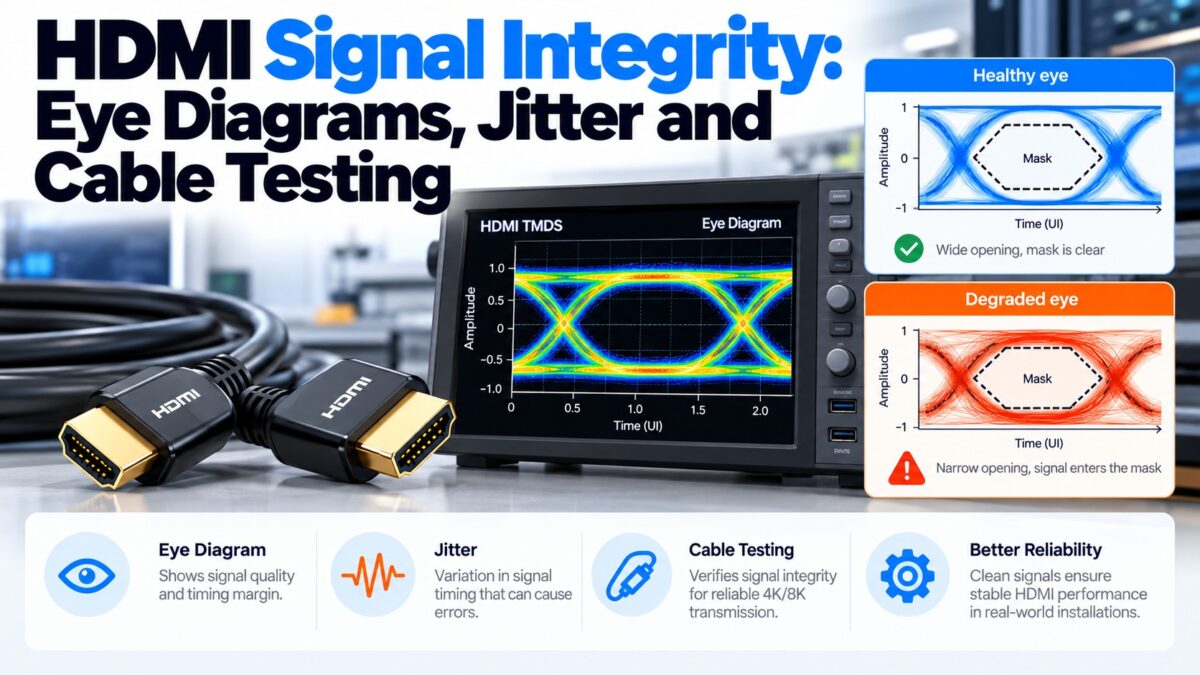
Signal integrity is a measure of how cleanly an HDMI signal arrives at the other end of the cable: whether the receiver can still tell every 1 from every 0 at the right moment. HDMI sends its video and audio as very fast pulses, up to 12 Gbps per lane in HDMI 2.1, and the cable, the connectors and the chips all distort them. Engineers measure that distortion with eye diagrams, jitter, impedance, insertion loss, crosstalk and skew, and certification labs test HDMI products and cables against limits set in the HDMI specification. When the signal is too distorted, you see the familiar symptoms: sparkles, flicker, dropouts, a lower mode, or no picture at all.
What is an eye diagram?
An eye diagram is the standard way to look at a high-speed digital signal. An oscilloscope records thousands of bits and overlays them on one screen, with each bit period drawn on top of the others. Because the signal switches between high and low, the overlaid traces form a shape like an eye.
- The opening of the eye is the space in the middle where no trace passes. A wide, tall opening means the receiver can sample each bit with plenty of margin.
- Height shows the voltage margin. Noise and signal loss reduce it.
- Width shows the timing margin. Jitter reduces it.
- The mask is a keep-out shape defined by the HDMI specification. For a product or cable to pass, the traces must not enter the mask.
A healthy eye is open and clear of the mask. A degraded eye is squashed and starts to enter the mask, and a closed eye means the receiver can’t recover the data.
What an eye diagram looks like
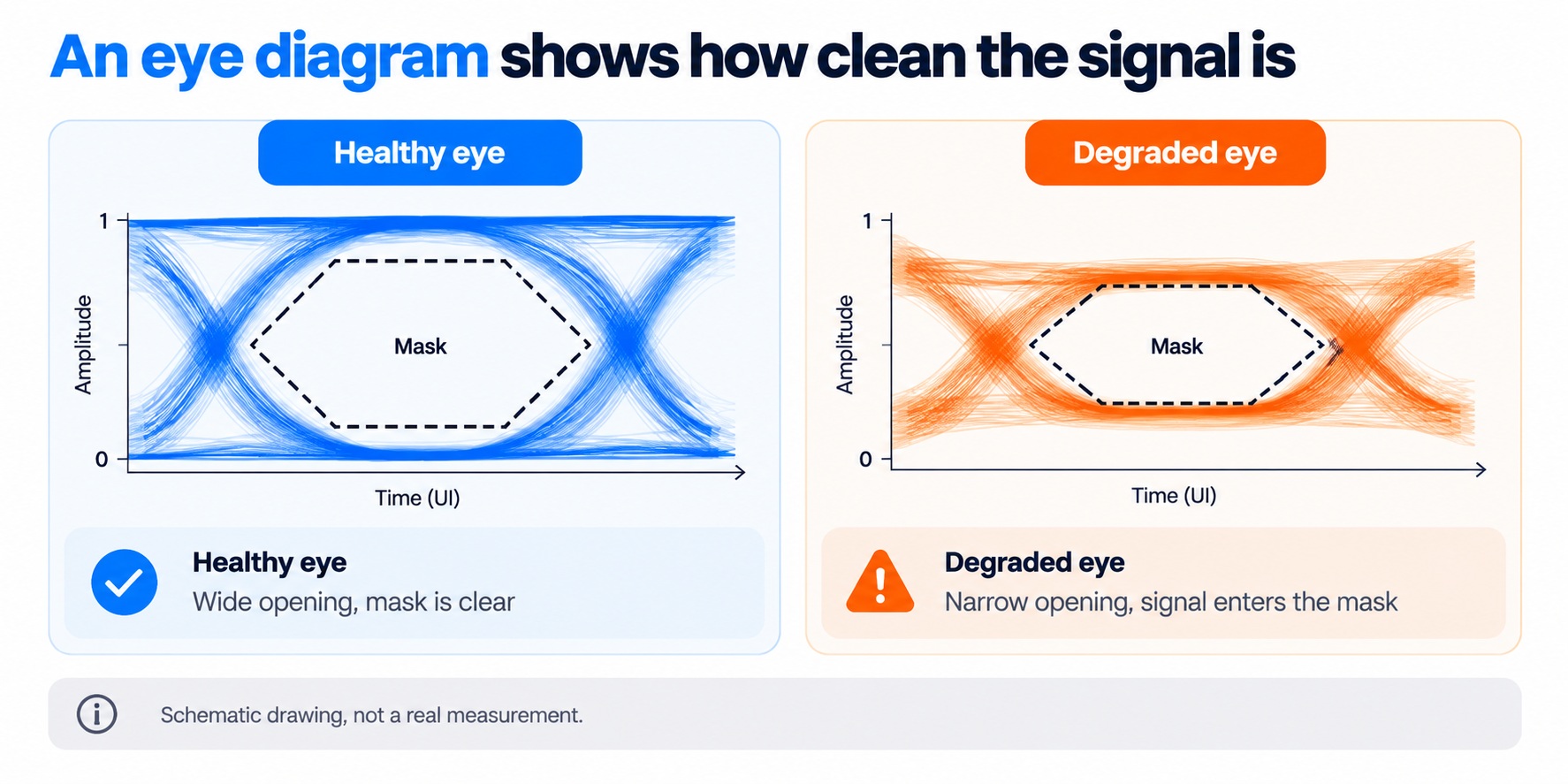
healthy and degraded eye diagrams vs the mask
Loss, jitter and noise squeeze the eye until it no longer clears the mask.
What is jitter?
Jitter is the variation in the timing of the signal’s edges. Ideally every transition happens at exactly the right moment, but in practice they arrive slightly early or late, which narrows the eye.
Engineers split jitter into components to find its cause:
- Total jitter, the overall timing uncertainty.
- Data-dependent jitter, which depends on the pattern of bits being sent and is often caused by loss and reflections in the cable and connectors.
- Random jitter, caused by noise.
One connector maker’s published HDMI test shows how this looks in practice. For a 6 Gbps signal, its cable assembly measured 25 ps of total jitter and 5 ps of data-dependent jitter, against 38 ps and 14 ps for a commercial reference assembly. These are one manufacturer’s results, not a standard, but they show the differences that a well-made cable can make.
What do HDMI cable tests measure?
Cable tests combine eye diagrams with measurements of the cable’s electrical properties. The targets below are the high-speed performance targets listed in a connector manufacturer’s HDMI data sheet and are from the HDMI 1.4 and 2.0 era.
| Test | What it checks | Example target |
| Differential impedance | Whether the cable and connectors match the 100 ohm design of the pairs, which prevents reflections | Cable 100 Ω ± 10 Ω; connector 100 Ω ± 25 Ω, measured with a 200 ps rise time |
| Insertion loss | How much of the signal is lost along the cable at each frequency | 5 dB at 825 MHz, 12 dB at 2.475 GHz, 20 dB at 4.125 GHz and 25 dB at 5.1 GHz (maximum) |
| Far-end crosstalk | How much one pair leaks into another | Less than −20 dB up to 5 GHz |
| Intra-pair skew | The difference in arrival time between the two wires of one pair | Less than 112 ps |
| Eye diagram | The quality of the data signal at the end of the cable, against the mask | Must stay clear of the mask |
| EMI and RFI | Whether the cable radiates interference that disturbs nearby devices | Required for Premium cables |
The Ultra High Speed cable category (Category 3) has its own tighter requirements for the 48 Gbps modes, which I don’t list here because the sources I found don’t give the numbers.
How are HDMI products and cables certified?
The HDMI Licensing Administrator runs the certification program, and testing is done at HDMI Authorized Test Centers (ATCs). Labs use high-bandwidth oscilloscopes and time-domain instruments (TDR and TDT) to measure eye diagrams, jitter, impedance and crosstalk. A product’s maker submits a capabilities declaration, the lab produces a test results form, and a passing product receives a certificate. HDMI 2.1 certification is available for FRL sources, sinks, connectors and Category 3 (Ultra High Speed) cables, and each cable model and length is tested.
Some test equipment makers also sell pre-compliance solutions for engineers. These help a designer find problems early but are not recognized by the HDMI Forum as official certification.
What causes HDMI signal integrity problems?
- Loss. The signal weakens as it travels, and faster signals lose more. This is why long passive cables fail at high bandwidth.
- Reflections. Any bump in impedance, such as at a poor connector, an adapter or a damaged spot in the cable, bounces part of the signal back.
- Crosstalk. One pair picks up signal from its neighbor.
- Skew. The two wires of a pair arrive at slightly different times.
- Noise and interference. Electrical noise from nearby equipment adds to the signal.
- Jitter in the source itself, from the transmitter chip.
HDMI 2.1 receivers have equalization to compensate for loss, but it cannot fix every problem. Our FRL guide has more on this.
What can you do about it at home?
You can’t measure an eye diagram on your desk, but you can reduce the risk:
- Use a certified cable with the official name and label for the speed you need.
- Keep the run as short as practical. Beyond the passive limit for your mode, use an active, optical or extender solution.
- Avoid cheap adapters and couplers, which add impedance bumps.
- Don’t kink, crush or tightly bend the cable. Damage changes its impedance.
- Seat the connectors fully and avoid strain on the plugs.
- Test with a different cable if you see sparkles or dropouts.
Common questions
What is an eye diagram in simple terms?
A picture of many bits of a signal overlaid on each other. The more open the “eye” in the middle, the cleaner the signal.
What is jitter?
Variation in when the signal’s edges arrive. Too much jitter narrows the eye and makes errors more likely.
Why do HDMI cables fail at higher resolutions?
Higher resolutions need faster signals, and faster signals lose more strength in the cable, so a cable that is fine for 1080p can fail for 4K or 8K.
What does insertion loss mean?
The amount of signal lost along the cable, measured in decibels at different frequencies. Lower is better.
How is an HDMI cable certified?
An authorized test center measures it with oscilloscopes and TDR instruments, and for Ultra High Speed cables each model and length is tested.
Can I test an HDMI cable myself?
Not for signal quality. A continuity tester can check that all 19 wires are connected, but it cannot show whether the cable carries 48 Gbps. Trying the cable in your actual setup is the practical test.