What Are the Differences Between DisplayPort 1.2, 1.4 and 2.1?
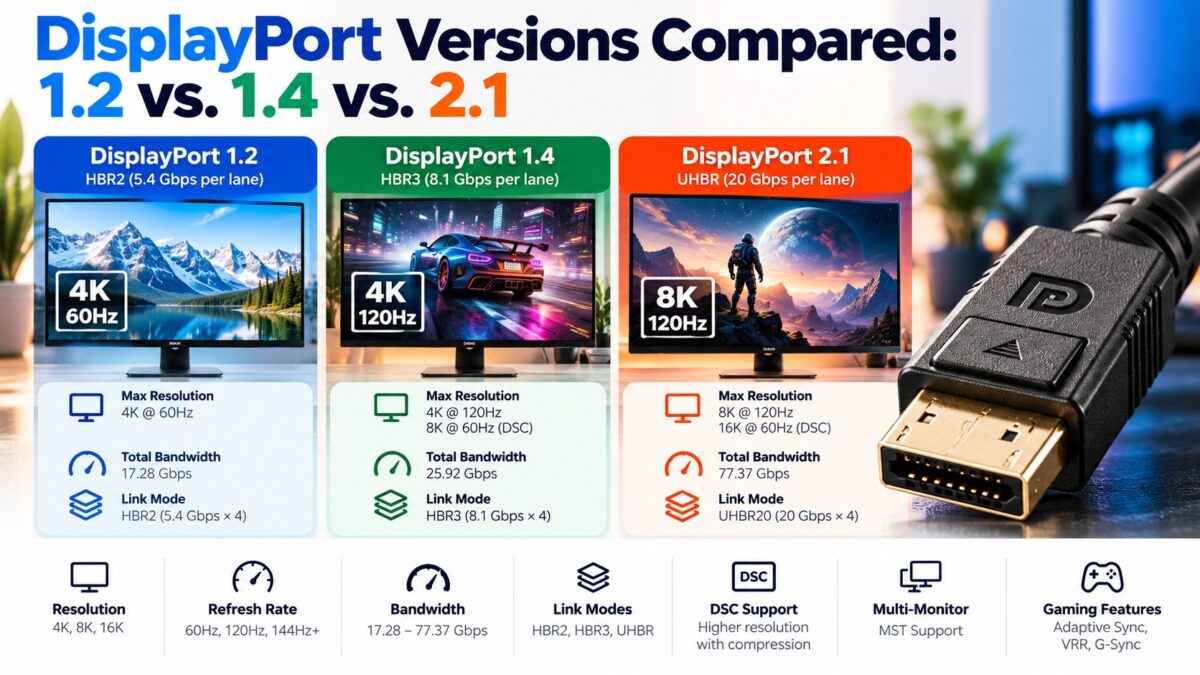
The main difference is bandwidth: DisplayPort 1.2 carries about 17.28 Gbps of data, DisplayPort 1.4 about 25.92 Gbps, and DisplayPort 2.1 up to 77.37 Gbps, roughly three times more than 1.4. DisplayPort 1.2 added Multi-Stream Transport (daisy-chaining) and 4K at 60 Hz. DisplayPort 1.4 added Display Stream Compression (DSC), forward error correction and HDR metadata, which is what made 4K at high refresh rates and 8K possible. DisplayPort 2.1 introduced the UHBR link modes and a much more efficient encoding, and it needs new DP40, DP54 or DP80 certified cables for its top speeds. Newer versions work with older ones, but the connection runs at the speed of the weakest part of the chain.
DisplayPort versions at a glance
| Version | Released | Link mode | Raw bandwidth | Key additions |
| DisplayPort 1.0 and 1.1 | 2006 and 2007 | HBR | 10.8 Gbps | First versions; 1.1 added HDCP |
| DisplayPort 1.2 | 2009 or 2010 (sources differ) | HBR2 | 21.6 Gbps | Multi-Stream Transport (daisy-chaining), 4K at 60 Hz, greater color depth |
| DisplayPort 1.2a | January 2013 | HBR2 | 21.6 Gbps | Optional VESA Adaptive-Sync, which FreeSync uses |
| DisplayPort 1.3 | 15 September 2014 | HBR3 | 32.4 Gbps | 4K at 120 Hz, 5K at 60 Hz, 8K at 30 Hz |
| DisplayPort 1.4 | 2016 | HBR3 | 32.4 Gbps | DSC 1.2, forward error correction, HDR10 metadata, Rec. 2020 color |
| DisplayPort 1.4a | April 2018 | HBR3 | 32.4 Gbps | Updated to DSC 1.2a |
| DisplayPort 2.0 | 2019 | UHBR10, UHBR13.5, UHBR20 | 40, 54 and 80 Gbps | 128b/132b encoding, Panel Replay, up to 77.37 Gbps of payload |
| DisplayPort 2.1 | October 2022 | UHBR10, UHBR13.5, UHBR20 | 40, 54 and 80 Gbps | Unified physical layer with USB4, new cable certifications |
| DisplayPort 2.1a | January 2024 | UHBR13.5 and UHBR20 | 54 and 80 Gbps | DP54 cable certification replaces DP40 for passive 2 m cables |
How much bandwidth does each DisplayPort version really have?
The raw link rate is the headline figure, but some of it is lost to encoding overhead, and the usable “data rate” is what carries the picture. DisplayPort 1.4 uses 8b/10b encoding, which is 80 percent efficient. DisplayPort 2.x uses 128b/132b encoding, which is about 96.7 percent efficient. That is why 2.1’s data rate is more than three times that of 1.4, even though the raw rate is only about 2.5 times higher.
DisplayPort bandwidth chart
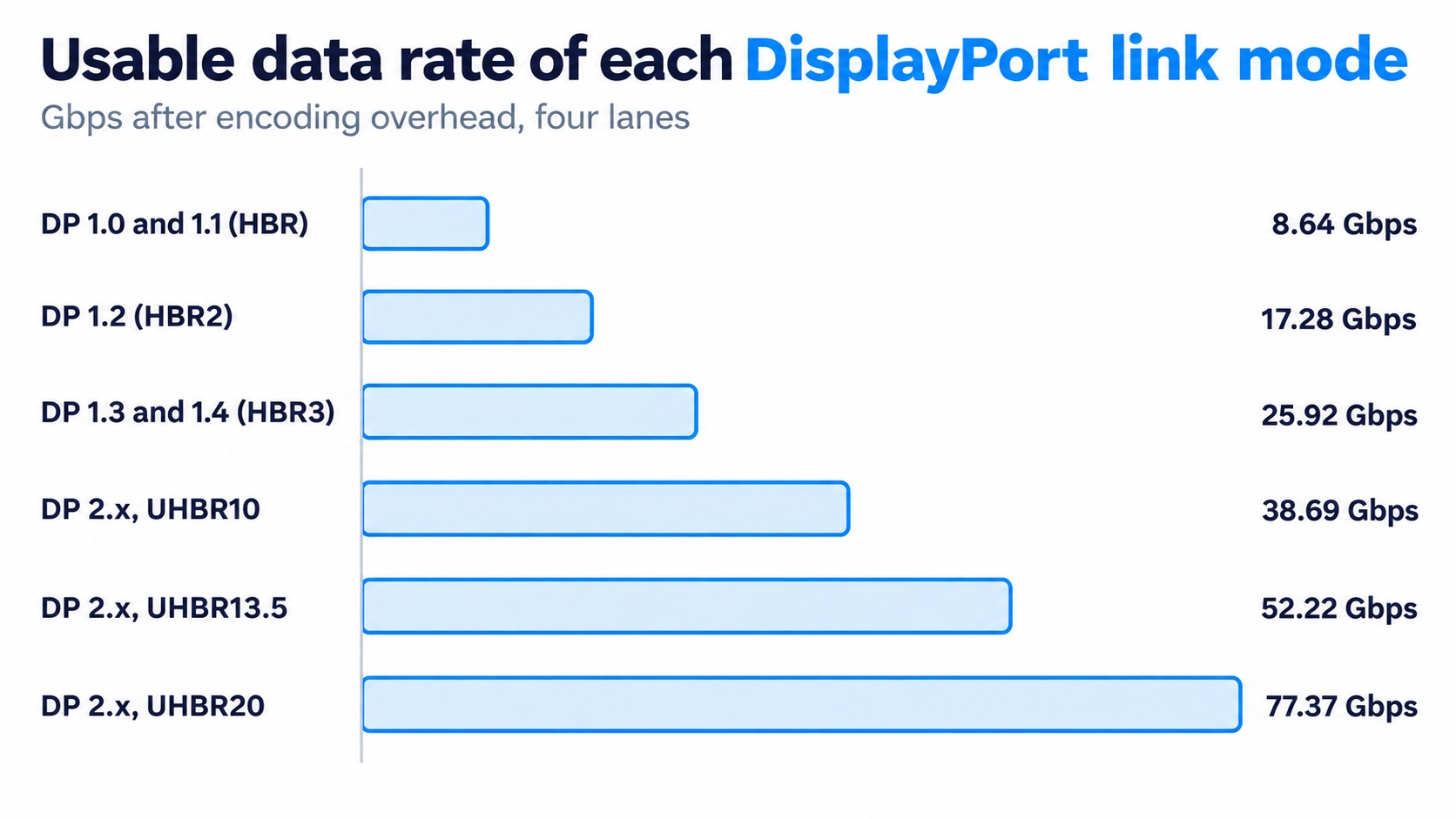
usable data rate of each DisplayPort link mode
The jump from HBR3 to UHBR20 triples the usable bandwidth.
What do UHBR10, UHBR13.5 and UHBR20 mean?
UHBR stands for Ultra High Bit Rate. These are the three link modes introduced with DisplayPort 2.0, each running on four lanes:
| Mode | Per lane | Raw bandwidth | Data rate | Cable label |
| UHBR10 | 10 Gbps | 40 Gbps | 38.69 Gbps | DP40 |
| UHBR13.5 | 13.5 Gbps | 54 Gbps | 52.22 Gbps | DP54 (DP80 also works) |
| UHBR20 | 20 Gbps | 80 Gbps | 77.37 Gbps | DP80 |
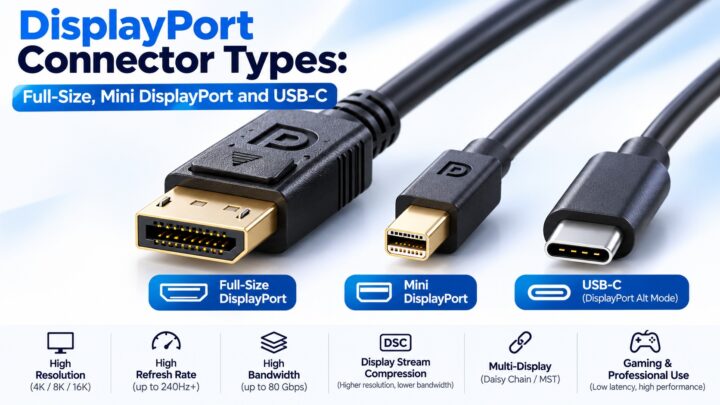
VESA certifies cables by these labels. DP54, added with DisplayPort 2.1a in January 2024, supports UHBR13.5 over a passive cable of up to two meters. The sources I found say that DP80 cables are short, with one listing the longest at about 1.2 meters and another saying active DP80 cables can reach two to three meters. Check the current length before you buy.
Why can the DisplayPort version number mislead?
Two cautions:
- A DisplayPort 1.4 label doesn’t guarantee HBR3. Some monitor makers advertise DisplayPort 1.4 because the monitor supports HDR, even though its link is limited to HBR2 (21.6 Gbps).
- A DisplayPort 2.1 label doesn’t guarantee UHBR. A product can be labeled DisplayPort 2.1 if it supports DSC and at least one of three things: UHBR, Adaptive-Sync, or link-training repeaters. A product that supports none of the UHBR modes still uses DSC for high resolutions, just like DisplayPort 1.4 does.
As with HDMI, check the link rates and the maximum resolution and refresh rate in the product’s specifications, not only the version number.
Which DisplayPort version do you need?
- 1080p or 1440p at 144 Hz, and general desktop use: DisplayPort 1.2 is enough.
- 4K at 60 Hz with HDR: DisplayPort 1.4 (HDR10 metadata arrived with it).
- 4K at high refresh rates, or 1440p at 240 Hz: DisplayPort 1.4 with DSC.
- 4K at 240 Hz, 8K or several high-resolution monitors: DisplayPort 2.1 with UHBR13.5 or UHBR20, plus a matching DP54 or DP80 cable.
On graphics cards, one source lists the RTX 5090 with UHBR20, the Radeon RX 7900 XTX and Intel’s Arc Battlemage series with UHBR13.5, and the RTX 4090 with DisplayPort 1.4a. Check the current spec sheet of any card you consider, as this changes with each generation.
Are DisplayPort versions backward compatible?
Yes. DisplayPort 2.0 is described as backward compatible with previous versions and includes the main features of 1.4a, such as DSC with forward error correction and HDR metadata. A new device on an old cable or port simply runs at the older speed.
Common questions
What is the difference between DisplayPort 1.4 and 2.1?
DisplayPort 2.1 has up to 80 Gbps of raw bandwidth (77.37 Gbps of data) against 32.4 Gbps (25.92 Gbps) for 1.4, a more efficient encoding, UHBR modes, Panel Replay and a shared physical layer with USB4.
Is DisplayPort 1.2 still good?
For 1080p, 1440p and 4K at 60 Hz without HDR, yes. It lacks HDR metadata and DSC.
Do I need a new cable for DisplayPort 2.1?
For UHBR speeds, yes: a DP40, DP54 or DP80 certified cable, depending on the mode. A DisplayPort 1.4 cable limits the link to 1.4 speeds even if both devices support 2.1.
What is DP80?
A VESA certification for cables that support the 80 Gbps UHBR20 mode of DisplayPort 2.1.
Can DisplayPort 2.1 do 8K?
Yes. DisplayPort 2.x supports 8K at 60 Hz and, with DSC, up to 16K at 60 Hz.
Is DisplayPort 2.1 better than HDMI 2.1?
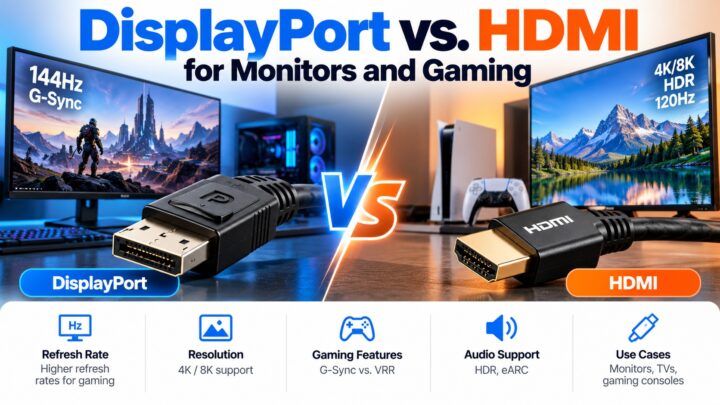
On raw bandwidth, DisplayPort 2.1 (80 Gbps) is higher than HDMI 2.1 (48 Gbps). HDMI 2.2 (96 Gbps) is higher again.
Keep learning
- What Is DisplayPort? A Beginner’s Guide (CON-DisplayPort-001)
- DisplayPort vs. HDMI for Monitors and Gaming (CON-DisplayPort-003)
- DisplayPort Cable Certification Levels: HBR3, UHBR and DP40/DP80 (CON-DisplayPort-010)
- DSC in DisplayPort: How Visually Lossless Compression Works (CON-DisplayPort-014)
- HDMI Versions Compared: 1.4 vs. 2.0 vs. 2.1 (CON-HDMI-008)