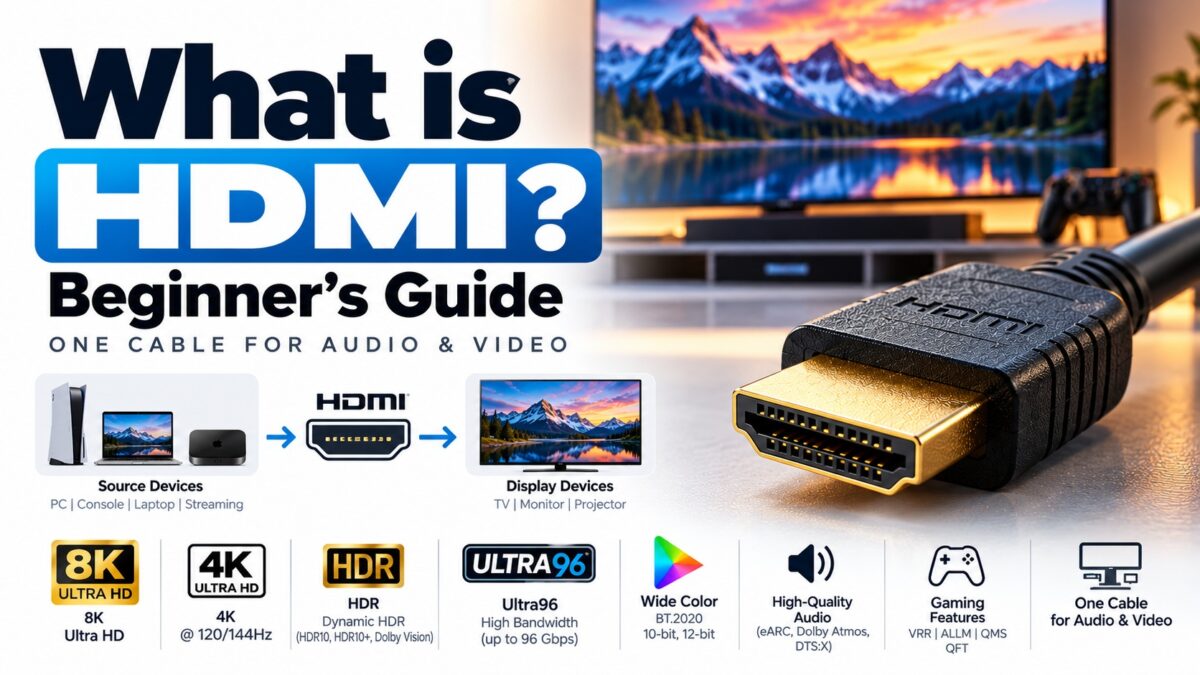
What Is HDMI? A Beginner’s Guide
What is HDMI?
HDMI (High-Definition Multimedia Interface) is a digital connection that carries video and audio between devices over a single cable. You use it to connect things like a games console, streaming box, Blu-ray player, laptop or soundbar to a TV, monitor or projector. HDMI was introduced in 2002 and has been updated many times since, so two HDMI ports can look identical but support very different resolutions and refresh rates.
What HDMI does
Before HDMI, connecting a video source to a display often meant a bundle of separate cables: one or more for video and others for audio. HDMI replaced that with one cable that carries uncompressed digital video and compressed or uncompressed digital audio.
Because the signal stays digital from source to display, there is no conversion to analog along the way. The cable also carries control and identification signals, which is how devices can recognise each other, switch inputs and pass remote-control commands. Those extra features are covered in their own guides (see the links below).
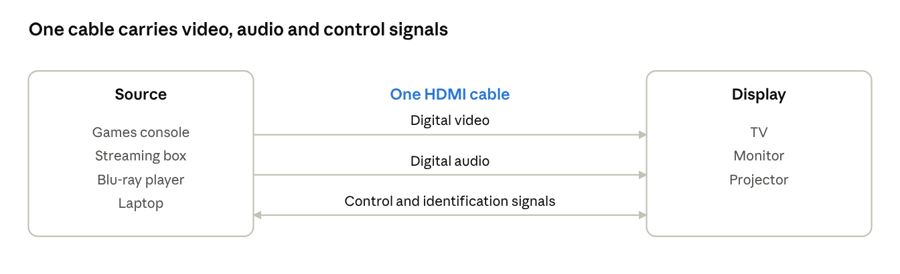
Video, audio and control signals share one cable, so one connection replaces several.
A brief history
HDMI was created by a group of consumer electronics companies known as the HDMI Founders: Hitachi, Matsushita Electric (Panasonic), Philips, Silicon Image, Sony, Thomson and Toshiba. They released the final HDMI 1.0 specification on 9 December 2002.
In 2011 the Founders set up the HDMI Forum, an industry group that opens up development of the specification to its members. Since HDMI 2.2, the HDMI Forum is the body that releases the specification, and HDMI Licensing Administrator (HDMI LA) is the company appointed to license it and earlier versions.
HDMI versions at a glance
Each new version raised the maximum bandwidth, which is what allows higher resolutions and refresh rates. The figures below are the headline numbers published by HDMI.org and the HDMI Forum.
| Version | Released | Max bandwidth | Headline capability |
|---|---|---|---|
| HDMI 1.0 | 2002 | 4.95 Gbps | 1080p at 60 fps |
| HDMI 1.3 | 2006 | 10.2 Gbps | Higher bandwidth; introduced the Type C (Mini) connector |
| HDMI 1.4 | 2009 | 10.2 Gbps | Standardized 4K timings (up to 30 Hz), 3D, ARC and the HDMI Ethernet Channel |
| HDMI 2.0 | 2013 | 18 Gbps | 4K at 60 fps |
| HDMI 2.1 | 2017 | 48 Gbps | Up to 8K at 60 fps |
| HDMI 2.2 | 2025 | 96 Gbps | Up to 12K at 120 Hz and 16K at 60 Hz; adds Latency Indication Protocol (LIP) |
A full side-by-side comparison of the versions most people actually meet (1.4, 2.0 and 2.1) is in our versions guide.
HDMI connector types
The full-size connector on most TVs, consoles and players is Type A. Smaller connectors exist for portable and embedded devices:
| Type | Common name | Typical use |
|---|---|---|
| Type A | Standard | TVs, monitors, consoles, players, receivers |
| Type C | Mini | Cameras and some portable devices |
| Type D | Micro | Phones, tablets, compact cameras |
| Type E | Automotive | Vehicles (locking, dust- and vibration-resistant) |
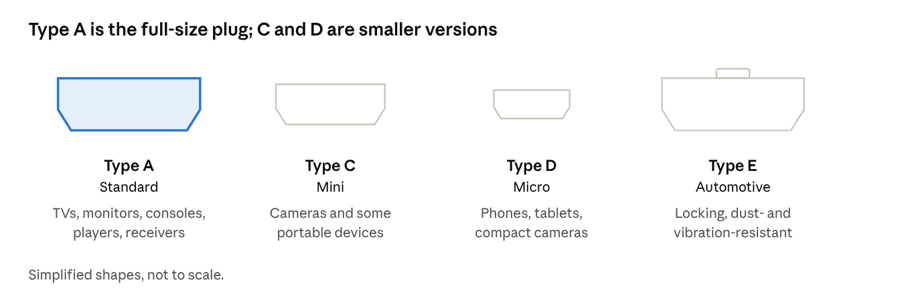
Type A is the plug most people use; C and D are smaller plugs for portable devices.
The connector type tells you the shape of the plug, not the capability. A Micro HDMI port can support the same HDMI version as a full-size one. See our connector types guide for photos and adapters.
HDMI cable types
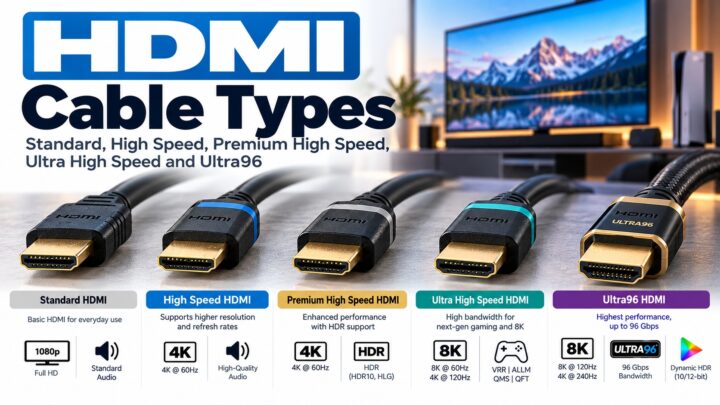
The cable matters as much as the version number. HDMI cables are sold under standard names that describe the signal they are tested to carry:
-
- Standard and High Speed: older categories for lower resolutions.
-
- Premium High Speed: certified for 4K at 60 Hz.
-
- Ultra High Speed: certified for up to 48 Gbps, which is what HDMI 2.1 devices need for their top modes.
-
- Ultra96: introduced with HDMI 2.2 for up to 96 Gbps. Products that market the Ultra96 feature name need an Ultra96 cable to reach their maximum bandwidth.
Ultra High Speed and Ultra96 cables are part of the HDMI Cable Certification Program, which requires each model and length to be tested and to carry a certification label. Look for that label rather than trusting a version number printed on the packaging.
Do HDMI versions work together?
Yes. HDMI is designed to be backward compatible: a new device connected to an older one will work, but only up to what the weakest link in the chain supports. That chain includes the source, the cable, any AV receiver or soundbar in between, and the display. If you plug a 4K 120 Hz console into a TV port that only supports HDMI 2.0, you will get a lower refresh rate or resolution, not a broken picture.
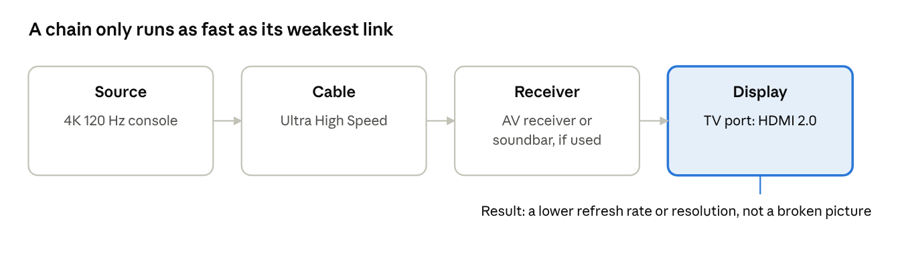
In this example, a 4K 120 Hz console connected to a TV port that supports only HDMI 2.0 is limited by that port.
Common questions
Does HDMI carry audio as well as video?
Yes. A single HDMI cable carries both, so you don’t need a separate audio cable between a source and a TV.
Is HDMI analog or digital?
Digital. It carries uncompressed digital video and compressed or uncompressed digital audio.
Do I need a new cable for HDMI 2.2?
Only if you want the top bandwidth. Ultra High Speed cables remain applicable for systems up to 48 Gbps. Devices that use the Ultra96 feature name (64, 80 or 96 Gbps) need an Ultra96 cable for full performance.
Does the HDMI version printed on a port or box guarantee the features?
Not always. A manufacturer can implement only some features of a version, so check the product’s specifications for the exact resolution, refresh rate and features supported by each port.
Who owns and licenses HDMI?
HDMI is a proprietary standard. The HDMI Forum publishes the specification and HDMI Licensing Administrator, Inc. handles licensing.
Keep learning
-
- HDMI Versions Compared: 1.4 vs. 2.0 vs. 2.1 (CON-HDMI-008)