HDMI or DisplayPort ?
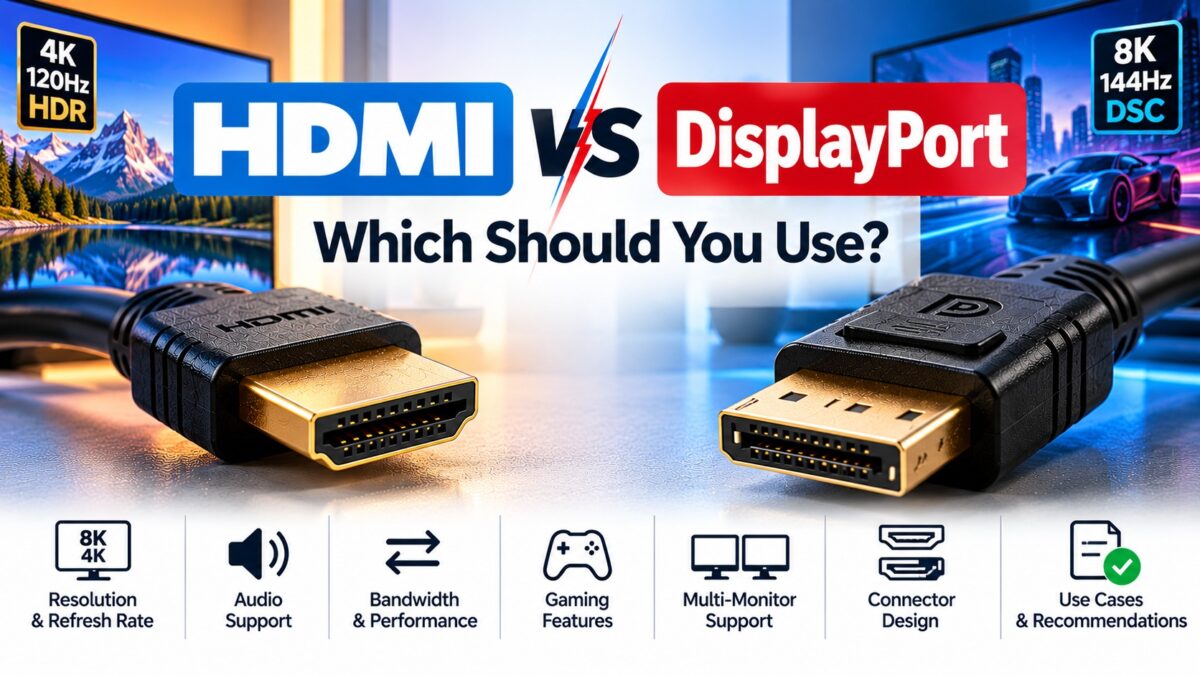
Use HDMI for TVs, game consoles, soundbars and home theater gear, and use DisplayPort for PC monitors, especially fast gaming and multi-monitor desks. Both carry video and audio and both are digital, so the picture quality is the same at the same resolution. The real differences are in bandwidth, the connector, and extra features: HDMI has audio return (ARC and eARC) and is built into every TV, while DisplayPort offers daisy-chaining and wide support for adaptive sync on PC monitors. If your monitor has both ports, a PC should usually use DisplayPort.
HDMI vs. DisplayPort at a glance
| Feature | HDMI | DisplayPort |
| Best for | TVs, consoles, soundbars, home theater | PC monitors, gaming, multi-monitor desks |
| Latest versions and top raw bandwidth | HDMI 2.1: 48 Gbps; HDMI 2.2: up to 96 Gbps | DisplayPort 1.4: 32.4 Gbps; DisplayPort 2.1: up to 80 Gbps |
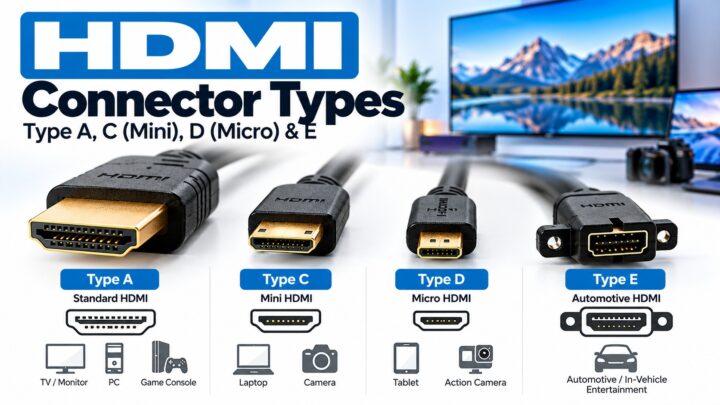
| Connector | 19 pins, friction fit, no latch; Type A, C (Mini), D (Micro) | 20 pins, usually with a latch; full-size and Mini DisplayPort |
| Audio | Up to 8 channels at 24-bit and 192 kHz, plus ARC and eARC | Same audio capability, but no audio return channel |
| Variable refresh rate | HDMI VRR, plus FreeSync and G-Sync Compatible on many displays | VESA Adaptive-Sync, FreeSync and G-Sync, widely supported on monitors |
| Multiple monitors | One display per port | Daisy-chaining with Multi-Stream Transport (MST) |
| Licensing | Licensed, with a royalty fee | Generally described as royalty-free |
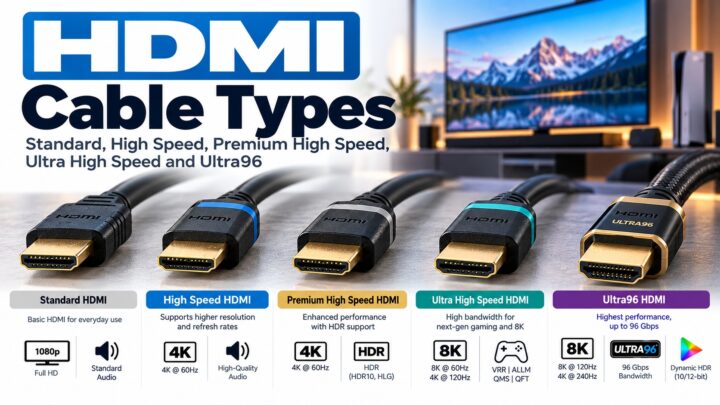
| Cable labels | Standard, High Speed, Premium High Speed, Ultra High Speed, Ultra96 | DP40 or DP54, DP80, DP80LL (for DisplayPort 2.1) |
Is DisplayPort faster than HDMI?
It depends on which versions you compare. The most common DisplayPort version on monitors, DisplayPort 1.4, tops out at 32.4 Gbps of raw bandwidth. HDMI 2.1 reaches 48 Gbps. DisplayPort 2.1 raises the ceiling to 80 Gbps with its UHBR20 mode, but HDMI 2.2 raises HDMI’s to 96 Gbps, so the newest HDMI is faster on paper than the newest DisplayPort.
Two cautions apply when you compare these numbers:
- Raw bandwidth is not usable bandwidth. DisplayPort 1.4’s 32.4 Gbps is about 25.92 Gbps of data, and HDMI 2.1’s 48 Gbps is about 42.6 Gbps of data, because some of the link capacity goes to encoding overhead.
- Compression changes the picture. Both standards can use Display Stream Compression (DSC), a VESA standard described as visually lossless, which can cut the bandwidth needed by up to about 3:1. A display can therefore reach a high refresh rate on a link that looks too slow on paper.
A display advertised as supporting a DisplayPort version does not always support that version’s top speed. Check the monitor’s specifications for the actual link rate, and buy cables certified for it (see our HDMI cable types guide for the HDMI side).
How do the connectors differ?
HDMI’s plug has 19 pins and stays in by friction, so it can be pulled out without pressing anything. DisplayPort’s plug has 20 pins and usually includes a latch that you press to release, which keeps it from being knocked out. HDMI comes in Type A, C (Mini) and D (Micro) plugs. DisplayPort comes in full-size and Mini DisplayPort, which is now rare.
Which has better audio?
Both carry up to 8 digital channels at 24-bit and 192 kHz, so for ordinary use they are equal. The difference is the Audio Return Channel. HDMI’s ARC, and eARC from HDMI 2.1, lets a TV send sound back to a soundbar or receiver over the same cable. DisplayPort has no equivalent. If you want to connect a TV to a soundbar with one cable, you need HDMI.
Which is better for gaming?
- PC gaming: DisplayPort is usually the better choice on monitors, because graphics cards and gaming monitors have long been built around it. It has the bandwidth for high refresh rates at high resolutions and wide support for adaptive sync (FreeSync and G-Sync).
- Console gaming: HDMI. Consoles and TVs use HDMI, and HDMI 2.1 adds VRR and automatic low-latency mode (ALLM).
On a monitor that has both ports, check which one supports the refresh rate and adaptive sync you want. A gaming monitor sometimes enables a feature on only one of them.
Can you convert between DisplayPort and HDMI?
Yes, but the two directions are not equal. A DisplayPort source with a dual-mode (DP++) output can drive an HDMI display through a simple passive adapter or cable. Going the other way, from an HDMI source to a DisplayPort display, normally needs an active converter that translates the signal.
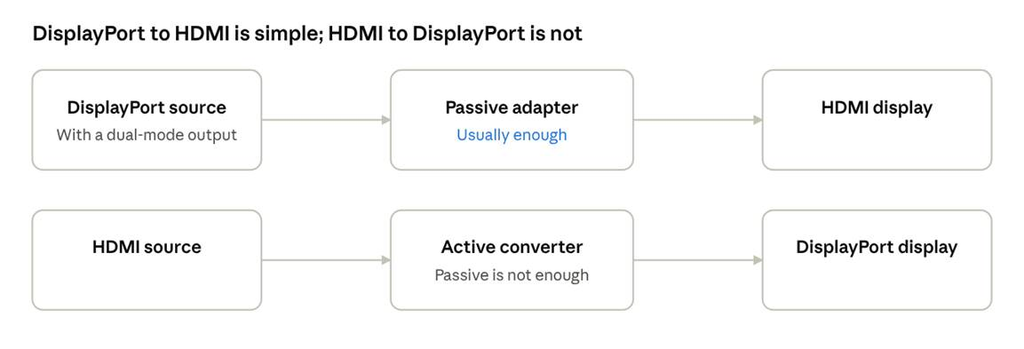
DisplayPort and HDMI conversion · both directions
The passive adapter works only in the DisplayPort-to-HDMI direction.
Which port should you use?
- TV or home theater: HDMI.
- PC with a monitor that has DisplayPort: DisplayPort.
- Soundbar or receiver with one-cable audio: HDMI with ARC or eARC.
- Several monitors from one port: DisplayPort with MST daisy-chaining, if your monitors support it.
- Laptop with only USB-C: USB-C with DisplayPort Alt Mode, or an adapter to HDMI.
Common questions
Is DisplayPort better than HDMI?
Not in every way. DisplayPort is usually better for PC monitors, with adaptive sync, daisy-chaining and high refresh rates. HDMI is better for TVs and home theater because of ARC, eARC and universal TV support.
Is the picture quality different?
No. Both are digital, so at the same resolution and settings the picture is the same. What differs is the maximum resolution and refresh rate each link can carry.
Do I need a special DisplayPort cable?
For DisplayPort 2.1 speeds, yes. VESA labels cables by bandwidth, with DP80 for 80 Gbps and DP54 for 54 Gbps, and ignore HDMI names such as Ultra High Speed. For older DisplayPort 1.4 monitors, a cable certified for DisplayPort 1.4 is enough.
Can I use a DisplayPort to HDMI cable?
Often yes, from a DisplayPort source to an HDMI display, if the source supports it. Check the product description, since cable direction and features vary.
Can HDMI do 144 Hz?
Yes. A display at 144 Hz can run over HDMI, depending on resolution and the version it supports. Check the display’s HDMI version and the cable before you buy.
Keep learning
- DisplayPort vs. HDMI for Monitors and Gaming (CON-DisplayPort-003)
- What Is DisplayPort? A Beginner’s Guide (CON-DisplayPort-001)
- HDMI Versions Compared: 1.4 vs. 2.0 vs. 2.1 (CON-HDMI-008)
- How ARC and eARC Work (CON-HDMI-011)
- HDMI Cable Types (CON-HDMI-003)