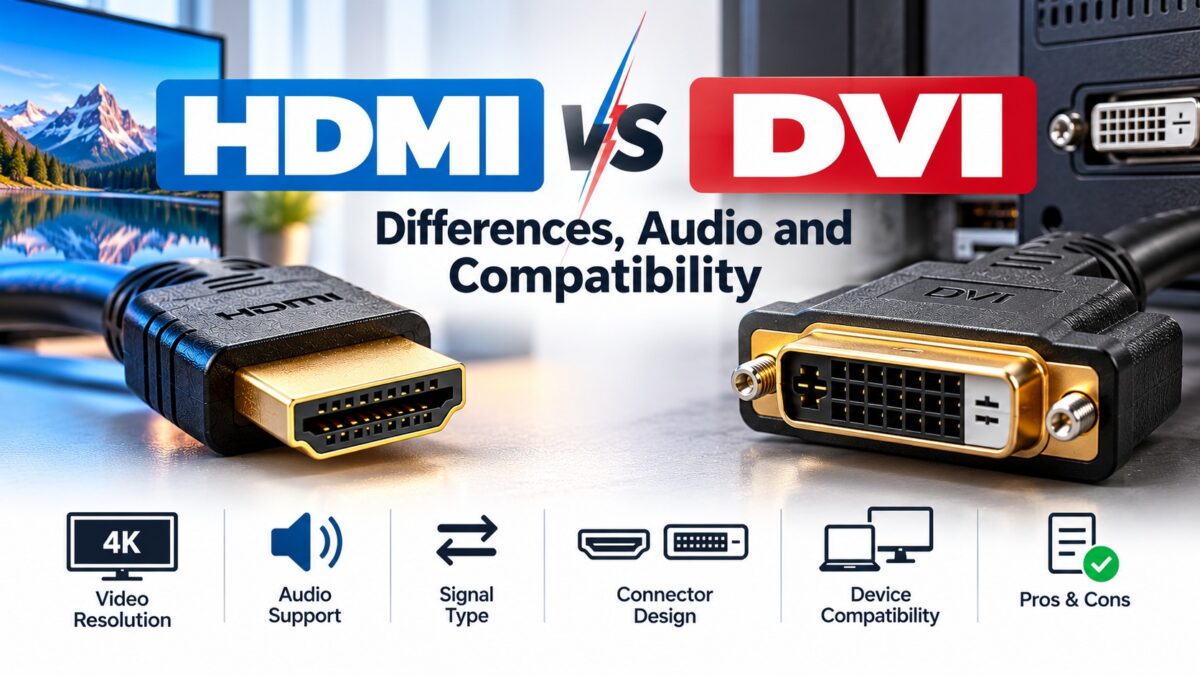
What Is the Difference Between HDMI and DVI?
The biggest difference between HDMI and DVI is audio: HDMI carries video and audio in one cable, while DVI carries video only. HDMI also supports far higher resolutions and refresh rates, plus features such as HDR, while DVI tops out at 2560 × 1600 at 60 Hz even in its best form. The two are closely related, though, so a simple adapter or cable lets you connect an HDMI device to a DVI one. You just have to add audio separately.
HDMI vs. DVI at a glance
| Feature | HDMI | DVI |
| Audio | Yes, including multichannel audio | No, video only |
| Video signal | Digital | DVI-D digital, DVI-A analog, DVI-I both |
| Maximum resolution | Depends on the version: up to 8K at 60 Hz with HDMI 2.1, and up to 16K at 60 Hz with HDMI 2.2 | 1920 × 1200 at 60 Hz (single link), 2560 × 1600 at 60 Hz (dual link) |
| 4K and HDR | Yes, from HDMI 2.0 onward | No 4K; no HDR |
| Content protection (HDCP) | Supported | Can carry HDCP, but compatibility depends on the source, display and adapter |
| Typical use today | TVs, consoles, streaming boxes, monitors | Older monitors and graphics cards |
What is DVI?
DVI (Digital Visual Interface) was designed to connect computers to digital displays, mainly monitors. It was widely used before HDMI and DisplayPort took over, and many older monitors and graphics cards still have DVI ports. Because it was built for computer displays, it has no audio.
DVI-A, DVI-D and DVI-I
- DVI-A carries analog signals only.
- DVI-D carries digital signals only.
- DVI-I carries both analog and digital signals.
Only the digital signal is compatible with HDMI, so what matters when you connect the two is that your DVI port or cable is DVI-D or DVI-I with digital wiring.
Single link and dual link
Single-link DVI uses one data transmitter with a pixel clock of up to 165 MHz, enough for 1920 × 1200 at 60 Hz. Dual-link DVI adds a second transmitter and doubles the bandwidth, which allows 2560 × 1600 at 60 Hz. This distinction is the main catch when you connect DVI to HDMI, as the next sections explain.
How HDMI and DVI are related
HDMI was built on the same kind of digital video signaling as DVI. As a result, HDMI is backward compatible with DVI equipment, and a DVI-to-HDMI adapter or cable can carry the video signal without a loss of video quality. HDMI then adds what DVI lacks: audio, a smaller connector and ongoing updates to the specification, such as the versions covered in our HDMI versions guide.
Can you connect HDMI to DVI?
Yes, with an HDMI-to-DVI cable or an adapter. Two limitations apply:
- Audio does not pass through. A DVI-to-HDMI adapter passes video but not audio, so an HDMI display or soundbar gets no sound from the DVI side. Use a separate audio cable or output.
- Resolution is usually limited to single-link. A passive adapter or cable generally carries only the single-link signal, so you are limited to about 1920 × 1200 at 60 Hz. A monitor that needs dual-link DVI, such as a 2560 × 1600 model, may not work through an HDMI adapter.
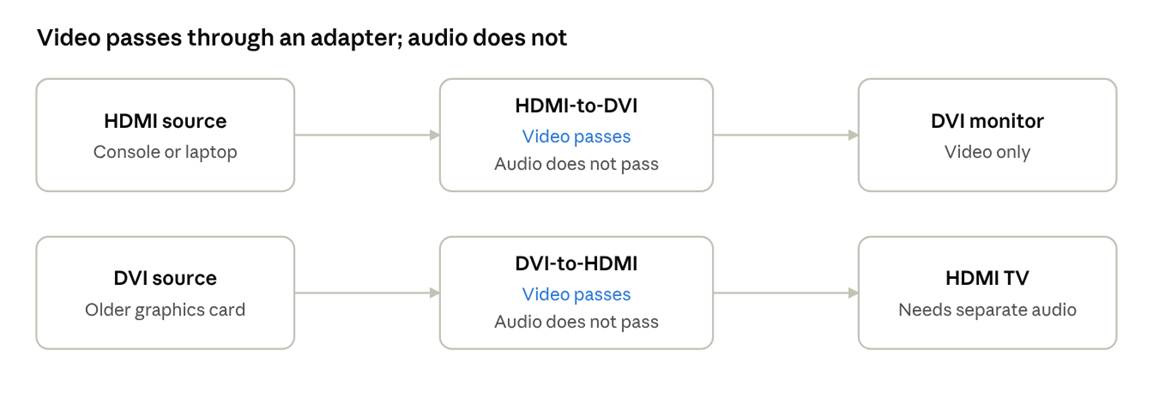
HDMI to DVI adapter, both directions · what passes
In both directions the video arrives and the sound has to come another way.
What about HDCP?
HDCP is the copy-protection system used for protected content such as Blu-ray discs and some streaming. HDMI supports it fully. DVI can carry it too, but a chain of devices only works if every link supports HDCP. A DVI adapter or older monitor that doesn’t can cause a blank or low-resolution picture with protected content. Our HDCP guide covers how to fix this.
Which should you use?
- Use HDMI for anything with audio or any modern display: TVs, consoles, streaming boxes, Blu-ray players and most new monitors.
- Use DVI only when both devices have DVI and you don’t need audio through the cable, or when you need dual-link for an older 2560 × 1600 monitor.
- Use an adapter when one side is HDMI and the other is DVI, and expect to supply audio separately.
Common questions
Is HDMI better quality than DVI?
For video at the same resolution, no. They use the same kind of digital signal, so the picture is the same. HDMI wins on audio, higher resolutions, higher refresh rates and extra features.
Can DVI carry audio?
No. DVI is a video-only interface.
Does DVI support 4K?
No. Dual-link DVI tops out at 2560 × 1600 at 60 Hz, which is below the 3840 × 2160 of 4K.
Does a DVI-to-HDMI adapter carry sound?
No. It passes video only, so sound needs its own connection.
Can I use an HDMI-to-DVI cable in either direction?
Many passive cables work both ways, but check the product description to be sure.
Keep learning
- What Is HDMI? A Beginner’s Guide (CON-HDMI-001)
- HDMI vs. DisplayPort: Which Should You Use? (CON-HDMI-005)
- How HDMI Works: TMDS and Data Channels (CON-HDMI-009)
- What Is HDCP and Why Does It Break Your Picture? (CON-HDMI-013)