What Is HDBaseT?
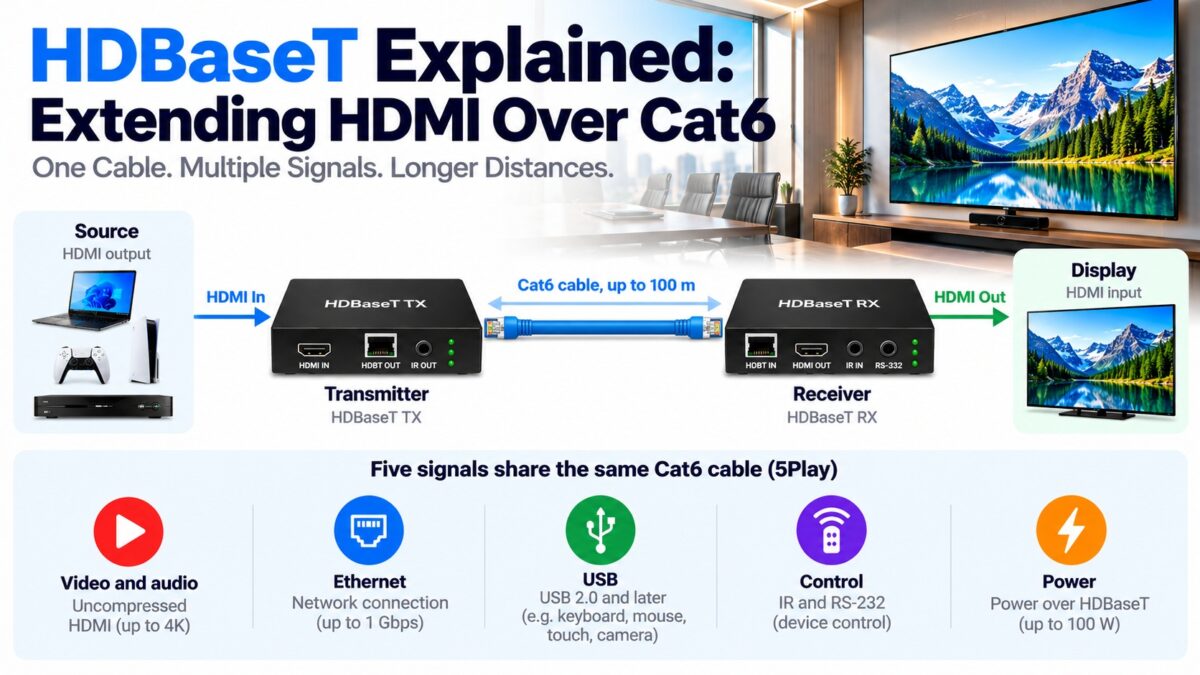
HDBaseT is a technology that sends uncompressed HDMI video and audio, plus control signals, Ethernet and power, up to 100 meters (328 feet) over a single Cat5e or Cat6 network-style cable. It needs a transmitter box at the source and a receiver box at the display, joined by the cable, so it works as a long-distance replacement for an HDMI cable in installations such as home theaters, classrooms, offices and digital signs. It looks like Ethernet because it uses the same RJ45 connectors and cable, but it isn’t Ethernet: it is a separate point-to-point standard promoted by the HDBaseT Alliance, and it should not be plugged into a network switch.
What is 5Play?
The HDBaseT Alliance describes the features that travel over the single cable as 5Play. They are:
- Video and audio, carried uncompressed from HDMI.
- Ethernet, so a device at the far end can also get a network connection.
- USB, from HDBaseT 2.0 onward.
- Control, two-way IR and RS-232 signals so you can control the remote device.
- Power over HDBaseT (PoH), which can supply up to 100 W to a device at the far end, similar to Power over Ethernet.
Not every extender supports all five features. Cheaper models often carry only video, audio and control.
How does HDBaseT work?
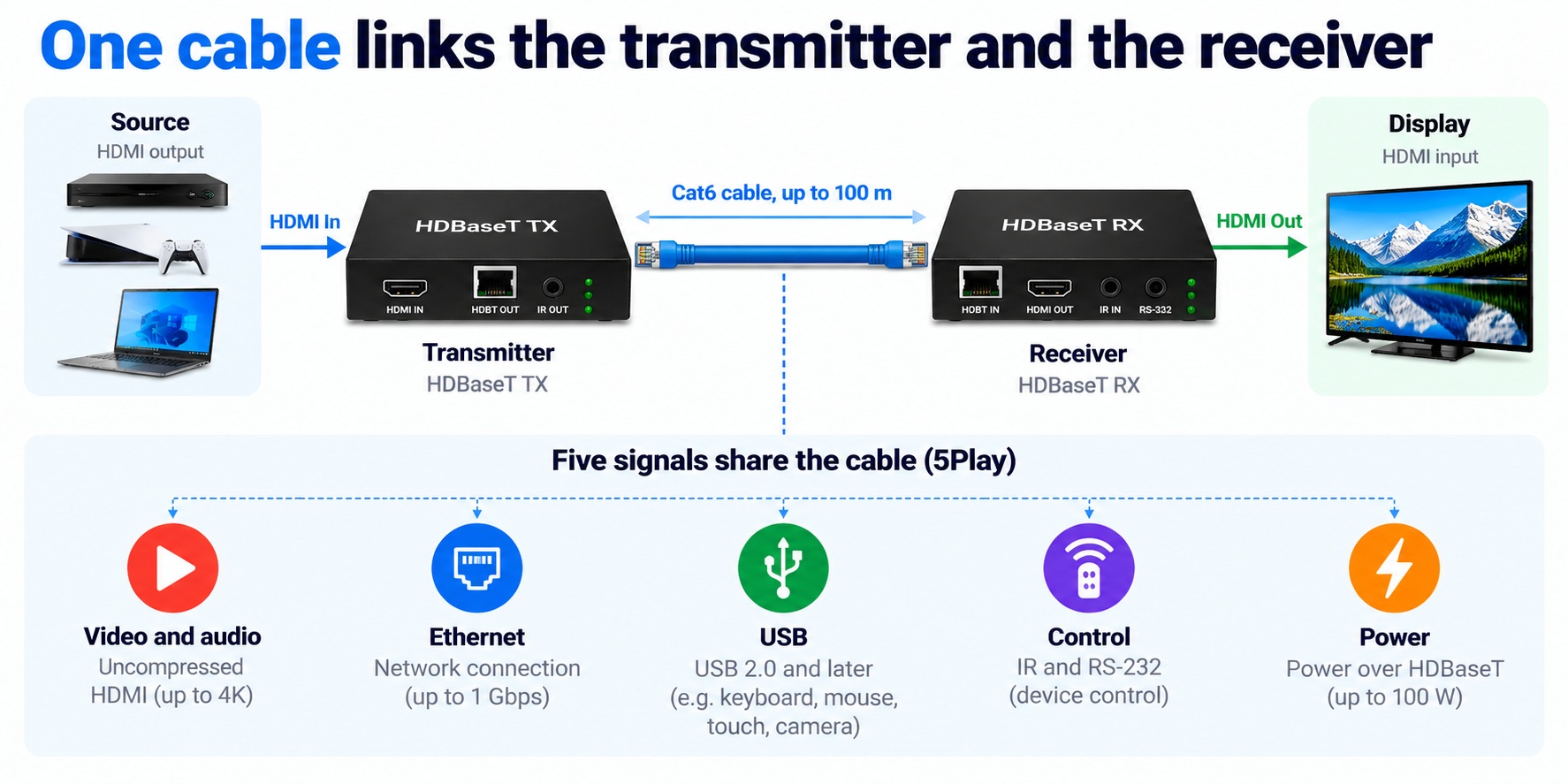
An HDBaseT link has three parts:
- a transmitter (TX) connected to the HDMI source,
- a receiver (RX) connected to the display, and
- the cable between them, which carries the signal as a single twisted-pair link.
The transmitter converts the HDMI signal into a form that survives a long run over twisted pair, and the receiver turns it back into HDMI. Because the link is point to point, there is no network in between. The system can be extended by chaining devices: HDBaseT supports up to eight hops of 100 meters each.
How HDBaseT connects a source and a display
HDBaseT link · transmitter, cable and receiver
The HDMI signals stay on either side; the long run uses the single cable in the middle.
HDBaseT versions and classes
The numbers below come from the HDBaseT Alliance, with details from Leviton and others. Distances depend on the resolution, the cable and the equipment.
| Version | Released | What it brought |
| HDBaseT 1.0 | 2010 | 1080p up to 100 m, or 4K up to about 70 m over Cat5e or better |
| HDBaseT 2.0 | 2013 | 4K at 30 Hz 4:4:4 or 4K at 60 Hz 4:2:0 up to 100 m over Cat6 (90 m over Cat5e); USB added |
| HDBaseT 3.0 | 2018/2019 | About double the downstream bandwidth, which allows uncompressed 4K at 60 Hz 4:4:4, plus a faster auxiliary channel |
Extenders are also sold by class:
- Class A: supports all 5Play features up to 100 m.
- Class B (once called “HDBaseT Lite”): a cost-effective option for runs of 70 m or less that carries fewer features and usually has no Ethernet channel.
For 4K video the real reach is shorter than for 1080p, so always check the maker’s distance for your resolution.
Which cable do you need for HDBaseT?
The minimum is Cat5e, but Cat6 is recommended, and Cat6a gives the best reach for 4K. For Power over HDBaseT at 100 W, one cabling vendor notes that shielded cable handles heat better.
HDBaseT vs. AV over IP
AV over IP is the other main way to send video over network cable, and the two are used for different jobs.
| HDBaseT | AV over IP | |
| Method | Point to point over Cat5e or Cat6 | Packets over a standard IP network |
| Setup | Simple: one transmitter, one receiver | Needs a managed network and configuration |
| Latency | Low | Depends on the equipment and network |
| Scalability | Limited to the number of links you build | Easy to expand across a large network |
| Distance | About 100 m per hop | Limited by the network itself |
HDBaseT suits simple, low-latency, point-to-point installations. AV over IP suits large installations that already run on IP networks.
What should you check before buying an HDBaseT extender?
- The version and class, so the features match what you need (for example, 4K at 60 Hz 4:4:4 needs HDBaseT 3.0).
- The distance at your resolution, not the headline 100 m.
- The cable category you have or will install.
- HDCP 2.2 support, so protected 4K content is not blocked.
- Power: whether the units use PoH or need a power supply at each end.
- The 5Play features you actually want, such as Ethernet or USB.
Common questions
What does HDBaseT stand for?
It is a name chosen by the HDBaseT Alliance, not an acronym with a published expansion.
How far can HDBaseT go?
Up to 100 meters over one Cat5e or Cat6 cable, and further by chaining up to eight hops. The reach is shorter for 4K on some equipment.
Is HDBaseT the same as an Ethernet cable?
It uses the same type of cable and RJ45 connectors, but it is a different technology and is not an Ethernet network.
Can I plug an HDBaseT extender into a network switch?
No. HDBaseT is point to point and is not an Ethernet standard, so use a direct cable between the transmitter and the receiver.
Does HDBaseT lower picture quality?
No, it sends uncompressed video for the supported resolutions, although some resolutions or color formats depend on the version.
Is HDBaseT better than a long HDMI cable?
For runs beyond what even an active or optical cable suits, or where you already have network cabling, HDBaseT is the usual choice. For short runs, a certified HDMI cable is simpler.
1 comment