How Does HDMI Work?
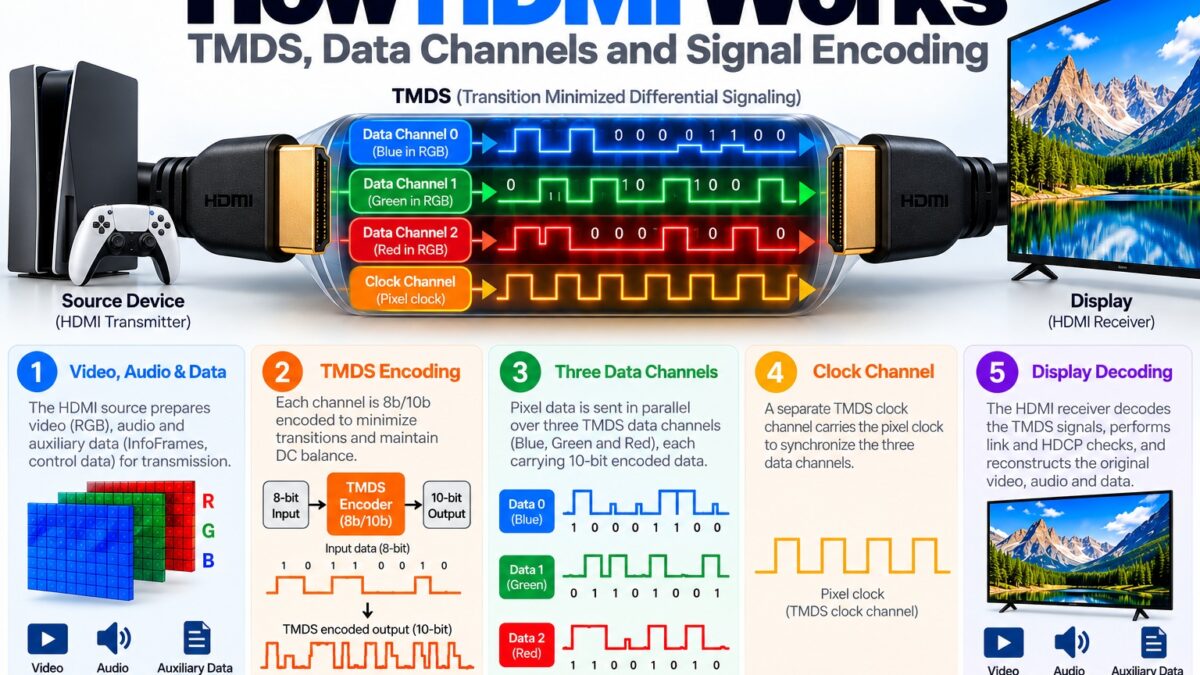
HDMI sends video and audio as digital data over four twisted pairs of wires: three TMDS data channels and one clock channel. TMDS (Transition Minimized Differential Signaling) turns each 8-bit value into a 10-bit character and sends it as two opposite signals on a pair of wires, so the receiver can recover it cleanly even over a long cable. Video fills the active part of each frame, while audio and other extra information travel in packets squeezed into the blanking intervals between lines and frames. A few slow side lines handle control, such as reading the display’s capabilities.
What does an HDMI link contain?
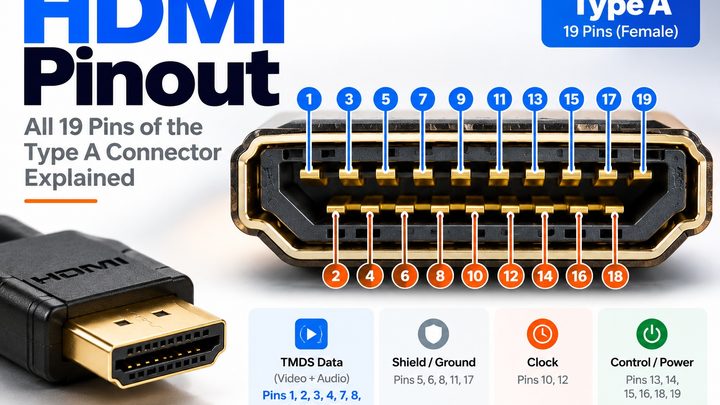
The 19-pin connector carries two groups of signals:
- The TMDS pairs. Three data channels and one clock channel, each a differential pair with its own shield. These carry video, audio and auxiliary data in one direction, from source to display.
- The control lines. The DDC lines (SCL and SDA) for reading the display’s EDID, CEC for remote control, Hot Plug Detect, +5 V power, and the optional channel for ARC and the Ethernet channel. Our pinout guide shows which pin does what.
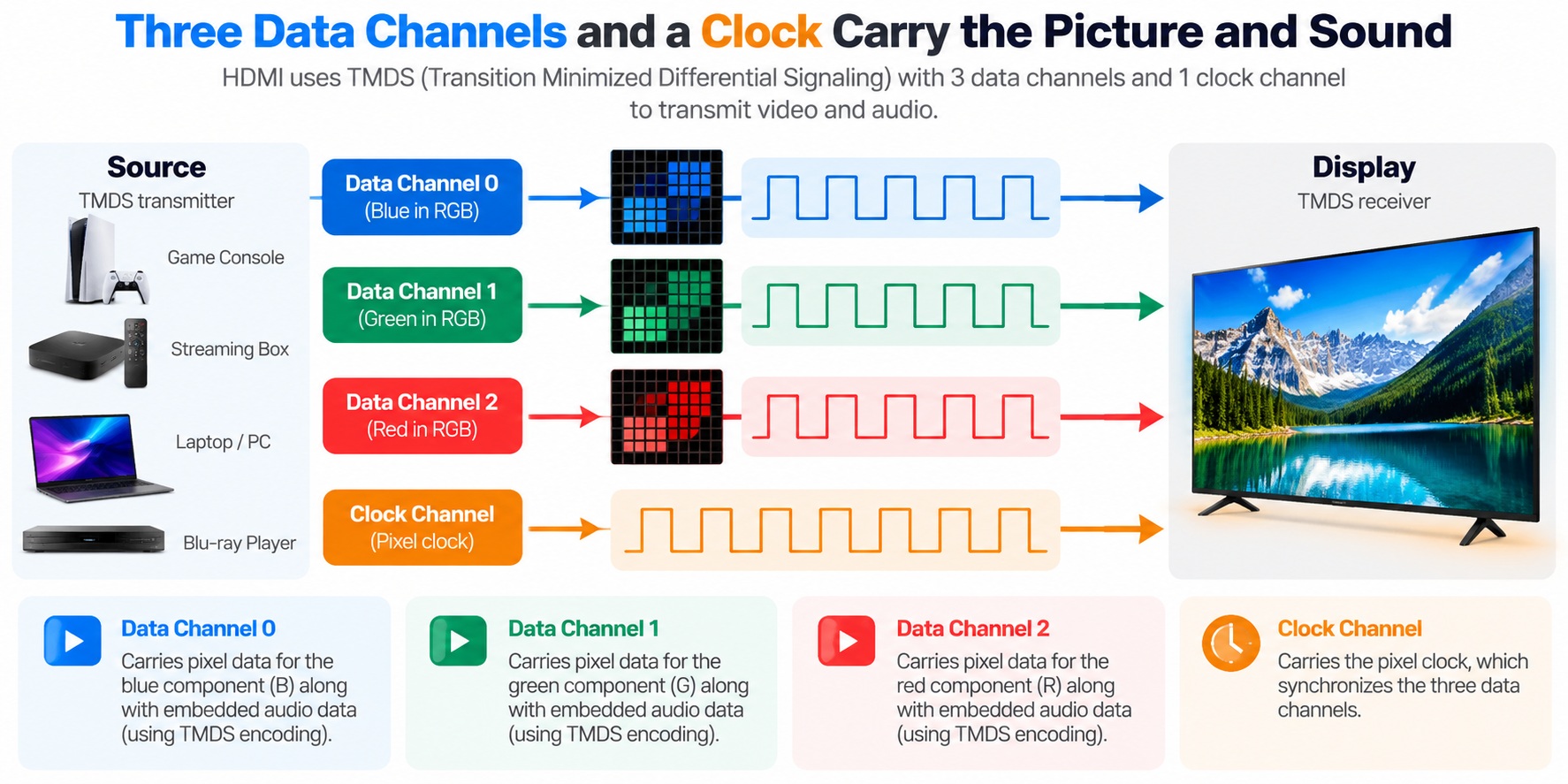
HDMI TMDS link · data channels and clock
All four pairs run from the source to the display.
What is TMDS?
TMDS is the signaling method HDMI is built on, and the same one used by DVI. It has two ideas in its name.
- Differential: each channel uses two wires carrying opposite versions of the same signal. The receiver looks at the difference between them, so interference that hits both wires equally cancels out.
- Transition minimized: before sending, each 8-bit byte is encoded into a 10-bit character chosen to have as few signal changes as possible. Fewer transitions reduce electromagnetic interference and make the signal easier to recover.
The cost is overhead: 10 bits are sent for every 8 bits of real data.
How is video sent over HDMI?
The clock channel carries the pixel clock, and on each tick every data channel sends one 10-bit character. For a standard 24-bit RGB image, the three 8-bit color components of each pixel are sent in parallel, one on each data channel: blue on channel 0, green on channel 1 and red on channel 2. That is how three channels move 24 bits per clock. HDMI also supports YCbCr formats, and the video itself is not compressed.
How is audio sent over HDMI?
HDMI has no separate audio wires. Audio, along with extra information such as the video format description, is sent as packets in the data island period, a gap in the blanking intervals around the picture. During this period each channel sends 10-bit characters encoded from 4-bit values using a different code called TERC4, which is built for reliability rather than speed.
What are the three HDMI transmission periods?
The link is always in one of three modes:
| Period | What is sent | Encoding |
| Video data period | The active pixels of the picture | TMDS: 8 bits become a 10-bit character |
| Data island period | Audio packets and auxiliary data | TERC4: 4 bits become a 10-bit character |
| Control period | Control and sync signals, when nothing else is being sent | 2 bits per channel, using a transition-maximized code |
Each video or data island period begins with a short preamble that tells the receiver which one is coming. The data island and control periods fall inside the horizontal and vertical blanking, the same gaps that older analog video used for sync.
How fast is TMDS?
The link speed follows from the pixel clock. The original HDMI used a pixel clock of up to 165 MHz. Each of the three data channels sends one 10-bit character per tick, so:
165 MHz × 10 bits × 3 channels = 4.95 Gbps
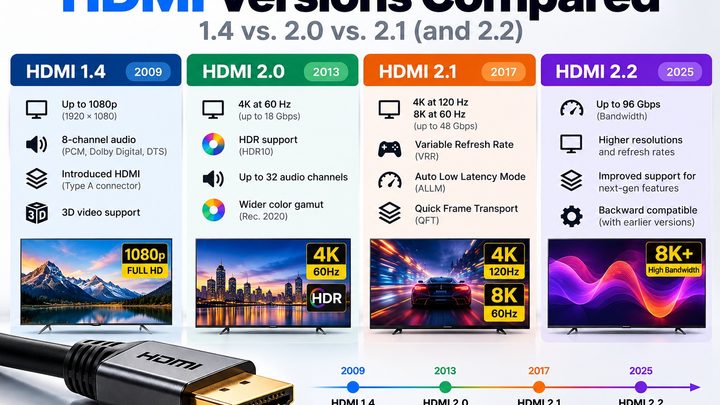
That is the 4.95 Gbps listed for HDMI 1.0. Because 8 of every 10 bits carry real data, the usable rate is about 80 percent of that, or roughly 3.96 Gbps. Later versions kept TMDS but raised the clock. Working back from their bandwidth, 10.2 Gbps corresponds to a pixel clock of about 340 MHz and 18 Gbps to about 600 MHz.
What changed in HDMI 2.1?
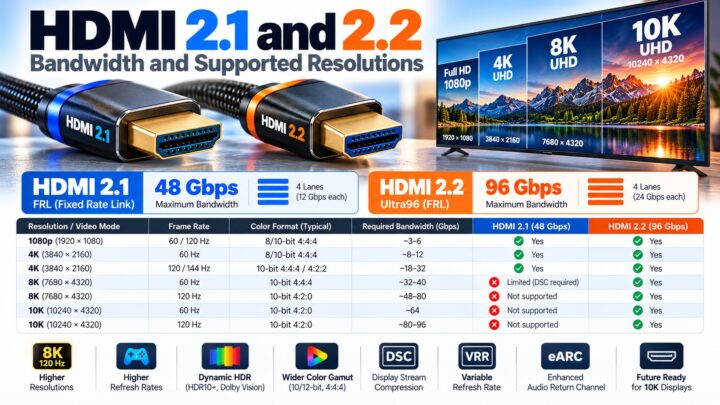
TMDS runs out of room around 18 Gbps, so HDMI 2.1 added a second signaling mode called Fixed Rate Link (FRL). In FRL mode the clock pair becomes a fourth data lane, and the clock is carried within the data instead. That gives four lanes and allows 48 Gbps over the same connector. HDMI 2.1 devices still fall back to TMDS when connected to older equipment.
What happens when you plug in an HDMI cable?
Before any picture appears, the two devices go through a short handshake over the control lines.
- The source supplies +5 V on the cable, which lets it read the display even if the display is off.
- The display raises Hot Plug Detect to say it is connected.
- The source reads the display’s EDID over the DDC lines to learn which resolutions and audio formats it supports.
- The source picks a format and starts sending TMDS. For protected content, the HDCP check also runs over DDC.
- The display shows the picture and plays the sound.
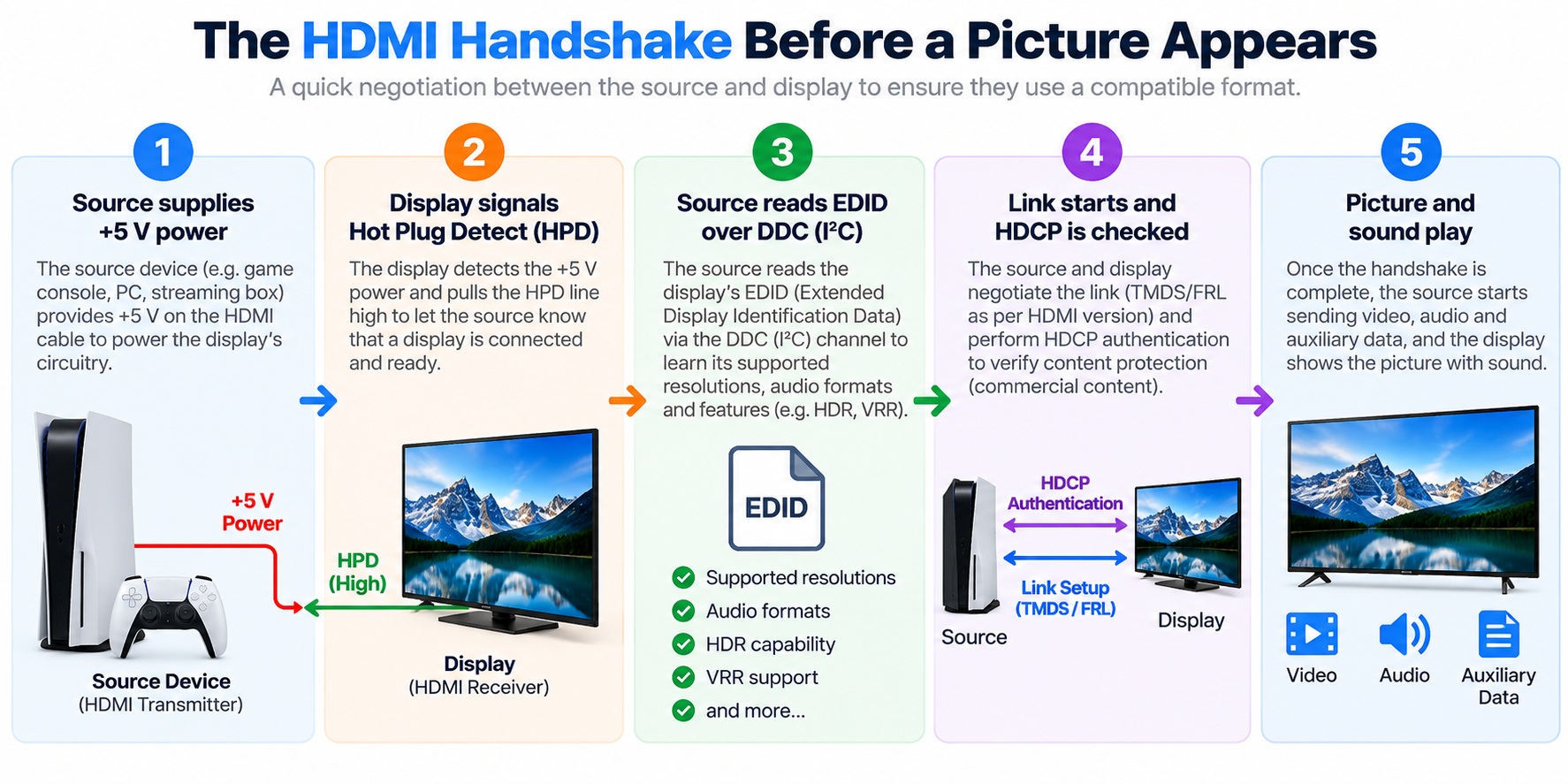
HDMI start-up handshake · five steps
The source reads the display’s EDID before it chooses a video format.
If the handshake fails, you typically get a blank screen, a lower resolution or no sound, which is why a bad connection can look like a “no signal” problem.
Common questions
Is HDMI analog or digital?
Digital. Video, audio and control data are all sent as digital signals.
Does HDMI compress video?
Not normally. Standard HDMI video is uncompressed. HDMI 2.1 can optionally use Display Stream Compression for very high resolutions.
Does HDMI have separate wires for audio?
No. Audio is sent as packets in the data island period, inside the same data channels as the video.
What is the difference between TMDS and FRL?
TMDS uses three data channels plus a separate clock and tops out around 18 Gbps. FRL, introduced with HDMI 2.1, uses four data lanes with no separate clock and reaches 48 Gbps.
Is HDMI the same as DVI?
They share the same TMDS signaling for video, but HDMI adds audio, extra data packets and control features, as we explain in our HDMI vs. DVI guide.
Keep learning
- HDMI Pinout: All 19 Pins Explained (CON-HDMI-007)
- HDMI vs. DVI: What’s the Difference? (CON-HDMI-004)
- HDMI 2.1 and 2.2 Bandwidth and Supported Resolutions (CON-HDMI-010)
- What Is HDCP and Why Does It Break Your Picture? (CON-HDMI-013)
- What Is EDID and Why Does It Matter? (CON-HDMI-019)
1 comment