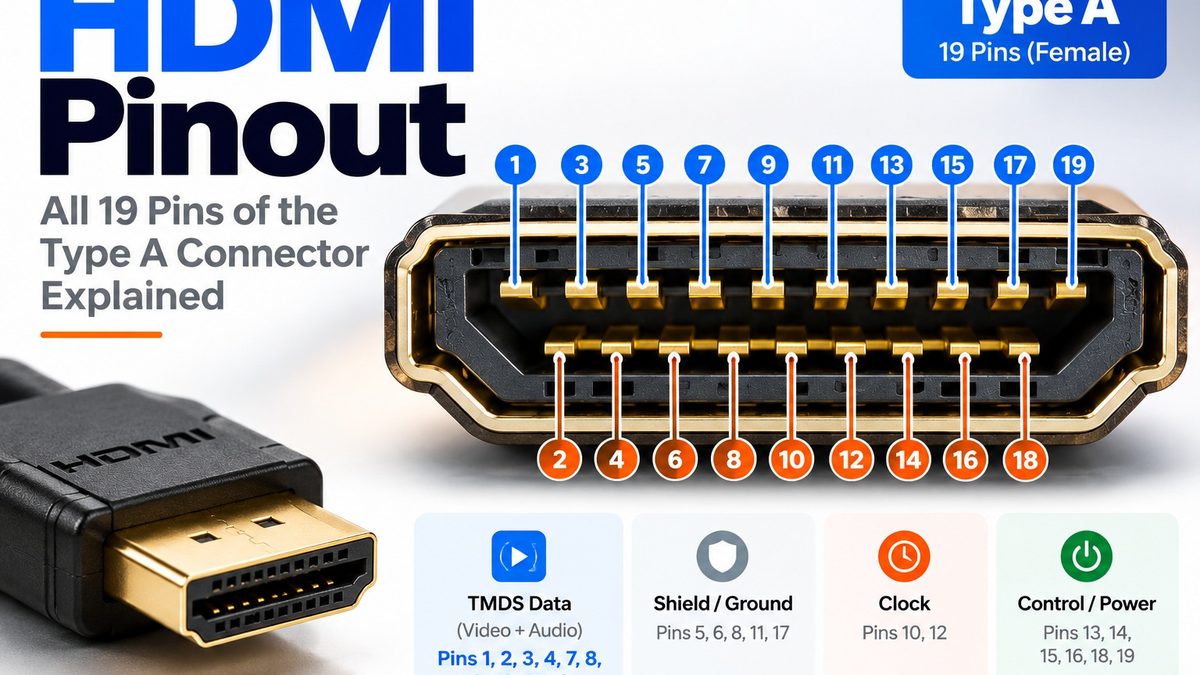
What Is the HDMI Pinout?
A standard (Type A) HDMI connector has 19 pins: 12 carry the high-speed video and audio signals and their shields (pins 1 to 12), and 7 carry control, identification and power signals (pins 13 to 19). The 12 signal pins form three data channels plus a clock channel, each a differential pair with its own shield. The remaining pins carry CEC remote control (13), an optional extra channel for ARC and the Ethernet channel (14 and 19), the DDC clock and data lines used to read the display’s EDID (15 and 16), a ground (17), +5 V power (18) and Hot Plug Detect (19).
HDMI Type A pinout table
The table shows the pin assignments for the standard 19-pin Type A connector.
| Pin | Signal | Group | Function |
| 1 | TMDS Data 2+ | Video and audio data | Positive line of data channel 2 |
| 2 | TMDS Data 2 shield | Shield | Shield for data channel 2 |
| 3 | TMDS Data 2− | Video and audio data | Negative line of data channel 2 |
| 4 | TMDS Data 1+ | Video and audio data | Positive line of data channel 1 |
| 5 | TMDS Data 1 shield | Shield | Shield for data channel 1 |
| 6 | TMDS Data 1− | Video and audio data | Negative line of data channel 1 |
| 7 | TMDS Data 0+ | Video and audio data | Positive line of data channel 0 |
| 8 | TMDS Data 0 shield | Shield | Shield for data channel 0 |
| 9 | TMDS Data 0− | Video and audio data | Negative line of data channel 0 |
| 10 | TMDS Clock+ | Clock | Positive line of the clock channel |
| 11 | TMDS Clock shield | Shield | Shield for the clock channel |
| 12 | TMDS Clock− | Clock | Negative line of the clock channel |
| 13 | CEC | Control | Consumer Electronics Control, used for remote control between devices |
| 14 | Reserved (HDMI 1.0 to 1.3a); ARC+ or HEC+ (HDMI 1.4 to 2.0) | Optional channel | Unused in the oldest versions; later the positive line for the Audio Return Channel or HDMI Ethernet Channel |
| 15 | SCL | DDC | I²C clock line used to read the display’s EDID and for HDCP |
| 16 | SDA | DDC | I²C data line used to read the display’s EDID and for HDCP |
| 17 | Ground | Ground | Return ground for CEC, DDC, ARC and HEC |
| 18 | +5 V power | Power | Supplies up to 50 mA from the source |
| 19 | Hot Plug Detect (all versions); ARC− or HEC− (HDMI 1.4 to 2.0) | Control and optional channel | Tells the source a display is connected; also the negative line for ARC or HEC |
From HDMI 2.1, pin 14 and pin 19 also serve eARC.
HDMI pin diagram
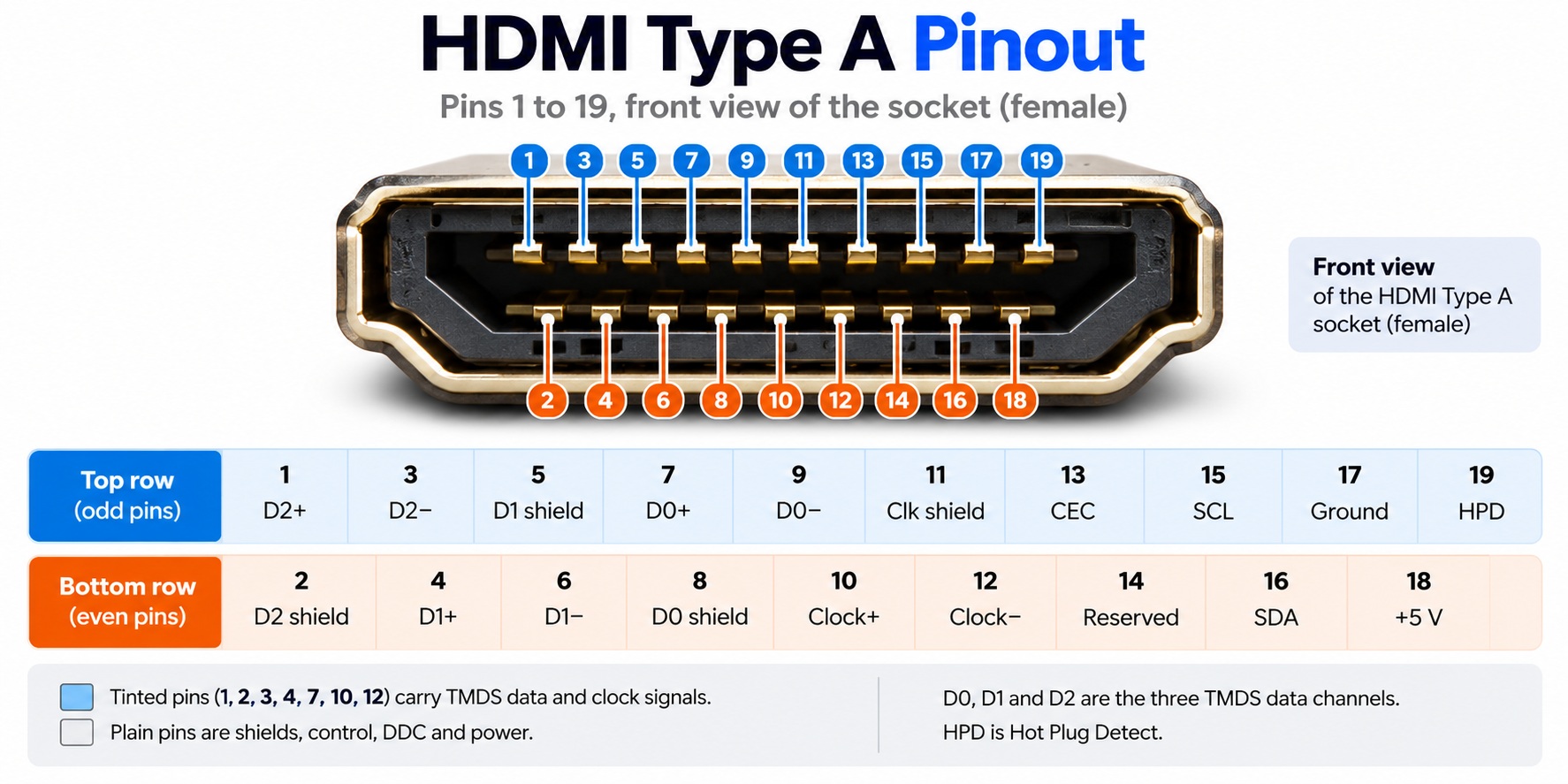
HDMI Type A pin diagram · pins 1 to 19
Pins 1 to 12 carry the signals; pins 13 to 19 carry control and power.
What do the HDMI pin groups do?
Pins 1 to 12: TMDS data and clock
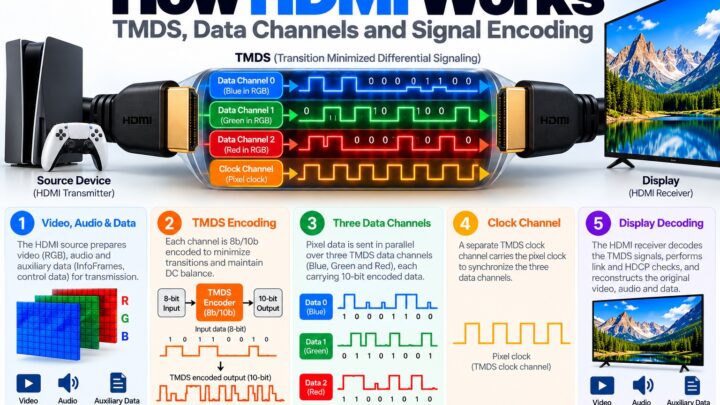
These carry the picture and sound. Pins 1 to 9 hold three data channels (2, 1 and 0), each made of a positive pin, a negative pin and a shield pin. Pins 10 to 12 hold the clock channel in the same pattern. TMDS stands for Transition Minimized Differential Signaling, the signaling method HDMI is built on. Audio has no pins of its own: it travels inside the same data channels as the video.
Pin 13: CEC
Consumer Electronics Control lets connected devices control each other, for example when a TV remote switches on a set-top box. It uses one pin and shares ground with the DDC lines.
Pins 15 and 16: DDC (SCL and SDA)
These two lines form an I²C bus. The source uses it to read the display’s EDID, which lists the resolutions the display supports, and it carries the HDCP key exchange.
Pin 18: +5 V power
The source supplies a small +5 V current so it can read the display’s EDID even when the display is switched off.
Pin 19: Hot Plug Detect
The display uses this pin to tell the source that it is connected, so the source can start the link. If you unplug and replug a cable, this signal is what triggers the source to set up the link again.
Pins 14 and 19: the optional ARC and HEC channel
In HDMI 1.4, pin 14 and pin 19 can form a differential pair for the Audio Return Channel or the HDMI Ethernet Channel. Pin 14 was reserved before that.
What changes in HDMI 2.1?
HDMI 2.1 added a signaling mode called Fixed Rate Link (FRL). In FRL mode the pins stay in the same places, but the clock channel (pins 10 to 12) carries a fourth data lane, so there are four lanes instead of three plus a clock. This is how HDMI 2.1 reaches 48 Gbps over the same 19-pin connector.
Do Mini (Type C) and Micro (Type D) connectors use the same pinout?
No. They also have 19 pins, but the signals are assigned differently, so the numbers in the table above only apply to Type A. For example, on Type C the shield and positive pins of the data channels swap places, and CEC moves to pin 14. See our connector types guide for the differences between types.
How do you read the pin numbers?
Pin numbers refer to the connector’s own numbering, and a plug and a socket are mirror images of each other, so always say whether a diagram shows the plug or the socket. The diagram in this article shows the front of the socket (receptacle).
Common questions
How many pins does an HDMI connector have?
A Type A, Type C and Type D connector each have 19 pins. The rarely used Type B has 29.
Which HDMI pin is CEC?
Pin 13 on a Type A connector.
Which HDMI pins carry audio?
None are dedicated to audio. Audio is sent inside the TMDS data channels together with video.
Which pin supplies power?
Pin 18 supplies +5 V at up to 50 mA, and pin 17 is the ground return for the control signals.
What is pin 14 used for?
It was reserved in HDMI 1.0 to 1.3a. From HDMI 1.4 it can carry the positive line for ARC or the HDMI Ethernet Channel, and from HDMI 2.1 also eARC.
Can I wire my own HDMI cable?
It is not practical. HDMI’s high-speed signals need controlled-impedance twisted pairs and certified construction, so hobby wiring does not reliably carry modern video modes.
Keep learning
- [Internal link: HDMI Connector Types Explained (CON-HDMI-002)]
- [Internal link: How HDMI Works: TMDS and Data Channels (CON-HDMI-009)]
- [Internal link: How ARC and eARC Work (CON-HDMI-011)]
- [Internal link: What Is HDMI CEC and How Does It Work? (CON-HDMI-012)]
- [Internal link: What Is EDID and Why Does It Matter? (CON-HDMI-019)]
1 comment