How Do You Connect a Soundbar to a TV With HDMI ARC?
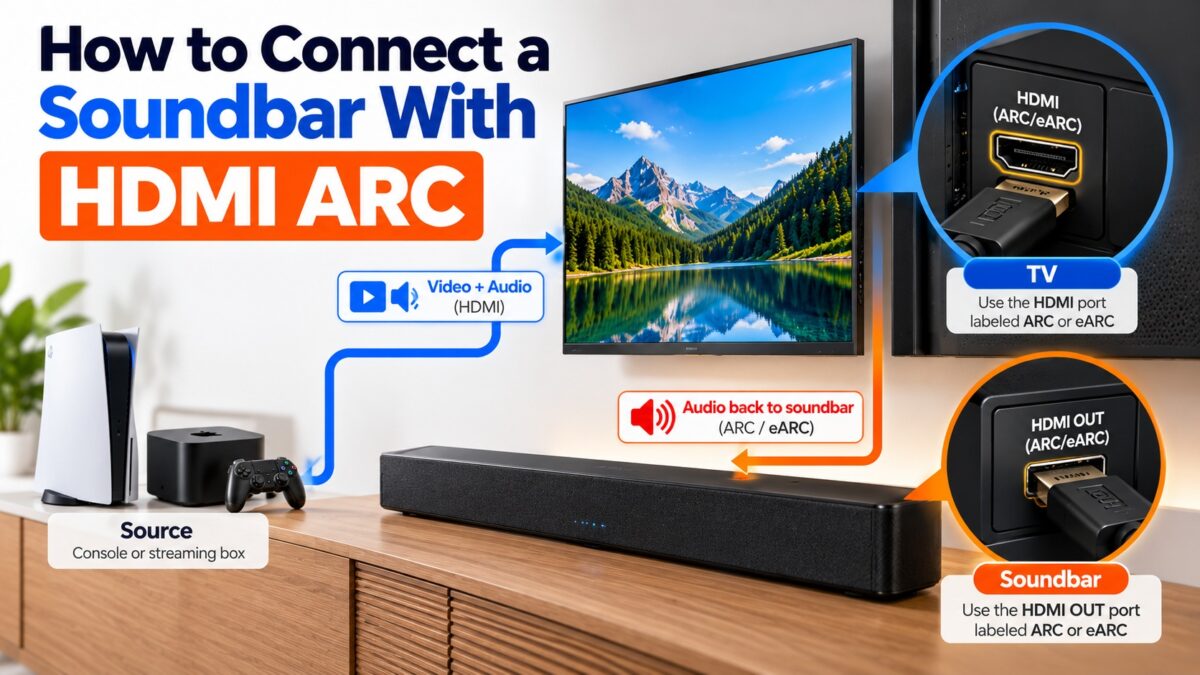
Plug one HDMI cable into the port labeled ARC (or eARC) on your TV and the port labeled HDMI OUT (ARC) on your soundbar, then turn on HDMI-CEC and set the TV’s sound output to HDMI ARC. The TV then sends its sound back to the soundbar over that single cable, including sound from apps and from any device plugged into the TV. This takes about five minutes and needs no extra audio cable.
What you need
- A TV with an HDMI port labeled ARC or eARC. Look for the label printed next to the port on the back or side of the TV. A normal HDMI port without that label will not send audio back to the soundbar.
- A soundbar with an HDMI output labeled HDMI OUT (ARC) or eARC.
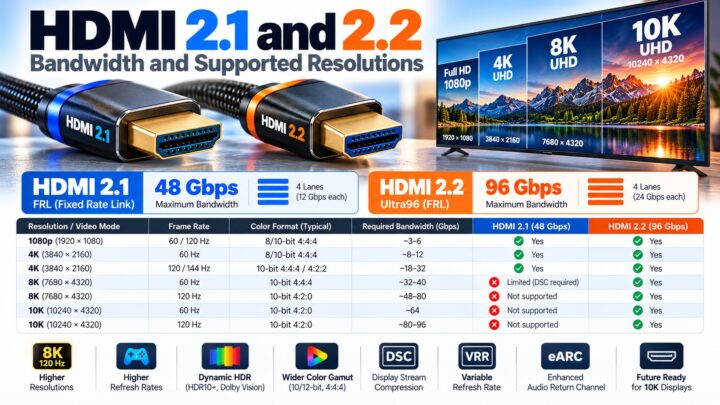
- An HDMI cable. Use a certified cable. According to an HDMI Forum FAQ reported by Sound & Vision, you don’t need a new cable for eARC, because a regular High Speed cable with Ethernet will do. See our HDMI cable types guide for how to read the cable name.
If your TV has no ARC port, you can connect the soundbar with an optical cable instead, although optical cannot carry the same range of audio formats.
How to connect a soundbar with HDMI ARC, step by step
- Find the ARC port on the TV. Check the label beside each HDMI port for “ARC” or “eARC”. Some TVs have only one such port.
- Find the output on the soundbar. It is usually labeled HDMI OUT (ARC) or HDMI OUT (eARC), not HDMI IN.
- Connect the cable. Plug one end into the TV’s ARC port and the other into the soundbar’s HDMI OUT (ARC) port. Samsung recommends turning the TV off and on again after connecting or disconnecting an HDMI cable.
- Turn on HDMI-CEC. In the TV’s settings, switch on HDMI-CEC, which different brands call names such as Anynet+ or SimpLink. Also enable the matching option on the soundbar, often called HDMI Control. ARC relies on CEC to work reliably.
- Set the TV’s sound output. In the TV’s sound settings, choose HDMI ARC, or the equivalent on your TV (for example “Soundbar (HDMI)”, “Receiver (HDMI)” or “External speaker”).
- Set the soundbar’s source and test. Use the soundbar’s remote to select the ARC or TV input, then play something on the TV. If the voices lag behind the picture, adjust the Audio Delay or Lip Sync setting in the TV’s sound menu.
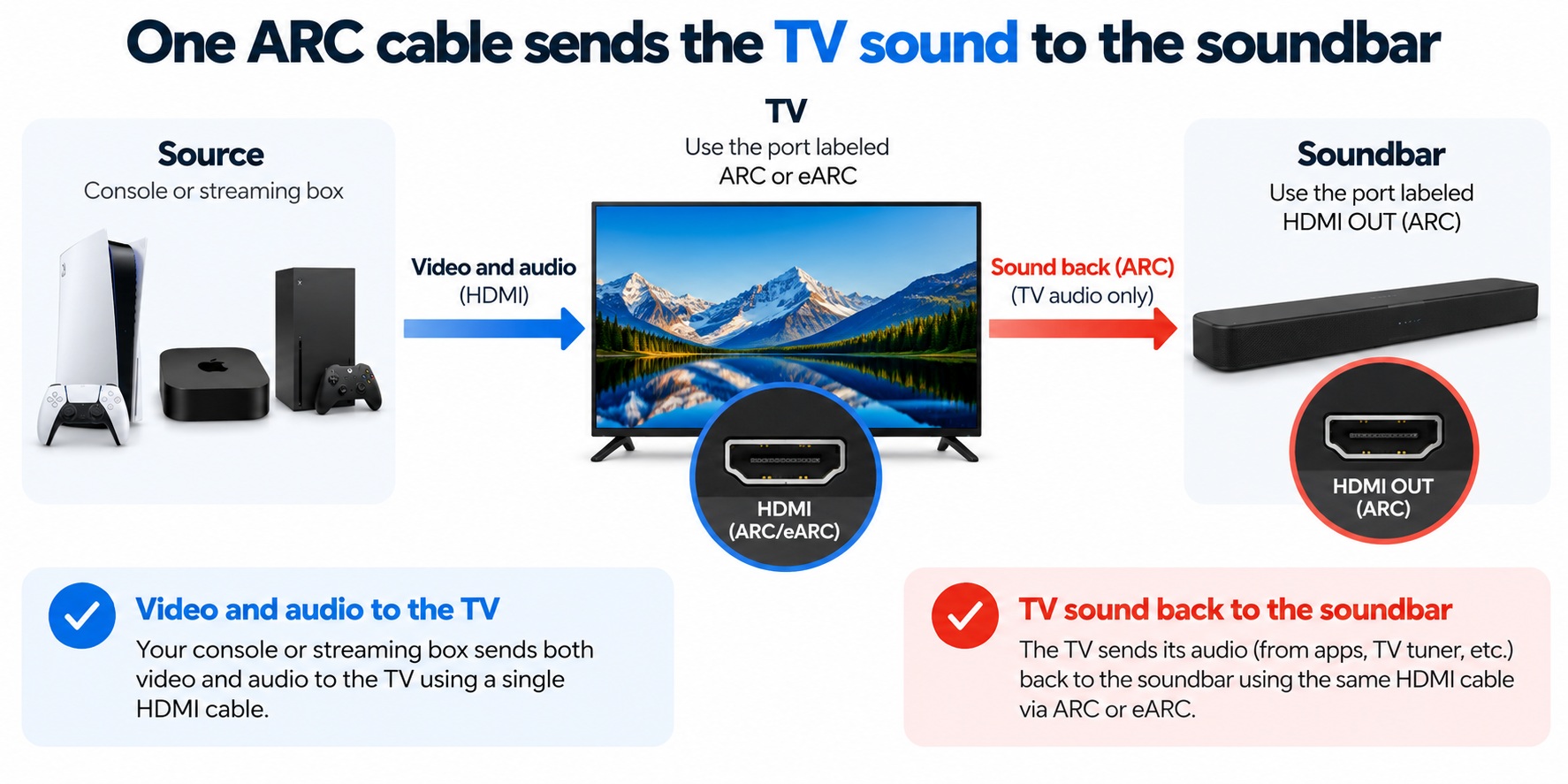
HDMI ARC connection · source to TV to soundbar
Only the TV’s ARC port sends sound onward to the soundbar.
Once CEC is on, the soundbar usually turns on and off with the TV, and the TV remote can control the volume.
What is the difference between ARC and eARC?
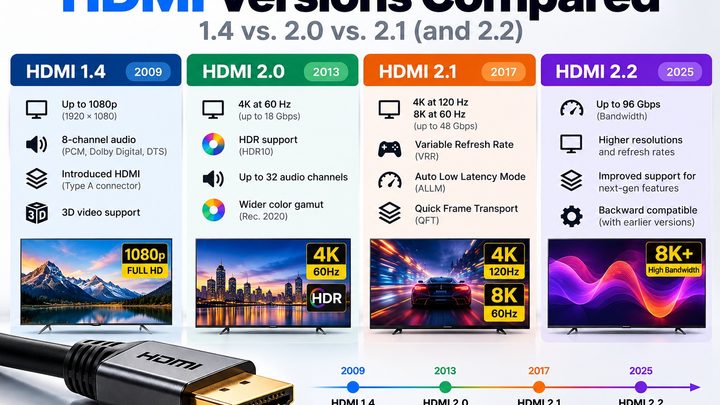
eARC (enhanced ARC) is the newer version of the Audio Return Channel. ARC was introduced with HDMI 1.4, and eARC came with HDMI 2.1. HDMI.org says eARC is not defined to be backward compatible with ARC, but manufacturers can build products that support both.
| ARC | eARC | |
| Introduced with | HDMI 1.4 (2009) | HDMI 2.1 (2017) |
| Return bandwidth | Up to about 1 Mbps | Up to 37 Mbps |
| Audio formats | PCM, Dolby Digital, DTS, and Dolby Atmos only in its lossy Dolby Digital Plus form | Adds lossless formats such as Dolby TrueHD and DTS-HD Master Audio, plus full Dolby Atmos and DTS:X |
| Channels | Up to 8 | Up to 32 |
| Audio quality | Compressed | Up to 24-bit at 192 kHz, including uncompressed multichannel |
For most people watching streaming apps, ARC is enough, because services deliver Dolby Atmos inside Dolby Digital Plus. You need eARC if you want the lossless soundtracks from Blu-ray or Ultra HD Blu-ray, or the full-quality version of Atmos.
A TV can also have eARC without every HDMI 2.1 video feature, so check the port label rather than assuming from the HDMI version.
Why is there no sound from my soundbar over HDMI ARC?
Work through these checks in order. They match the troubleshooting steps from several TV and soundbar manufacturers.
- Check the ports. The cable must be in the TV’s ARC or eARC port, not a standard HDMI port, and in the soundbar’s HDMI OUT (ARC) port.
- Turn on HDMI-CEC on both the TV and the soundbar. ARC often won’t work without it.
- Check the TV’s sound output is set to HDMI ARC or the soundbar, not the TV speakers.
- Check the soundbar’s input. Switch it to the ARC or TV source.
- Power-cycle everything. Turn off both devices, unplug them for a short time, then turn the TV on followed by the soundbar.
- Try another port or cable. If your TV has more than one HDMI port, try a different one that supports ARC, or swap the cable.
- Update firmware on the TV and the soundbar, and as a last resort, factory-reset them.
On some Samsung TVs, if eARC still gives no sound, set the HDMI-eARC Mode and the Digital Output Audio Format both to Auto.
Why won’t my TV remote control the soundbar?
The remote works through HDMI-CEC. Make sure CEC is turned on in the TV settings and that the soundbar’s HDMI Control option is turned on too.
Common questions
Do I need a special cable for HDMI ARC?
No special cable is needed. A certified HDMI cable works, and the HDMI Forum has said that a regular High Speed cable with Ethernet is enough for eARC.
Can I use any HDMI port on my TV for a soundbar?
No. Only the port labeled ARC or eARC sends the TV’s audio back to the soundbar.
Does HDMI ARC support Dolby Atmos?
Only in a lossy form carried inside Dolby Digital Plus, which is how streaming services deliver it. The lossless Dolby TrueHD version of Atmos needs eARC.
Should I plug my console into the TV or the soundbar?
The simplest setup is to connect your console or streaming box to the TV and use the single ARC cable from the TV to the soundbar.
What if my TV has no ARC port?
Use an optical (TOSLINK) cable from the TV’s optical output to the soundbar, or a Bluetooth connection if both support it.
Keep learning
- How ARC and eARC Work (CON-HDMI-011)
- What Is HDMI CEC and How Does It Work? (CON-HDMI-012)
- HDMI Cable Types (CON-HDMI-003)
- Optical (TOSLINK) Digital Audio Explained (CON-DIGITAL-001)