What Is Adaptive-Sync?
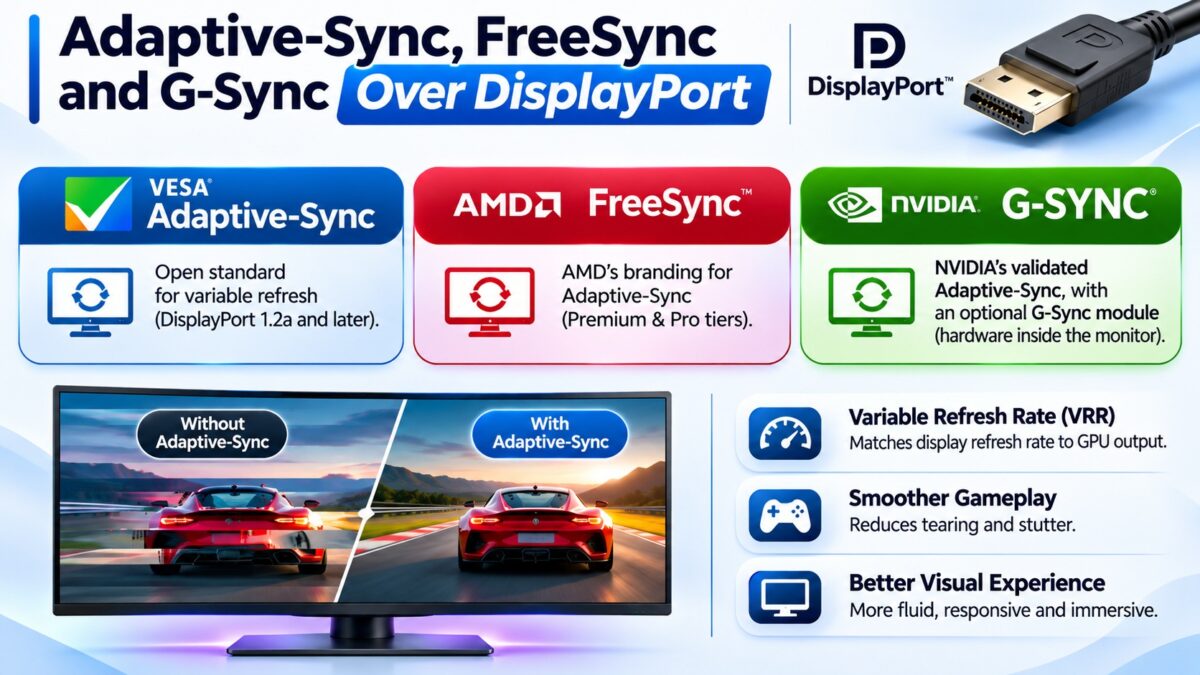
Adaptive-Sync is a VESA standard in DisplayPort that lets a monitor change its refresh rate frame by frame to match the rate at which the graphics card produces frames, which removes screen tearing and stutter. VESA added it to the DisplayPort 1.2a specification in May 2014, porting it from the Embedded DisplayPort standard after a proposal by AMD. AMD’s FreeSync is built on it, and so is Nvidia’s G-Sync Compatible program, which Nvidia introduced in 2019 to validate Adaptive-Sync monitors. Only the original, full G-Sync uses a different method: a dedicated Nvidia hardware module inside the monitor. HDMI has its own variable refresh rate (VRR) systems, which our HDMI guide covers.
Adaptive-Sync, FreeSync and G-Sync at a glance
| Name | Who makes it | What it is | What it needs |
| Adaptive-Sync | VESA | The open standard built into DisplayPort 1.2a and later | A monitor and graphics card that support it |
| FreeSync | AMD | AMD’s branding, built on Adaptive-Sync; no license fee for monitor makers | AMD graphics (and some Nvidia cards through G-Sync Compatible), DisplayPort or HDMI |
| G-Sync Compatible | Nvidia | A validation program for Adaptive-Sync monitors | A monitor that passes Nvidia’s tests; no extra hardware |
| G-Sync (with module) | Nvidia | A proprietary hardware module in the monitor | An Nvidia graphics card, DisplayPort |
| VESA AdaptiveSync Display | VESA | A certification program with performance tests | A monitor that passes VESA’s tests |
How does Adaptive-Sync work?
A normal monitor refreshes at a fixed rate, so a game that produces frames at an uneven pace causes tearing or stutter. With Adaptive-Sync, the display tells the connected graphics card the range of refresh rates it supports, for example 48 to 165 Hz. The card then sends each frame when it is ready, and the display refreshes to match, as long as the frame rate stays inside that range. VESA describes this as letting the display match a GPU’s rendering rate on a frame-by-frame basis, for a smoother, low-latency experience, without any specialized hardware in the monitor.
What is low framerate compensation (LFC)?
If the game’s frame rate falls below the lowest refresh rate the monitor supports, variable refresh would normally stop working. Low framerate compensation fixes this by repeating frames, doubling or tripling them, so the monitor stays inside its range. It needs a wide enough range: one VESA program requires at least 60 to 144 Hz, which is the roughly 2.4 times range that LFC needs. A narrow range such as 48 to 75 Hz can’t support it. A review site notes that nearly every modern gaming monitor supports LFC, so it matters mostly on older or cheaper models.
FreeSync tiers
AMD sells FreeSync in tiers that add requirements:
| Tier | Added requirements |
| FreeSync | Basic variable refresh rate over DisplayPort |
| FreeSync Premium | Minimum 120 Hz at 1080p and mandatory low framerate compensation |
| FreeSync Premium Pro | Everything in Premium, plus HDR support and wide color gamut |
G-Sync vs. FreeSync
The main difference is how the variable refresh is built.
- G-Sync with a module puts Nvidia hardware in the monitor. Reviews say it gives the most consistent variable refresh, especially at very low frame rates, with variable overdrive and an Nvidia-specific motion blur reduction mode. These monitors cost more, because the module has to be licensed and installed, and they work only with Nvidia cards over DisplayPort.
- FreeSync uses the open Adaptive-Sync standard and needs no special chip, so it appears on many more monitors and at lower prices.
- G-Sync Compatible monitors are Adaptive-Sync monitors that Nvidia has tested. They work with Nvidia cards without a module, and they give up some of the premium features of the full module.
For most people, a monitor that is FreeSync Premium or G-Sync Compatible, used over DisplayPort, gives smooth results.
How the standards fit together
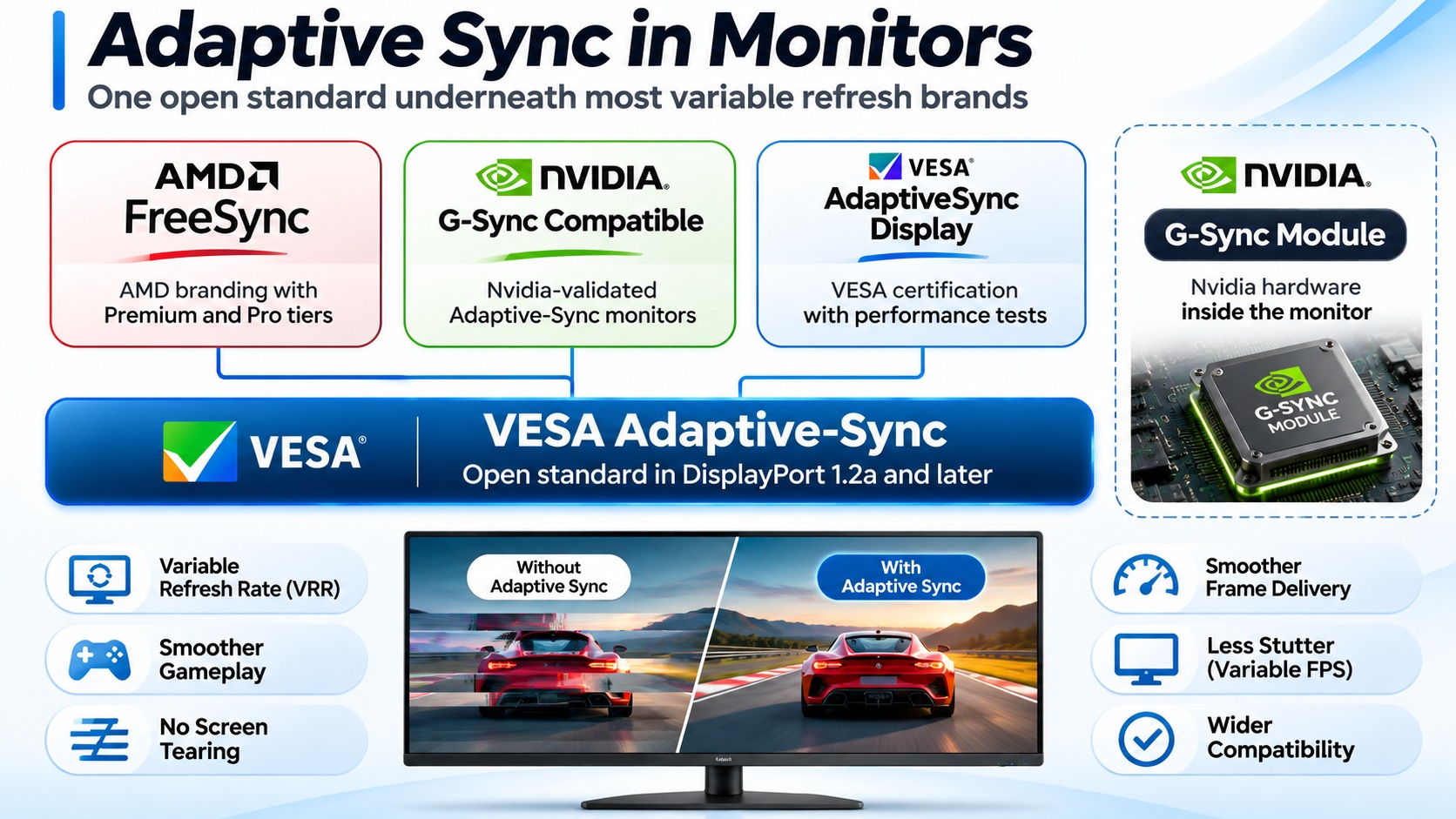
Adaptive-Sync, FreeSync, G-Sync Compatible and the G-Sync module
The full G-Sync module is the one branded path that does not rely on the open standard.
What is the VESA AdaptiveSync Display certification?
VESA also runs its own certification for monitors, called AdaptiveSync Display, which is separate from the Adaptive-Sync technology. The spelling is a clue: “Adaptive-Sync” with a hyphen is the technology, and “AdaptiveSync” without one is the certification. VESA created the program to help buyers compare variable refresh performance before they buy. A certified display must have a minimum refresh rate of 144 Hz, a variable refresh range that starts at 60 Hz or lower, and no flicker, jitter or dropped frames, and it must also pass VESA’s DisplayPort compliance tests. A companion MediaSync certification covers smooth video playback. A review site cautions that certification still doesn’t guarantee the very best behavior, because a module-based G-Sync monitor handles variable overdrive better.
How do you turn variable refresh rate on?
- Use a DisplayPort connection (DisplayPort 1.2a or later) between the graphics card and the monitor.
- Turn it on in the monitor’s menu. The option may be called Adaptive-Sync or FreeSync.
- Turn it on in the graphics driver. Look for the FreeSync option in AMD’s software, or the G-Sync setting in Nvidia’s control panel.
- Check the refresh range in the monitor’s specifications, and keep your game’s frame rate inside it where you can.
Common questions
What is the difference between Adaptive-Sync and FreeSync?
Adaptive-Sync is the VESA standard. FreeSync is AMD’s branding and certification, built on that standard.
Does FreeSync work with Nvidia cards?
On many monitors, yes, through Nvidia’s G-Sync Compatible support, which uses Adaptive-Sync. Check that the monitor is validated.
Does G-Sync work over HDMI?
Full G-Sync with a module works over DisplayPort. HDMI 2.1 and later can support VRR through Adaptive-Sync-based methods, but without the full G-Sync feature set.
Do I need DisplayPort for variable refresh?
DisplayPort 1.2a or later is the traditional and most reliable route. HDMI VRR through FreeSync or HDMI Forum VRR also works on supported hardware.
What is LFC?
Low framerate compensation. It repeats frames when the frame rate falls below the monitor’s minimum, so variable refresh keeps working.
Is FreeSync Premium better than FreeSync?
It adds requirements, such as low framerate compensation and a minimum 120 Hz at 1080p, so it is the safer choice for gaming.