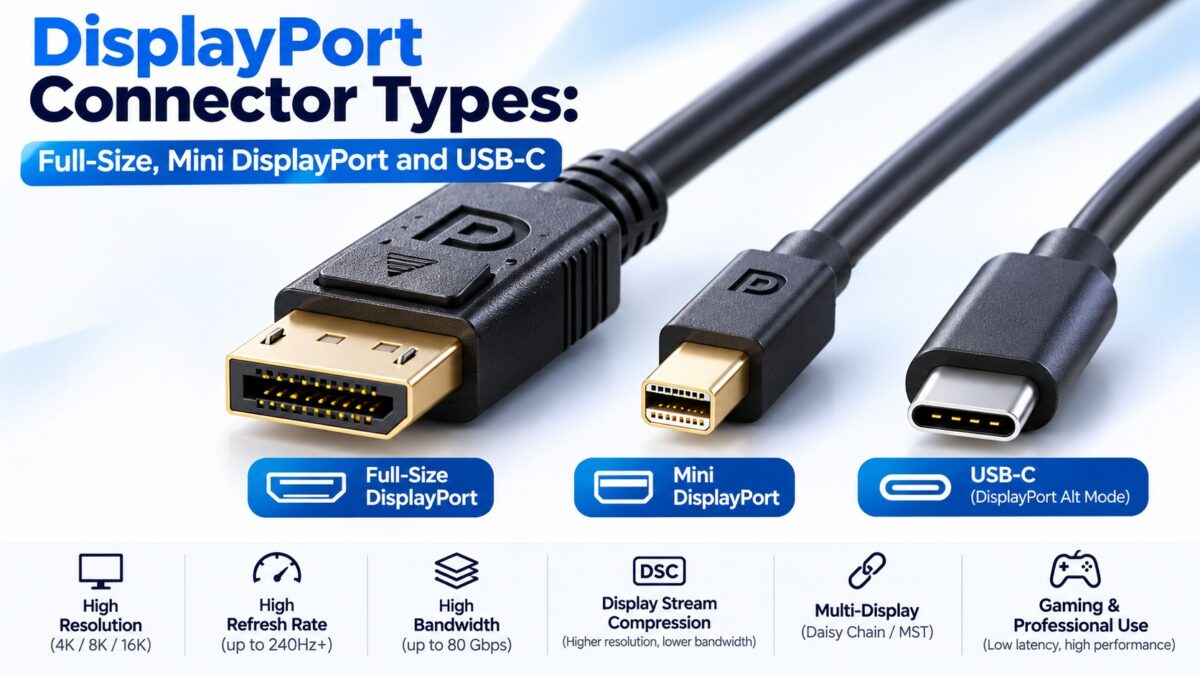
What Are the DisplayPort Connector Types?
DisplayPort comes in two physical connectors, full-size DisplayPort and Mini DisplayPort, and it can also be carried over a USB-C connector using DisplayPort Alt Mode. Full-size DisplayPort is the usual connector on monitors and graphics cards and has a latch that locks it in place. Mini DisplayPort is a smaller version, developed by Apple in 2008 and later standardized by VESA, found on older laptops and compact computers. USB-C with DisplayPort Alt Mode has replaced Mini DisplayPort on most modern laptops. All of them carry the same DisplayPort signal, so the connector decides the shape of the plug and not the version or resolution.
DisplayPort connector types at a glance
| Connector | Pins | Latch | Typical use |
| Full-size DisplayPort | 20 | Yes, on most cables | Monitors, graphics cards, docks |
| Mini DisplayPort (mDP) | 20 | Generally no | Older MacBooks and other laptops, some compact PCs and graphics cards |
| USB-C with DisplayPort Alt Mode | 24 (USB-C) | Not applicable | Modern laptops, tablets and phones |
Full-size DisplayPort
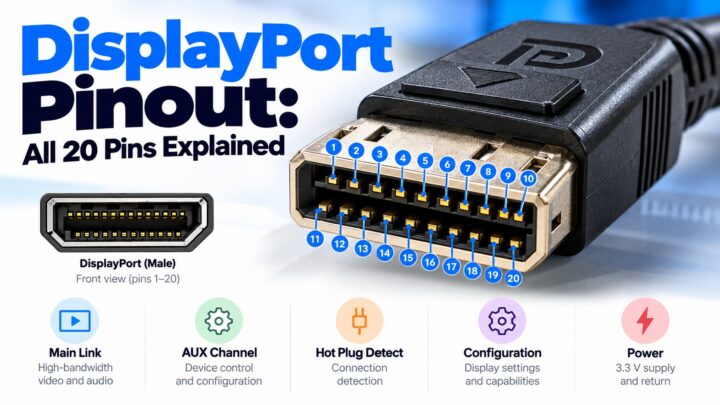
The full-size connector has 20 pins and a latch that clicks into place when you plug it in, so you need to press a button on the plug to release it. That keeps cables from being knocked out, which is a main reason it is used on desktop monitors. One source puts its width at about 16 mm. It is keyed so it fits only one way round.
If you buy a monitor or graphics card today, this is the DisplayPort connector you are most likely to find. Our pinout guide shows what each of the 20 pins does.
Mini DisplayPort
Mini DisplayPort, often written mDP, was introduced by Apple in 2008 and later standardized by VESA. It also has 20 pins and carries the same signals as the full-size connector, in a smaller plug: one source gives its size as about 7.4 × 4.5 mm, against about 16 mm wide for the full-size plug. Mini DisplayPort connectors generally do not have a latch.
It was common on Apple laptops for several years before Thunderbolt 3 moved to USB-C, and it also appeared on Microsoft Surface Pro 3 and 4 tablets, some Lenovo ThinkPads and some professional graphics cards. It is now rare on new hardware.
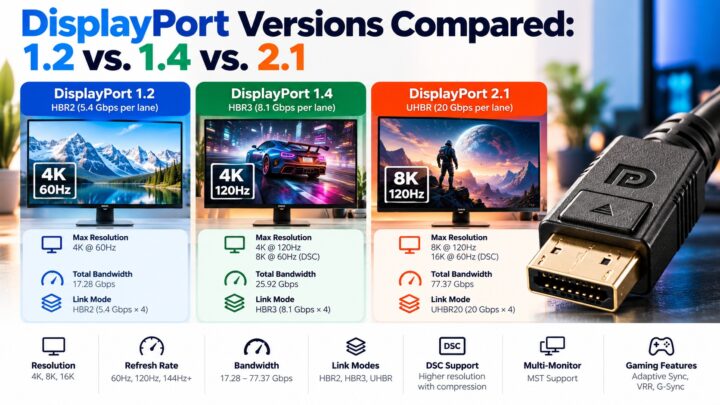
Mini DisplayPort carries the full DisplayPort signal. For example, a Mini DisplayPort to DisplayPort cable can carry a full DisplayPort 1.2 signal, which supports 4K at 60 Hz.
Is Mini DisplayPort the same as Thunderbolt?
No, but they look identical. Thunderbolt 1 and 2 used exactly the same physical connector as Mini DisplayPort, so a Mini DisplayPort cable plugs into a Thunderbolt 1 or 2 port and carries video, but Thunderbolt adds fast data transfer on top: 10 Gbps for Thunderbolt 1 and 20 Gbps for Thunderbolt 2. Thunderbolt 3 and 4 switched to the USB-C connector, with 40 Gbps.
This matters when you are shopping:
- A port with a lightning bolt symbol is Thunderbolt. A port with a DisplayPort logo is plain Mini DisplayPort.
- A Thunderbolt 1 or 2 port can run a Mini DisplayPort monitor. A plain Mini DisplayPort port cannot run Thunderbolt devices.
- A Thunderbolt 3 or 4 port is USB-C, and needs an adapter to connect to a Mini DisplayPort cable.
DisplayPort over USB-C (Alt Mode)
USB-C can carry DisplayPort signals through DisplayPort Alternate Mode. The same connector then does video as well as charging and data. Thunderbolt 3 and 4 ports support it, and many ordinary USB-C ports do too, but not all of them do. Check the specifications for DisplayPort or video output on your device, or look for a DisplayPort or Thunderbolt logo beside the port. One guide notes that a MacBook Pro with Thunderbolt 3 or 4 can drive a DisplayPort 1.4 display over USB-C. Our Alt Mode guide explains how the lanes are shared.
Which cable or adapter do you need?
Match the port on the source to the port on the display. The simplest option is a cable that has the right plug at each end.
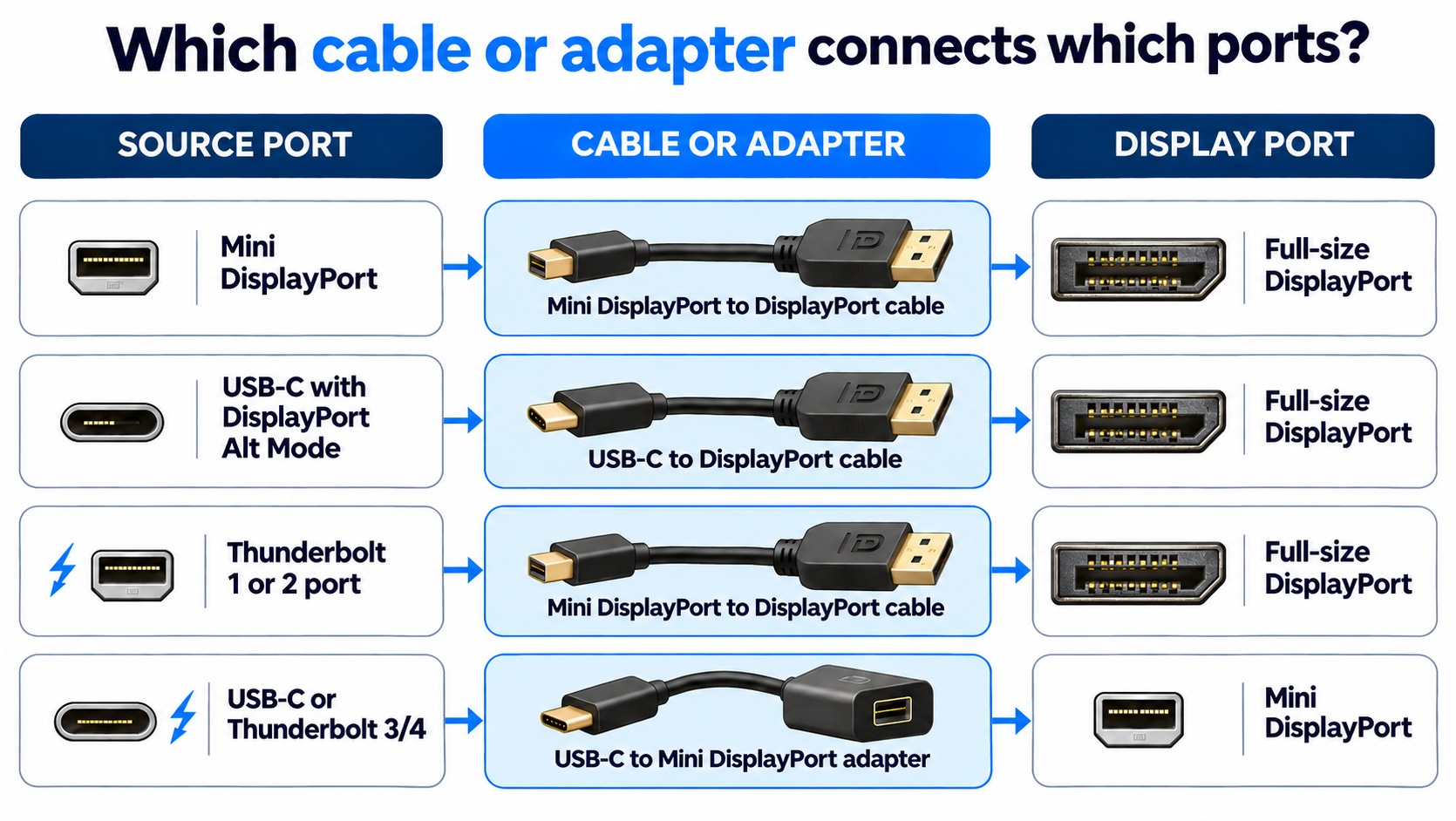
cables and adapters for each DisplayPort connection
The cable or adapter has the source’s plug on one end and the display’s plug on the other.
Do all DisplayPort connectors have the same bandwidth?
The connector does not set the speed. The DisplayPort version supported by the devices and the cable’s rating decide that. A Mini DisplayPort or USB-C connection can carry the same signal as a full-size one if both ends and the cable support it. Beware of pages that attach a bandwidth figure to a connector, because the connector only decides the shape.
Common questions
Is Mini DisplayPort the same as DisplayPort?
It uses the same signals and has the same 20 pins, but in a smaller plug without a latch. You need a Mini DisplayPort to DisplayPort cable or an adapter to connect the two.
Is Mini DisplayPort the same as Thunderbolt?
The connector shape is identical for Thunderbolt 1 and 2, but Thunderbolt carries data as well as video. Thunderbolt 3 and 4 use USB-C instead.
Does Mini DisplayPort carry audio?
Yes. It carries DisplayPort audio like the full-size connector, though if you rely on audio, check that your cable or adapter supports it.
Can I use a USB-C port for DisplayPort?
Only if the port supports DisplayPort Alt Mode, which Thunderbolt 3 and 4 ports do. Check the laptop’s specifications.
Does Mini DisplayPort have a latch?
Generally not.
Is Mini DisplayPort still used?
It is increasingly rare, because USB-C with DisplayPort Alt Mode and Thunderbolt 3 and 4 have replaced it, but older devices are still in use.
Keep learning
- What Is DisplayPort? A Beginner’s Guide (CON-DisplayPort-001)
- DisplayPort Pinout: All 20 Pins Explained (CON-DisplayPort-004)
- DisplayPort Over USB-C: How Alt Mode Works (CON-DisplayPort-008)
- USB-C vs. Thunderbolt: What’s the Difference? (CON-USB-003)
- HDMI Connector Types Explained (CON-HDMI-002)