What Is the DisplayPort Pinout?
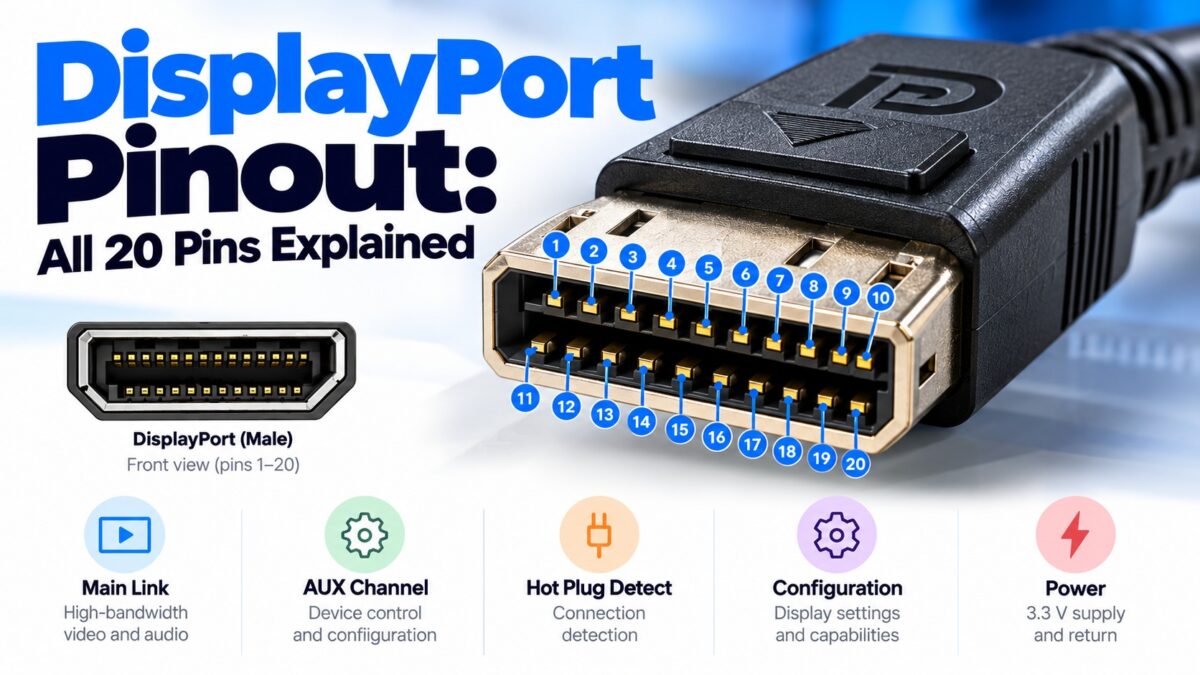
A standard DisplayPort connector has 20 pins: 12 carry the four high-speed main link lanes and their grounds (pins 1 to 12), 2 are configuration pins (13 and 14), 3 carry the auxiliary channel (15 to 17), and the last 3 handle hot plug detection (18), the power return (19) and a 3.3 V power supply (20). Each of the four main link lanes is a differential pair, with a ground pin between its positive and negative wires, and the lanes carry the video and audio. The auxiliary channel is a slow two-way link used for setup, and the DP_PWR pin supplies up to 500 mA at 3.3 V for small circuits such as adapters.
DisplayPort pinout table
This is the pinout of the standard full-size connector as seen on the source side.
| Pin | Signal | Group | Function |
| 1 | ML_Lane 0 (p) | Main link | Lane 0, positive |
| 2 | GND | Ground | Ground for lane 0 |
| 3 | ML_Lane 0 (n) | Main link | Lane 0, negative |
| 4 | ML_Lane 1 (p) | Main link | Lane 1, positive |
| 5 | GND | Ground | Ground for lane 1 |
| 6 | ML_Lane 1 (n) | Main link | Lane 1, negative |
| 7 | ML_Lane 2 (p) | Main link | Lane 2, positive |
| 8 | GND | Ground | Ground for lane 2 |
| 9 | ML_Lane 2 (n) | Main link | Lane 2, negative |
| 10 | ML_Lane 3 (p) | Main link | Lane 3, positive |
| 11 | GND | Ground | Ground for lane 3 |
| 12 | ML_Lane 3 (n) | Main link | Lane 3, negative |
| 13 | CONFIG1 | Configuration | Normally tied to ground; used to detect a dual-mode (DP++) adapter |
| 14 | CONFIG2 | Configuration | Normally tied to ground; labeled as CEC on later designs |
| 15 | AUX CH (p) | Auxiliary channel | Two-way auxiliary channel, positive |
| 16 | GND | Ground | Ground for the auxiliary channel |
| 17 | AUX CH (n) | Auxiliary channel | Two-way auxiliary channel, negative |
| 18 | Hot Plug Detect | Control | Signals that a display is connected or disconnected |
| 19 | Return | Power | Return path (ground) for power |
| 20 | DP_PWR | Power | 3.3 V power for the connector, up to 500 mA |
DisplayPort pin diagram
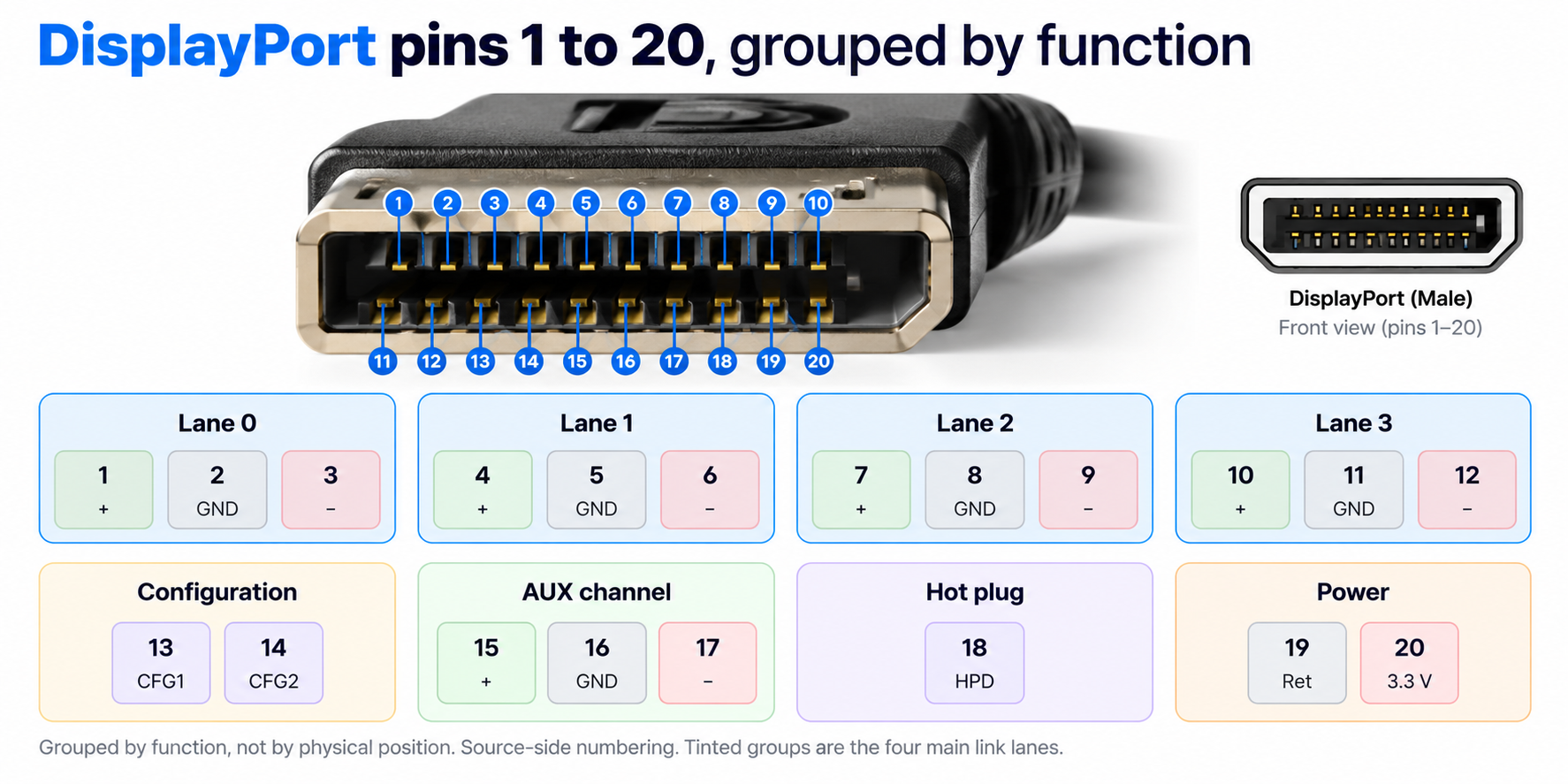
DisplayPort pins 1 to 20 grouped by function
Each main link lane has a positive pin, a ground and a negative pin.
What do the DisplayPort pin groups do?
Pins 1 to 12: the main link
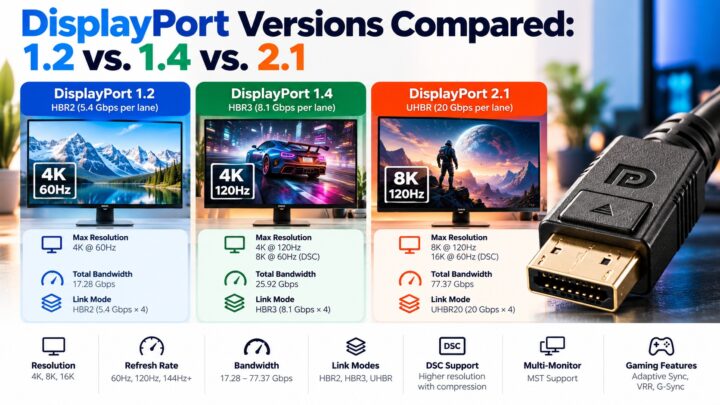
The main link carries the picture and the sound. It has four lanes, and a connection uses one, two or four of them depending on what the cable and both devices support. A product that supports only two lanes leaves lanes 2 and 3 unconnected. Each lane runs at a fixed rate that is set during setup. The lane rates are 1.62, 2.7, 5.4 and 8.1 Gbps for the older modes (RBR, HBR, HBR2 and HBR3) and up to 20 Gbps per lane in DisplayPort 2.x (UHBR20). With four lanes at 8.1 Gbps that makes the 32.4 Gbps of DisplayPort 1.3 and 1.4. A ground pin separates the two wires of each lane from the next lane.
Pins 15 to 17: the auxiliary channel
The auxiliary (AUX) channel is a low-speed two-way link, running at about 2 Mbit/s in its basic mode and 720 Mbit/s in a faster mode. It handles device management, reading the display’s EDID and link training. Unlike the main link, which sends data in one direction only, the AUX channel works both ways.
Pin 18: Hot Plug Detect
The display uses this pin to tell the source that it has been connected or disconnected, so the source knows when to read the display’s capabilities and set up the link.
Pins 19 and 20: power
Pin 20 (DP_PWR) provides 3.3 V at up to 500 mA, and pin 19 is its return path. This is enough for small circuits such as an adapter’s electronics or an EDID memory, not for charging a device.
Pins 13 and 14: CONFIG1 and CONFIG2
On a standard connection, both pins are tied to ground, either directly or through a pulldown device. CONFIG1 has a special role in DisplayPort dual-mode (DP++): a dual-mode source detects a passive DVI or HDMI adapter by the voltage on this pin, which is why the adapter puts a pull-up resistor on it. CONFIG2 is labeled as CEC on later designs.
How does DP++ dual mode use the pins?
A dual-mode source can drive a DVI or HDMI display through a simple passive adapter. The adapter signals its presence on the CONFIG1 pin. Because the DisplayPort connector doesn’t have enough pins for dual-link DVI, dual mode can only carry single-link DVI or HDMI. An active converter is needed for dual-link DVI and for analog video.
Is the pinout the same on the sink side?
No. The pinout above is for the source side. On the sink (display) side of the connection, the lane order is reversed, so lane 3 sits on pins 1 to 3 and lane 0 on pins 10 to 12. This lets a straight-through cable connect each source lane to the matching sink lane.
Does Mini DisplayPort have the same pinout?
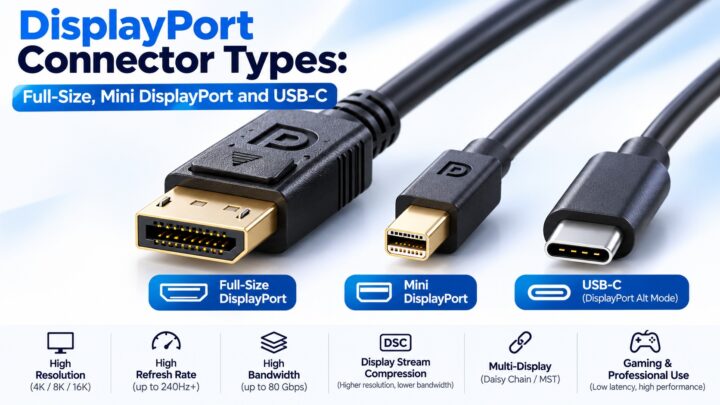
Mini DisplayPort also has 20 pins and is electrically compatible with the full-size connector, but the pins are arranged in a different order, so the pin numbers don’t match. Our connector types guide covers the differences.
Common questions
How many pins does DisplayPort have?
20 pins on the full-size connector, and 20 on Mini DisplayPort.
How many lanes does DisplayPort have?
Four main link lanes. A connection uses one, two or four.
Which pin carries power?
Pin 20 (DP_PWR) provides 3.3 V at up to 500 mA, and pin 19 is the return.
Which DisplayPort pin is Hot Plug Detect?
Pin 18.
What is the AUX channel on DisplayPort?
A low-speed, two-way channel on pins 15 to 17 that handles setup, EDID reading and link training.
Does DisplayPort carry audio on separate pins?
No. Audio is sent together with the video over the main link lanes.
Is the DisplayPort pinout the same as HDMI’s?
No. HDMI uses three data channels and a clock on 19 pins, while DisplayPort uses four lanes and an auxiliary channel on 20 pins.
Keep learning
- What Is DisplayPort? A Beginner’s Guide (CON-DisplayPort-001)
- DisplayPort Connector Types: Full-Size, Mini DisplayPort and USB-C (CON-DisplayPort-002)
- How DisplayPort Works: Main Link, AUX Channel and Hot Plug (CON-DisplayPort-006)
- DisplayPort Over USB-C: How Alt Mode Works (CON-DisplayPort-008)
- HDMI Pinout: All 19 Pins Explained
1 comment