
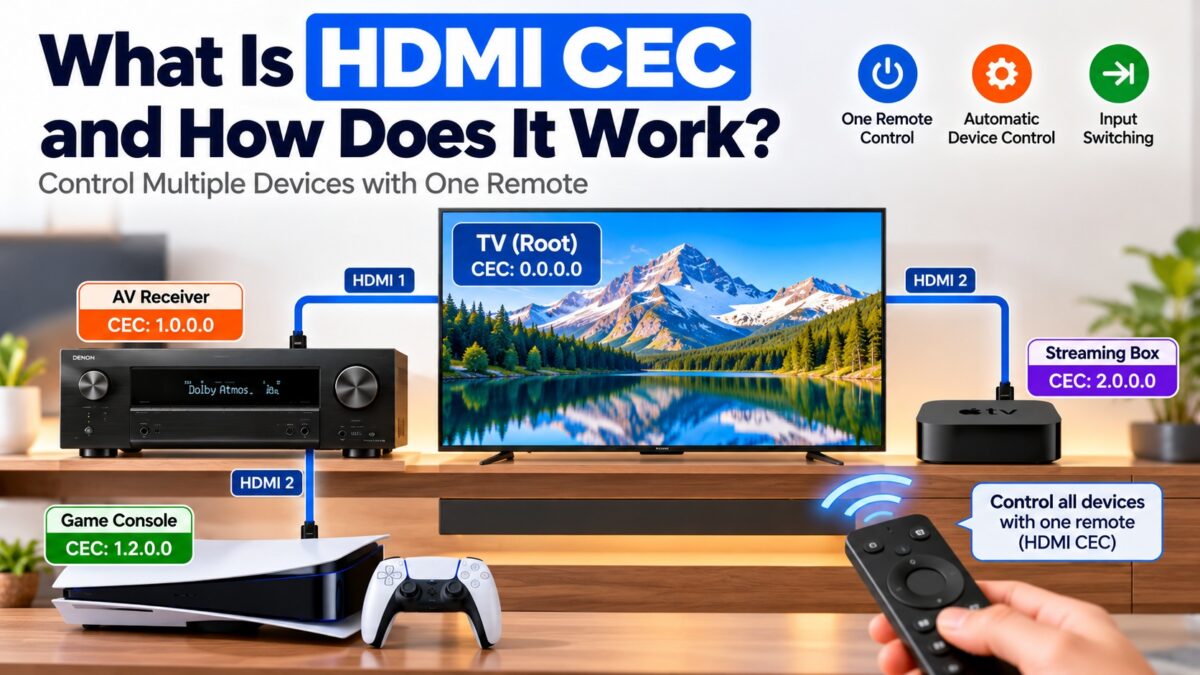
What Is HDMI CEC?
HDMI CEC (Consumer Electronics Control) is a feature of HDMI that lets connected devices control each other over the HDMI cable, so one remote can run your TV, soundbar, Blu-ray player and streaming box. It lets a device switch on the TV and select the right input when playback starts, puts everything on standby with one button, and passes volume and navigation commands from the TV remote to a soundbar or player. Manufacturers sell it under their own names, such as Anynet+ on Samsung, SimpLink on LG and BRAVIA Sync on Sony, but all of them are implementations of the same CEC standard.
How does HDMI CEC work?
CEC uses a single wire in the HDMI cable, pin 13. It is a one-wire, two-way serial bus that connects all the devices in a system like a party line, so there are no extra cables and no infrared sensors. Every device on the bus can send and receive commands.
CEC is slow by design. It runs at about 400 bits per second (417 bit/s in the specification), roughly a thousand times slower than the I²C bus used for EDID on the DDC lines. That is enough for short commands such as “power on” or “volume up”. CEC is based on the older AV.link protocol, and it sends bits with fixed timing rather than a separate clock.
Because many devices share one wire, the protocol has rules to keep them from talking at once. Messages are sent in frames made of a start bit, a header block and optional data blocks. A device waits for a period of silence on the bus before it sends, and when it receives a message addressed to it, it acknowledges by pulling the bus low. The protocol also handles arbitration, retransmission and broadcast messages.
How do devices find each other on the CEC bus?
Every CEC device has two addresses.
- A physical address says where the device sits in the HDMI chain. It is written as four numbers. The TV (the root device) is always 0.0.0.0, a device on HDMI port 1 of the TV is 1.0.0.0, and a device plugged into port 2 of that device is 1.2.0.0. A source learns its physical address each time it is connected by reading the EDID of the device it is attached to.
- A logical address from 0 to 15 says what kind of device it is, such as a TV, a recorder, a tuner, a player or an audio system. Devices negotiate these addresses with each other.
The physical address changes if you unplug and replug cables, which is why moving devices around can briefly confuse CEC.
How the CEC address tree is built
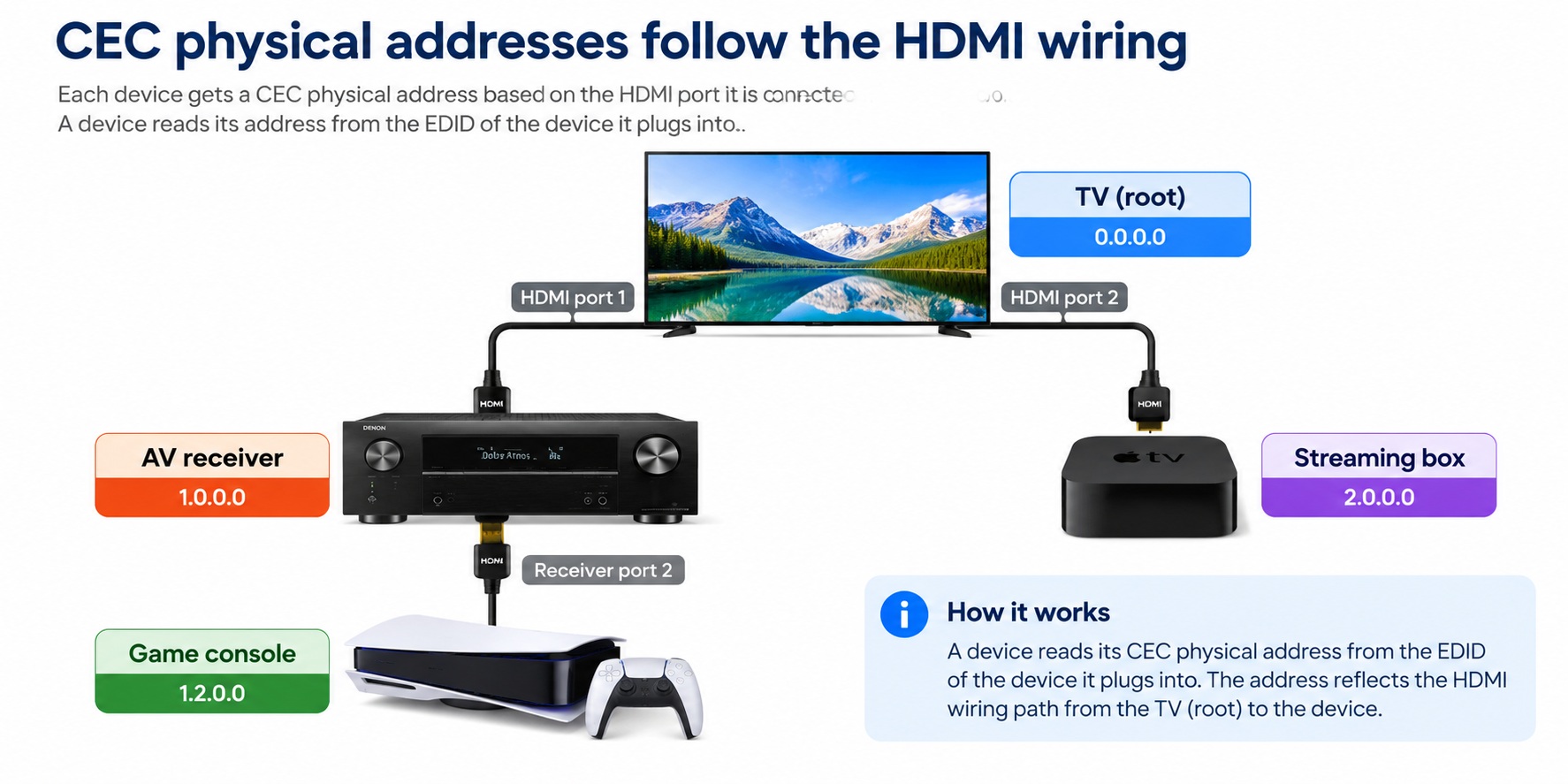
CEC physical address tree · example setup
The console on the receiver’s port 2 gets the address 1.2.0.0.
What can HDMI CEC do?
These are the most commonly used CEC functions:
- One Touch Play: a source turns on the TV and switches it to the right input when playback starts. For example, pressing play on a Blu-ray player switches on the TV and selects its HDMI input.
- System Standby: putting one device in standby sends the others to standby too. Turning off the TV can switch off a soundbar and a game console as well, which saves power.
- Remote control pass-through: the TV remote’s buttons control another device, such as a player’s menu.
- System Audio Control: the TV remote controls the volume of a soundbar or AV receiver, and the audio device switches on with the TV. This is also what ARC relies on.
- Device menu control: the TV can control the on-screen menu of another device.
What are the brand names for HDMI CEC?
Every major manufacturer uses its own name for CEC. The settings option you look for depends on the brand.
| Brand | CEC name |
| Samsung | Anynet+ |
| LG | SimpLink |
| Sony | BRAVIA Sync, BRAVIA Link, Control for HDMI |
| Panasonic | VIERA Link, HDAVI Control, EZ-Sync |
| Philips | EasyLink |
| Sharp | Aquos Link |
| Pioneer | Kuro Link |
| Onkyo | RIHD |
| Toshiba | CE-Link, Regza Link |
| Roku | 1-Touch Play |
| TCL | T-Link |
| Hisense, Vizio | CEC |
All of these use the same signal on pin 13. Differences in how each brand implements the features are the main reason CEC behaves differently when you mix brands.
How do you turn on HDMI CEC?
- Find the CEC option on the TV. It is usually in the settings menu under the brand’s own name, for example Anynet+ or SimpLink.
- Turn it on. Many TVs ship with it off.
- Turn it on for every device. Soundbars, receivers, players and consoles each have their own setting, often called HDMI Control or HDMI-CEC.
- Test it. Switch on a connected player and check that the TV wakes and selects the input. Then turn the TV off and check that the other devices go to standby.
After any firmware update on a TV or device, check that CEC is still turned on and test the main functions again.
Why is HDMI CEC not working?
The most common causes are simple.
- CEC is off on one device. It must be enabled on every device in the chain.
- Mixed brands. Brand implementations differ, so some functions may work between devices from one brand and not between brands.
- A firmware update reset the setting. Check the settings again.
- The wrong port or a poor cable. Use a cable that connects all 19 pins, including pin 13, and try a different HDMI port.
- A confused address tree. Power off all devices, unplug them for a short time, and then turn on the TV first and the other devices after it.
If you are using ARC, a soundbar that doesn’t respond to the TV remote almost always points to CEC. Our ARC setup guide covers the specific steps.
Common questions
What does CEC stand for?
Consumer Electronics Control.
Is CEC the same as Anynet+ or SimpLink?
Yes. Anynet+ (Samsung) and SimpLink (LG) are brand names for HDMI CEC.
Which HDMI pin carries CEC?
Pin 13 on a standard Type A connector.
Does CEC work between different brands?
Often, but not always. The basic functions, such as One Touch Play and System Standby, usually work, but advanced functions can vary between brands.
Does CEC need an internet connection?
No. It uses the HDMI cable only.
Does every HDMI cable carry CEC?
CEC needs the pin 13 wire to be connected, which most standard cables do, but some very cheap cables or adapters may leave it out. If CEC fails with one cable and works with another, the cable is the likely cause.
1 comment