What Is Display Stream Compression (DSC)?
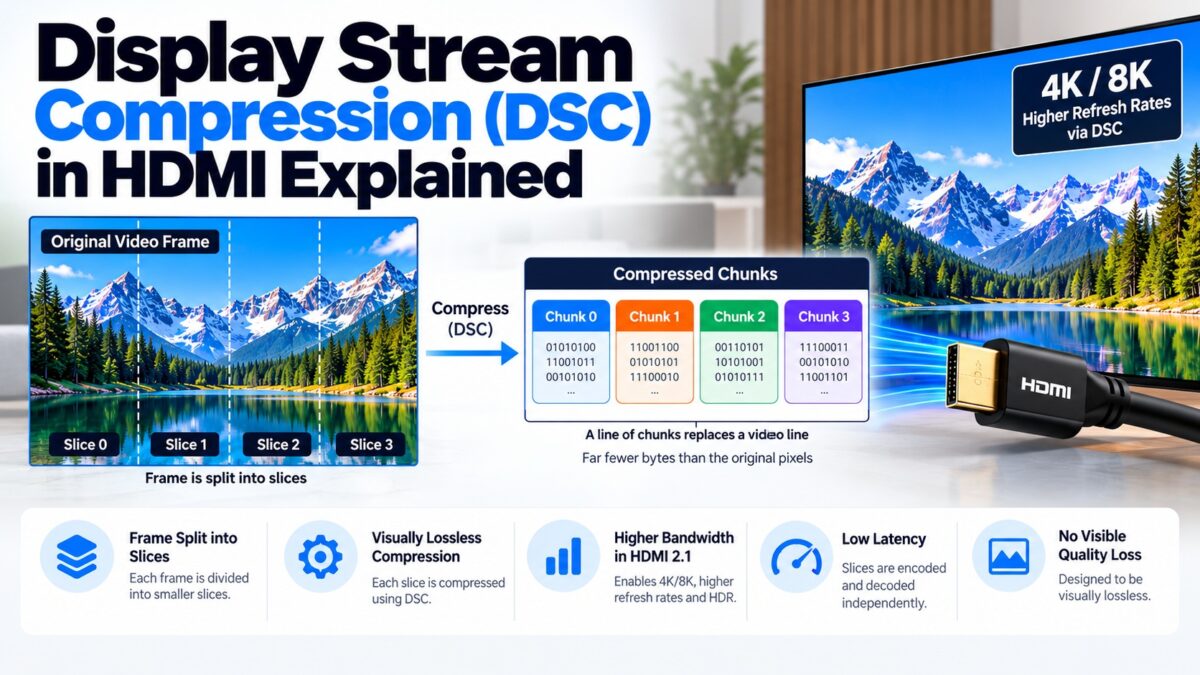
Display Stream Compression (DSC) is a VESA standard that compresses video before it is sent over a display link, typically by up to about 3:1, with a result described as visually lossless. HDMI 2.1 includes it so that very high resolutions and refresh rates, such as 8K at 60 Hz in full color or 4K at very high refresh rates, can fit within the 48 Gbps link. The display decompresses the video with very little delay, so the compression does not add noticeable lag. DSC is also used by DisplayPort and by mobile display links.
Why does HDMI need compression?
Uncompressed video takes a lot of bandwidth, and it grows quickly with resolution, refresh rate and color depth. HDMI 2.1’s 48 Gbps link carries about 42.67 Gbps of usable data, and some modes need more than that. Rather than make the cable faster, DSC makes the video smaller. Our bandwidth guide shows which modes fit without DSC and which need it.
How does DSC work?
DSC is a deliberately simple, fast codec, not a heavy compression system such as those used for streaming. VESA designed it to give good quality at modest compression, with very low delay.
- It works line by line. The algorithm is based on delta pulse-code modulation (DPCM), which predicts each pixel from its neighbors and sends only the difference. It needs to store only a single line of pixels, which keeps the delay to a few microseconds.
- It splits the picture into slices. Before compression, the frame is divided into a grid of slices, rectangles that are encoded and decoded independently, so many can be processed in parallel. Higher resolutions use more slices; for example, the number of slices per line rises from four for 4K at 60 Hz to eight for 8K at 60 Hz.
- It sends chunks. Each slice produces a chunk of compressed data per line, and a line of chunks takes the place of an ordinary video line on the link.
- It works at a constant bit rate. The encoder aims for a fixed number of bits per pixel, set when the link is set up, so the data rate on the cable stays predictable.
How DSC divides a frame
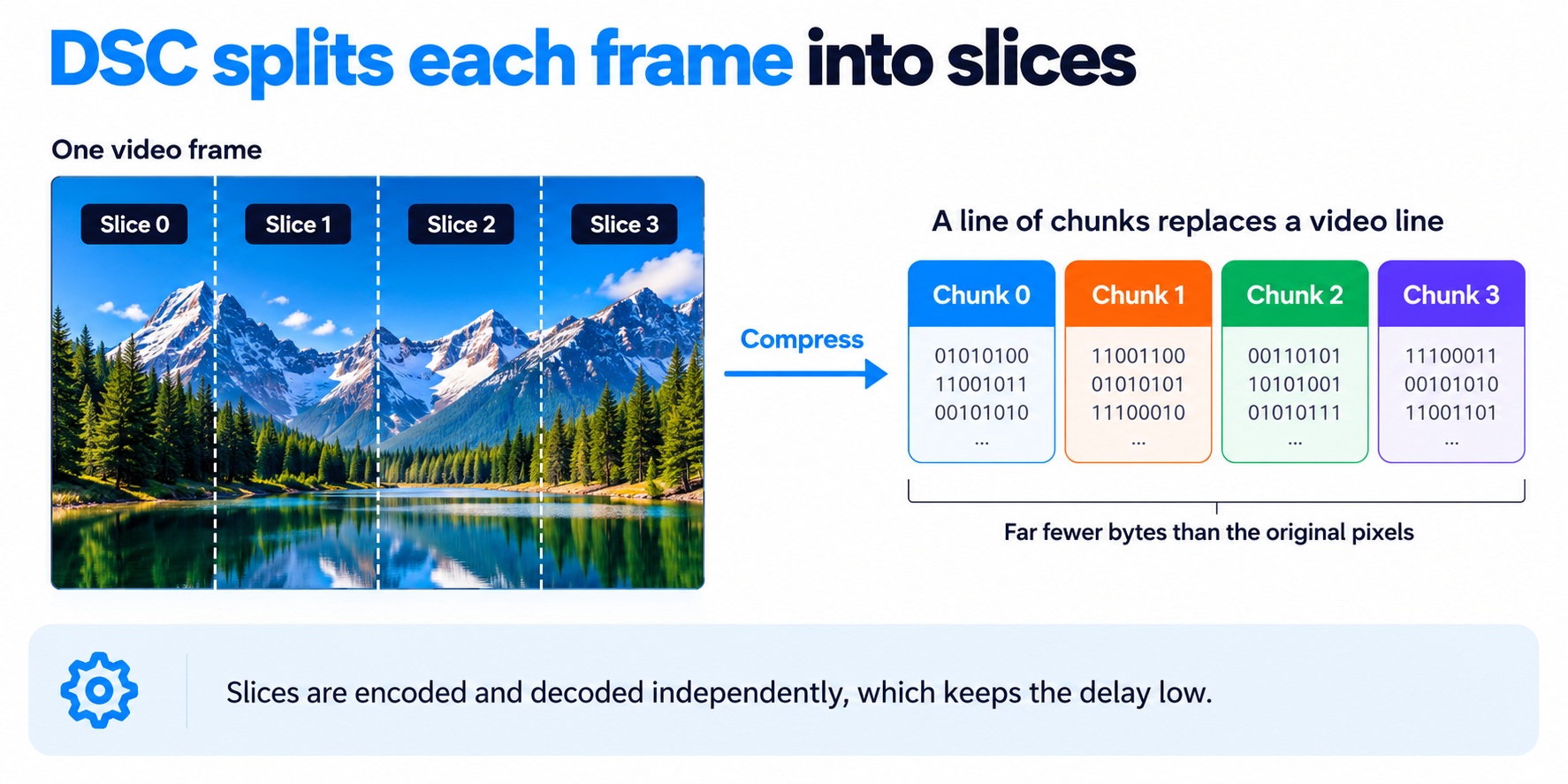
DSC slices and chunks
The four-slice layout is for illustration; real modes use more slices as the resolution rises.
How much does DSC compress?
The compression is set by the target number of bits per pixel. An uncompressed 8-bit RGB pixel uses 24 bits. Compressing to 12 bits per pixel halves the data, and 8 bits per pixel gives the maximum 3:1. VESA says the typical compression ratio runs from 1:1 to about 3:1, and its testing confirmed visually lossless quality up to a factor of three.
As an example from Synopsys, an 8K frame at 24 Hz in 24-bit RGB needs about 12 Gbps. Compressed to 12 bits per pixel, it needs only about 6 Gbps over three lanes. Used at 3:1 on a 48 Gbps link, DSC’s maximum compression works out to an effective bandwidth of about 144 Gbps, although real modes depend on timing and the chosen bit rate.
Is DSC really lossless?
Not mathematically. DSC is described as visually lossless, which is different from mathematically lossless: the output is not bit-for-bit identical to the input, but the difference is meant to be imperceptible to the viewer. VESA’s testing confirmed this for all kinds of images up to a compression factor of three.
When does HDMI use DSC?
DSC is part of the HDMI 2.1 specification, which includes support for VESA DSC 1.2a. It is used for modes that would not otherwise fit on the link, for example:
- 8K at 60 Hz in full 4:4:4 color,
- 8K at 120 Hz,
- up to 10K at 120 Hz, and
- very high refresh rates at 4K.
Both the source and the display have to support it, and in HDMI it is used in FRL mode, so a mode that needs DSC also needs the HDMI 2.1 link. If a device doesn’t support DSC, the source has to use a lower mode or chroma subsampling instead.
DSC vs. chroma subsampling
Both are ways to fit a mode onto a link that is too slow. They work differently.
| DSC | Chroma subsampling | |
| What it does | Compresses the whole video signal | Stores color at lower resolution than brightness |
| Savings | Up to about 3:1 | About a third less for 4:2:2 and about half for 4:2:0 |
| Visible effect | Designed to be invisible | Can blur fine colored detail, such as colored text |
| HDMI version | HDMI 2.1 (FRL) | HDMI 1.4 and later |
When a device has to choose, DSC is generally the better option for keeping full color detail, because it is designed to be visually lossless, while chroma subsampling gives up color resolution.
DSC on other links
DSC is not specific to HDMI. VESA developed it for DisplayPort, HDMI, and MIPI display links in phones and embedded devices. The current version in use is DSC 1.2a, which was introduced alongside DisplayPort 1.4a. Our HDMI vs. DisplayPort guide compares how the two use it.
Common questions
What does DSC stand for?
Display Stream Compression.
Does DSC reduce picture quality?
It is designed to be visually lossless, but it is technically lossy. VESA’s tests found the quality visually lossless up to 3:1.
Does DSC add input lag?
Very little. The algorithm needs only a single line of pixel storage, which keeps the delay to a few microseconds.
Do I need DSC for 4K 120 Hz?
No. 4K at 120 Hz fits within 48 Gbps without DSC. DSC is used for the higher modes.
Is DSC part of HDMI 2.1?
Yes. HDMI 2.1 includes support for VESA DSC 1.2a.
Does my TV or monitor support DSC?
Check its specifications. Both the source and display have to support it, and not every HDMI 2.1 device supports every feature.